

TL;DR:
- CRM workflows automate repetitive tasks like lead follow-up and policy renewals, boosting efficiency.
- Automations ensure quick response times, consistent client communication, and compliance with regulations.
- Starting with lead capture or renewal reminders yields fast results and higher agency growth.
Insurance agencies bleed revenue every day through missed follow-ups, forgotten renewals, and leads that go cold before anyone picks up the phone. The good news is that CRM workflows, meaning automated sequences inside your customer relationship management platform, can handle those repetitive tasks without human error. Agencies running automated processes close more deals, retain more clients, and free their agents to focus on conversations that actually require a human touch. This guide walks you through real workflow examples for lead capture, policy renewal, post-sale engagement, and more, so you can see exactly what to build first.
Table of Contents
- What is a CRM workflow? Key concepts for insurance agencies
- Lead capture and qualification workflow
- Policy renewal and cross-sell workflow automation
- Post-sale engagement: Claims, check-ins, and retention automation
- Comparing top CRM workflows: Which fits your agency needs?
- Our take: Why every agency needs at least one automated workflow
- Automate your agency: Next steps with Callback CRM
- Frequently asked questions
Key Takeaways
| Point | Details |
|---|---|
| Workflow automation basics | Start with simple insurance CRM workflows to instantly increase follow-up speed and accuracy. |
| Lead and renewal focus | Automating lead capture and policy renewals drives higher sales conversions and retention. |
| Retention and growth | Post-sale workflows like claims check-ins help agencies deliver better service and retain more clients. |
| Comparison guides action | Evaluating workflow types side by side helps you pick what fits your agency best right now. |
What is a CRM workflow? Key concepts for insurance agencies
A CRM (customer relationship management) system is the central hub where you store client data, track policies, and manage communication history. A workflow is a set of automated rules layered on top of that data. When a trigger happens, like a form submission or a renewal date approaching, the workflow fires a series of actions without anyone pressing a button.
For insurance agencies, the most common workflow types fall into three buckets:
- Lead response workflows: Auto-assign new leads to an agent, send a welcome text or email within minutes of form submission, and log every action.
- Quote follow-up workflows: Send a sequence of reminders if a prospect hasn’t responded after receiving a quote, keeping deals from going silent.
- Renewal reminder workflows: Alert both the agent and the client 90, 60, and 30 days before a policy expires. Workflow automation standardizes policy renewals and claim processes while measurably boosting retention.
Why does this matter so much? Speed, consistency, and compliance. Regulators in many states require documented client communication. Automation creates that paper trail automatically. Retention goes up when clients feel remembered. And speed matters enormously because the first agent to respond to an inbound lead wins the sale far more often than the most experienced one who calls an hour later.
The biggest mistake agencies make is waiting until they have the perfect process mapped out before they automate anything. You don’t need a flawless 20-step sequence on day one. Check out this lead generation tutorial to see what a lean first workflow looks like in practice.
Pro Tip: Pick the single most painful manual task your team does every day, whether that’s following up on quotes or sending renewal reminders, and automate that one thing first. Add complexity after you see results.
Lead capture and qualification workflow
The moment a prospect fills out a form on your website or clicks an ad, the clock starts. A CRM workflow can act on that lead in seconds while your agents are on the phone with other clients. Here’s how a well-built lead capture and qualification sequence works:
- Lead enters CRM: Form data is pulled automatically into the CRM record, including name, policy interest, and contact details.
- Instant acknowledgment: An automated SMS and email go out within 60 seconds confirming receipt and setting expectations.
- Qualification check: The workflow reads the record’s data fields (budget range, policy type, zip code) and applies a lead score.
- Routing decision: High-score leads get assigned to a senior agent with a task notification. Low-score leads enter a nurture sequence of educational emails.
- Follow-up triggers: If there’s no response within 24 hours, the workflow sends a second touchpoint. After 72 hours, it escalates to the assigned agent’s task list.
- Tag and segment: The lead gets tagged by policy type, making future campaigns far more targeted.
“Speed-to-lead is not a best practice, it’s a competitive necessity. The agency that responds in 60 seconds wins the quote, and automation is the only reliable way to guarantee that speed at scale.”
CRM automation standardizes follow-up speed for new leads and meaningfully increases conversion rates. The lead qualification steps you build into your CRM replace the inconsistent, agent-dependent process most agencies currently rely on.

Pro Tip: Use a lead score threshold (for example, 70 out of 100) to automatically separate “hot” leads from “warm” ones. This prevents your best agents from wasting time on prospects who aren’t ready to buy while ensuring no high-intent lead ever waits. You can learn more about how to optimize lead funnel performance with smart segmentation.
Policy renewal and cross-sell workflow automation
Securing the initial sale is only half the job. Agencies that don’t have a systematic renewal process lose clients quietly, one lapsed policy at a time. Automated renewal and cross-sell workflows fix that.
Renewal reminder sequence:
- 90 days out: Automated email to client summarizing current coverage and upcoming renewal date.
- 60 days out: Follow-up email with a rate review offer and a link to book a call.
- 30 days out: SMS reminder plus an agent task to make a personal call.
- 7 days out: Final urgent reminder with direct payment link.
Automated renewal reminders consistently reduce lapses and missed renewals, which directly protects your agency’s revenue.
Cross-sell campaigns run on a parallel track. When a client holds a home policy, the CRM flags them as a candidate for a life or auto quote. A campaign triggers automatically at the 6-month mark, delivering personalized messaging tied to their existing coverage.
| Touchpoint | Timing | Channel | Triggered by |
|---|---|---|---|
| Coverage summary | 90 days before renewal | Policy expiration date | |
| Rate review offer | 60 days before renewal | Same trigger | |
| SMS reminder | 30 days before renewal | SMS | Same trigger |
| Agent call task | 30 days before renewal | CRM task | Same trigger |
| Final payment link | 7 days before renewal | Email + SMS | Same trigger |
| Cross-sell offer | 6 months post-bind | Policy type tag |
Building these sequences into your insurance sales automation setup turns renewals from a scramble into a scheduled, predictable process. The CRM automation features you use determine how granular you can get with timing and channel selection.
Post-sale engagement: Claims, check-ins, and retention automation
The sale closes, the policy binds, and then what? Most agencies go quiet. That silence is one of the top reasons clients leave at renewal. Post-sale workflows keep the relationship alive without requiring your team to manually calendar every follow-up.
Key post-sale workflow triggers:
- Binding confirmation: Auto-send a welcome email with policy documents, agent contact info, and claims instructions.
- 30-day check-in: Automated SMS asking if the client has any questions.
- Annual review prompt: Email at the 11-month mark inviting the client to review their coverage before renewal.
- Claims event trigger: When a claim is filed (or flagged in the CRM), a workflow notifies the agent and schedules follow-up tasks at set intervals.
“CRM blueprints enforce consistent steps for claims, ensuring compliance and timely agent follow-up.”
Here’s how manual and automated claims follow-up actually compare:
| Factor | Manual process | Automated workflow |
|---|---|---|
| Response time | Hours to days | Minutes |
| Consistency | Agent-dependent | Always the same |
| Documentation | Often incomplete | Auto-logged |
| Compliance risk | High | Low |
| Client satisfaction | Variable | Reliably higher |
The sales automation workflow for post-sale communication is often the most overlooked and highest-return automation any agency can build. Pair it with the insurance automation checklist to make sure nothing falls through the cracks after a claim is opened.
Comparing top CRM workflows: Which fits your agency needs?
With multiple workflow types available, agencies need a clear framework for deciding where to start. The right workflows for renewal, lead management, and post-sale directly impact revenue and client satisfaction.
| Workflow type | Best for | Main benefit | Main challenge |
|---|---|---|---|
| Lead capture | Growing agencies | Faster response, higher conversion | Requires clean form data |
| Renewal reminders | Established books of business | Reduces lapse rate | Needs accurate policy dates |
| Cross-sell campaigns | Agencies with diverse product lines | Higher revenue per client | Must segment by policy type |
| Post-sale check-ins | Retention-focused agencies | Stronger relationships, lower churn | Requires ongoing content |
| Claims follow-up | High-volume agencies | Compliance, client trust | Needs CRM claims integration |
How to choose your first workflow:
- If your biggest problem is slow response to new leads, start with lead capture and qualification.
- If you lose clients at renewal without realizing it until after the fact, build renewal reminders first.
- If agents are overwhelmed after the sale, automate post-binding check-ins immediately.
- If your product mix is growing, add cross-sell triggers after your foundation workflows are running smoothly.
Review the full CRM features overview to match your platform’s capabilities to the workflows above. Understanding the marketing automation benefits specific to insurance will also help you prioritize with confidence.
Our take: Why every agency needs at least one automated workflow
Here’s an uncomfortable truth most automation vendors won’t tell you: waiting for the perfect workflow is the most expensive decision you can make. We’ve seen agencies spend six months mapping out an elaborate 40-step process and still not launch a single automation. Meanwhile, their competitors are closing leads in under a minute and sending renewal reminders on autopilot.
The agencies that grow fastest aren’t the ones with the most sophisticated tech stack. They’re the ones who launched something imperfect, learned from it, and improved it over 90 days. One simple lead response workflow or a three-email renewal sequence beats a perfect plan that never goes live.
Doing nothing has a very real cost: slower pipeline, more manual errors, burned-out agents, and renewals slipping away silently. If you’re serious about growth, CRM empowers agents to do more with less, but only after you flip the switch. Stop planning. Start one workflow today.
Automate your agency: Next steps with Callback CRM
The workflow examples above aren’t theoretical. They’re exactly the kind of automation Callback CRM is built to run for insurance agencies and IMOs out of the box.
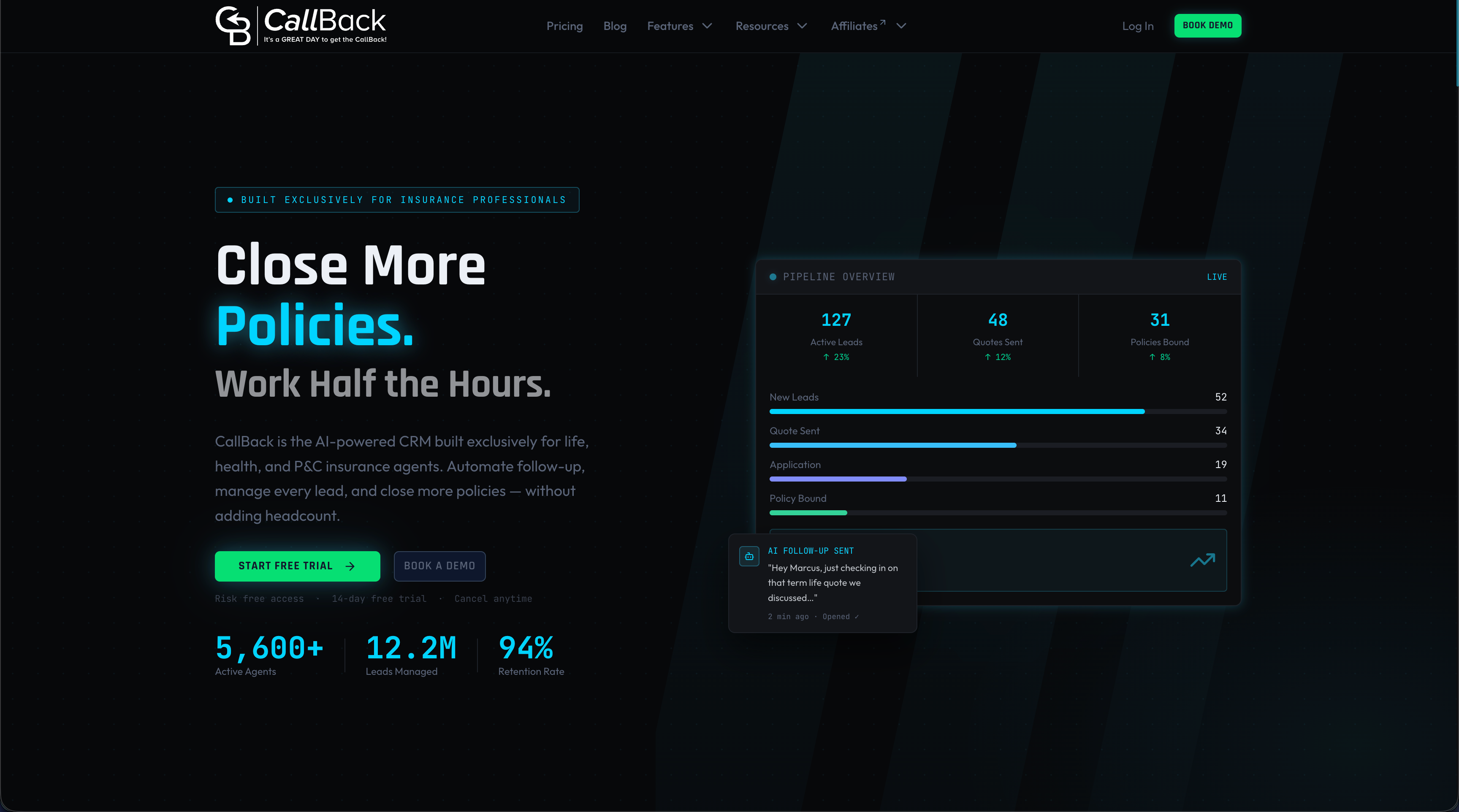
Callback CRM gives you flexible, insurance-focused automation tools including email and SMS automation tools that fire on triggers you define, lead scoring, renewal sequences, and post-sale engagement campaigns. All of it is centralized in one platform built for agents who want results, not IT headaches. Explore the full suite of CRM automation features or estimate your outreach costs with the SMS segment calculator before your next campaign. Your first automated workflow could be live this week.
Frequently asked questions
What is a CRM workflow in insurance?
A CRM workflow in insurance is an automated sequence that handles routine processes like lead follow-up, policy renewal reminders, or claims tracking, ensuring nothing falls through the cracks. Workflow rules send renewal reminders and standardize claim handling for better retention.
How do CRM workflows improve lead generation?
CRM workflows automate lead capture, qualification, and timely follow-up, which increases conversion rates and ensures fast response times. CRM automation increases lead conversion by dramatically speeding up follow-ups after first contact.
Which workflow should my agency automate first?
Most agencies start with lead capture and renewal reminder workflows, as these have the fastest impact on sales and retention. Automated renewal reminders reduce lapses and boost retention rates faster than almost any other single change.
Can automation help cross-sell more policies?
Yes, CRM workflows can trigger personalized cross-sell offers based on existing policy data, increasing sales per customer without extra agent effort. CRMs trigger cross-sell campaigns based on policy type data automatically.