

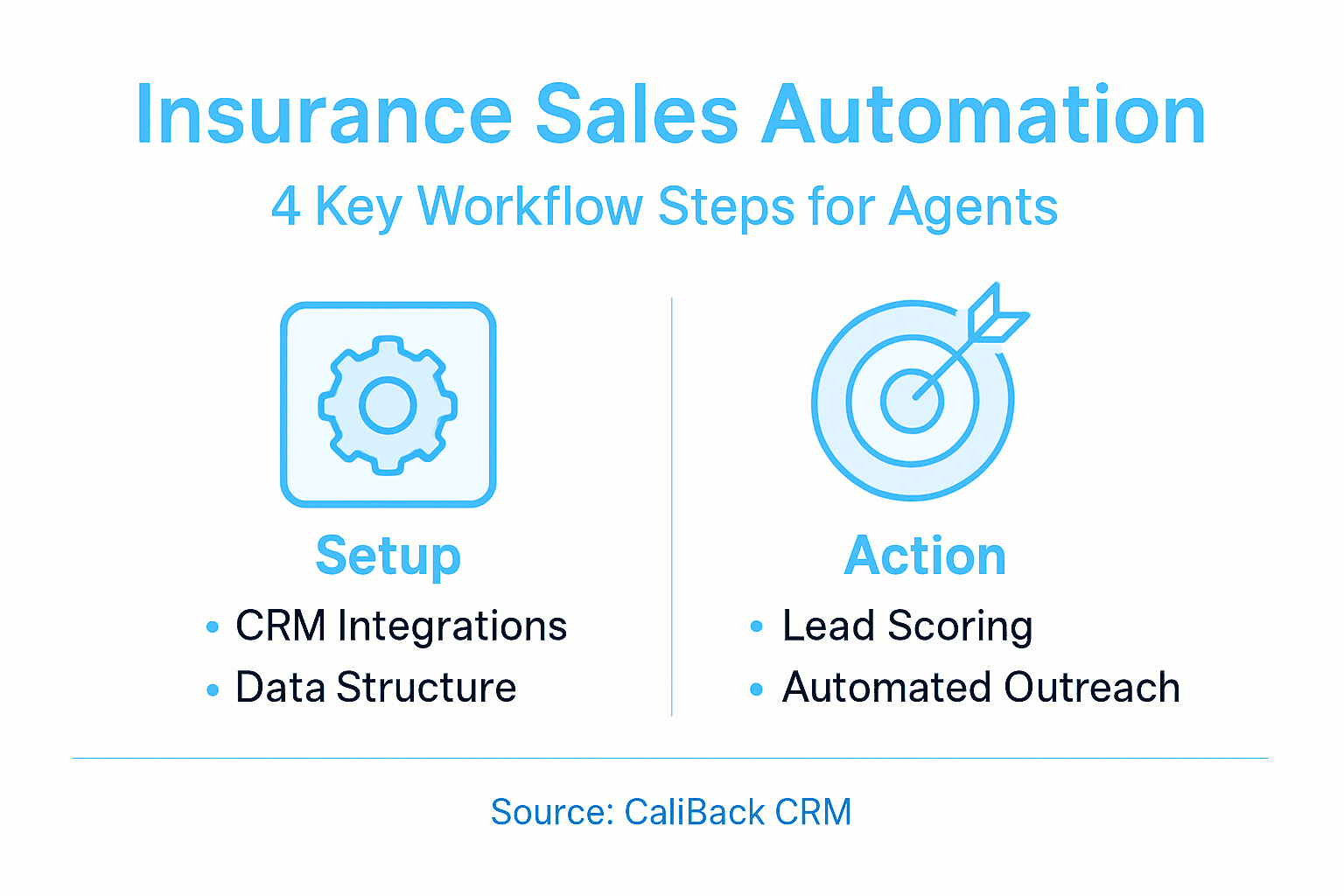
Busy insurance agents often struggle to keep track of leads and client interactions while juggling compliance and administrative tasks. In a market where every missed follow-up can cost a sale, a well-configured CRM with powerful integrations becomes your central hub for efficiency. AI-driven sales automation workflows offer a practical way to capture accurate customer data, qualify leads automatically, and personalize outreach without sacrificing personal touch, giving you a clear advantage from the very first step.
Table of Contents
- Step 1: Set Up Your CRM and Integrations
- Step 2: Configure Lead Capture and Scoring
- Step 3: Automate Outreach and Follow-Up
- Step 4: Monitor Workflow Performance and Optimize
Quick Summary
| Actionable Insight | Clear Explanation |
|---|---|
| 1. Choose the Right CRM Platform | Select a CRM that meets your specific needs, focusing on features for lead management and policy tracking. |
| 2. Automate Lead Capture and Scoring | Implement systems to automatically log leads and assign scores based on buying intent to prioritize follow-ups. |
| 3. Set Up Effective Automation Sequences | Create personalized email and SMS sequences based on lead behaviors to enhance engagement and conversions. |
| 4. Monitor Performance Metrics Regularly | Track key metrics like conversion rates and lead response times to assess and refine your sales automation workflows. |
| 5. Test and Optimize Integrations | Thoroughly test every integration before launch to ensure seamless data flow and enhance overall automation efficiency. |
Step 1: Set Up Your CRM and Integrations
Your CRM is the foundation of your sales automation workflow. Getting it right from the start saves you countless hours of manual work and ensures your team operates from a single source of truth.
Start by selecting a platform that matches your specific needs as an insurance agent. Look for systems that offer built-in features for lead management, policy tracking, and customer communication. Once you’ve chosen your platform, the real work begins: configuring it to match your actual business processes.
Define your data structure first. Before entering any information, map out exactly what fields you need. For insurance agents, this typically includes client contact details, policy information, renewal dates, commission amounts, and communication history. Having this blueprint prevents messy data later.
Now connect your essential tools. The most impactful integrations for insurance professionals include:
Here’s a summary of key CRM integrations and their impact for insurance agents:
| Integration Type | Primary Benefit | Business Impact |
|---|---|---|
| Email System | Tracks client communications | Enables timely follow-up |
| Calendar Application | Schedules meetings efficiently | Reduces missed appointments |
| SMS Platform | Sends instant notifications | Improves client engagement |
| Document Management | Stores policies securely | Facilitates fast document access |
| Web Forms | Captures lead data automatically | Increases lead generation accuracy |
- Email systems for automatic contact logging and follow-up tracking
- Calendar applications to sync appointments and prevent scheduling conflicts
- SMS platforms for time-sensitive client notifications
- Document management tools for policy storage and proposal delivery
- Web forms to automatically capture leads from your website
Optimizing your CRM setup through proper integrations enables you to automate lead management, outreach campaigns, and timely follow-ups without manual data entry. This means your team spends less time copying information between systems and more time selling.
Test each integration thoroughly before going live. Run a few test leads through your system to confirm data flows correctly between platforms. Check that contact information syncs properly, that emails trigger automation sequences, and that nothing falls through the cracks.
Remember that CRM in insurance operates as both a business approach and technology solution, integrating your team’s processes to improve customer relationships and lead qualification. Your setup should reflect how your team actually works, not force your team to work differently.
Proper integration setup today prevents data chaos and manual workarounds that cost you time and money every single day.
Pro tip: Start with your three most-used tools before adding everything else—this keeps your setup manageable and lets your team adapt gradually to the new system.
Step 2: Configure Lead Capture and Scoring
Lead capture and scoring separate tire-kickers from genuine prospects. This step determines which leads get your immediate attention and which ones need nurturing first.
Start by identifying all the ways leads enter your system. Prospects contact you through your website, phone calls, email inquiries, referrals, and social media messages. Each touchpoint needs a capture mechanism that automatically feeds data into your CRM without manual entry.

Set up web forms on your website that collect essential information upfront. Ask for name, contact details, type of coverage needed, and current insurance situation. Keep forms short though—every extra field drops your completion rate.
For phone and email inquiries, configure your system to log these interactions automatically. When a prospect calls or emails, their information should land in your CRM immediately without someone typing it in manually.
Now comes the scoring part. This is where you tell your system which leads deserve immediate follow-up and which ones can wait. Create a point-based system that rewards behaviors indicating buying intent.
Assign points for actions like these:
Compare popular lead scoring actions and their conversion value:
| Lead Action | Scoring Points | Signals Likelihood to Buy |
|---|---|---|
| Requesting a Quote | 25 | High purchase interest |
| Downloading Comparison Guide | 15 | Researching insurance options |
| Visiting Pricing Pages Often | 10 | Evaluating coverage details |
| Opening Emails Consistently | 8 | Engaged with offer |
| Scheduling a Meeting | 30 | Ready for direct contact |
- Visiting your pricing or product pages multiple times
- Downloading guides or comparison materials
- Requesting a quote or meeting
- Opening your emails consistently
- Spending significant time on your website
Predictive AI can improve lead scoring by leveraging data-driven insights to automatically prioritize leads based on their likelihood to convert. This means your system learns which behaviors predict actual sales, then flags those prospects automatically.
Set score thresholds that trigger automated actions. When a lead hits 50 points, send them a welcome email sequence. At 75 points, assign them to a specific agent. At 100 points, trigger an immediate notification so someone calls them today.
Also consider regulatory compliance. Accurate customer data capture ensures you meet licensing and compliance requirements while building strong customer relationships. Your lead data must be accurate, complete, and securely stored.
Test your scoring rules with existing customers. Look at your best clients and reverse-engineer what behaviors they showed before buying. Use those patterns to refine your scoring model.
Your lead scoring system only works if it reflects what actually predicts sales for your specific business, not generic industry benchmarks.
Pro tip: Review and adjust your scoring rules quarterly as you gather more data about what truly converts—your best predictions come from your own customer patterns, not someone else’s formula.
Step 3: Automate Outreach and Follow-Up
Automated outreach and follow-up is where your sales automation truly pays dividends. Instead of manually sending emails and making calls, your system handles the repetitive work while you focus on closing deals.
Start by creating email sequences that trigger based on specific lead behaviors. When someone downloads a guide, they automatically receive a welcome email. Three days later, send a follow-up asking if they have questions. After a week, offer them a consultation.
Set up different sequences for different scenarios. New leads get one path. Prospects who requested quotes but haven’t responded get another. Past clients considering additional coverage get a third. Each sequence should feel personalized, not robotic.
Configure timing that actually works. Don’t send emails at 3 AM just because that’s when your system processes them. Schedule messages for business hours when people check email. Stagger follow-ups so you’re not bombarding anyone.
AI-driven automation transforms outreach by automating repetitive tasks while maintaining personalization in customer interactions. Your system learns from response patterns and adjusts timing and messaging automatically.
Include these automation touchpoints in your workflow:
- Initial contact within one hour of form submission
- Reminder email if no response after 48 hours
- Educational content delivered across three to five days
- Final call-to-action before moving prospects to nurture sequences
- Re-engagement campaigns for cold leads after 30 days
Also set up SMS automation for time-sensitive messages. When a policy is about to expire, send an automated reminder. When a client’s deductible changes, notify them immediately.
Intelligent automation technologies including machine learning improve efficiency in insurance workflows by streamlining customer interactions. Your follow-ups become faster and more relevant because the system predicts what each prospect needs.
Monitor your open rates and click-through rates. If your sequences underperform, adjust the messaging or timing. Automation gives you the data to know exactly what’s working and what isn’t.
Effective automation doesn’t mean fire-and-forget outreach—it means strategic touchpoints at the right moments with the right message.
Pro tip: Start with one simple email sequence before building five different paths—master one automation workflow completely before adding complexity.
Step 4: Monitor Workflow Performance and Optimize
Your automation system is only valuable if it’s actually working. This step teaches you how to measure what matters and adjust your workflows based on real data, not assumptions.
Start by identifying the key metrics that reflect your business goals. For insurance agents, this typically means tracking conversion rates, average deal size, sales cycle length, and customer acquisition cost. These numbers tell you whether your automation is moving prospects closer to closing deals.
Set up dashboards in your CRM that display these metrics in real time. You should see at a glance how many leads entered your system today, how many moved to the next stage, and which sequences are generating responses. Without visibility, you’re flying blind.
Track these performance indicators consistently:
- Email open rates and click-through rates
- Lead response time and quality
- Cost per qualified lead generated
- Sales cycle duration from first contact to close
- Customer retention rates
- Revenue per automation workflow
Workflow assessment and optimization involves using benchmarking, checklists, and usability evaluations to measure and improve efficiency. Insurance agents can apply these methods to identify bottlenecks in their sales processes and make data-driven adjustments.
Review your performance weekly and adjust monthly. If your welcome email sequence has a 15% open rate but industry average is 25%, test a new subject line. If prospects are stalling at the quote stage, adjust your follow-up timing or messaging.
Continuous workflow monitoring and iterative optimization through cross-functional teams helps organizations simplify operations and improve customer experiences. Your team should regularly discuss what’s working and experiment with changes systematically.
Document your changes and their results. Don’t just make random tweaks. Test one variable at a time so you know what actually caused the improvement. If you change subject lines and send time simultaneously, you’ll never know which one worked.
Compare your results against your own baselines, not just industry benchmarks. Your specific audience, market, and offering might perform differently than generic statistics suggest.
The best automation system isn’t the one with the most features—it’s the one you actively monitor and continuously refine based on your actual results.
Pro tip: Pick just three metrics to track closely for the first month—focus beats data overwhelm, and you can add more metrics once you understand your baseline performance.
Transform Your Insurance Sales Automation with CallBack CRM
Mastering sales automation workflows for insurance agents means overcoming challenges like manual data entry, inconsistent lead scoring, and untimely follow-up communications. These pain points slow growth and create data chaos. CallBack CRM directly addresses these issues by providing an all-in-one platform that streamlines your lead capture, scoring, and outreach with AI-powered automation designed specifically for insurance professionals.
Experience the power of seamless integrations, precise lead scoring, and intelligent follow-ups all tailored to the workflows outlined in Master Sales Automation Workflow for Insurance Agents. Say goodbye to cold calling inefficiencies and wasted hours. Instead, engage high-value prospects with personalized messages delivered at the perfect moment.
Ready to stop juggling multiple tools and start closing more deals with confidence? Discover how CallBack CRM’s automation and AI features transform your sales process and boost productivity today. Visit CallBack CRM now and take the first step toward smarter insurance sales automation.
Frequently Asked Questions
How can I set up my CRM for sales automation in insurance?
Begin by selecting a CRM platform that aligns with your specific needs as an insurance agent. Configure it by defining your data structure clearly to include essential fields like client contact details and policy information, ensuring a streamlined data entry process.
What are the most important integrations for my insurance CRM?
Focus on integrating tools that enhance lead management and communication. Key integrations include email systems for tracking interactions, calendar applications for scheduling, and document management tools for securely storing policies.
How do I implement lead capture and scoring in my sales automation workflow?
Set up web forms on your website to capture lead information automatically and configure your CRM to log inquiries from various sources like phone calls and emails. Create a point-based scoring system that rewards actions indicating higher purchase interest, helping prioritize follow-ups effectively.
What types of automated outreach messages should I create?
Develop targeted email sequences that trigger based on prospect behavior, such as sending a welcome email after a lead downloads a resource. Tailor different sequences for new leads, those requesting quotes, and repeat clients, scheduling them strategically during business hours for optimal engagement.
How can I monitor the performance of my sales automation system?
Establish dashboards in your CRM to track key metrics like conversion rates and sales cycle length. Review performance data regularly and adjust your workflows monthly, focusing on specific metrics to enhance effectiveness and ensure your automation strategy aligns with your business goals.
When should I evaluate and adjust my lead scoring criteria?
Regularly review your lead scoring criteria, ideally on a quarterly basis, to ensure they reflect the behaviors of your best clients. As you gather more data on what leads convert, tweak your scoring system accordingly to improve accuracy and effectiveness.