

TL;DR:
- A customer outreach workflow is a trigger-driven sequence of messages designed to engage clients and improve retention. It relies on accurate data, appropriate tools, and segmentation to deliver relevant communication based on client behavior and lifecycle stages. Building and continuously optimizing these workflows enhances engagement rates, reduces cycle time, and prevents client churn.
A customer outreach workflow is a structured, trigger-driven sequence of communications that insurance professionals use to engage clients, prevent lapses, and build long-term retention. Unlike ad hoc follow-ups, a well-designed workflow ties every message to a client action, a lifecycle event, or a defined time interval. Insurance agents who rely on reactive outreach lose clients to silence. A disciplined outreach process for insurance replaces guesswork with a repeatable system that produces measurable results.
What does a customer outreach workflow require to work?
A customer outreach workflow depends on three foundations: clean data, the right tools, and a segmentation plan. Without all three, even a well-written message lands in front of the wrong person at the wrong time.
The tools insurance agents need
The core infrastructure includes a CRM system, an automation platform, and an analytics layer. The CRM stores client records and tracks interaction history. The automation platform triggers messages based on rules you define, such as a policy renewal date or a missed payment. The analytics layer tells you what is working and what is not.

Automation workflows cut customer engagement cycle time by up to 30% by removing bottlenecks and clarifying who is responsible for each step. That number matters because cycle time directly affects how quickly a lapsed lead becomes a closed policy. Callbackcrm combines all three layers in one platform, which removes the integration overhead that slows most insurance agencies down.
Data quality and segmentation basics
Clean data is the starting point. Outdated phone numbers, duplicate records, and missing policy dates make automation unreliable. Audit your CRM at least quarterly and flag records missing key fields before building any workflow.
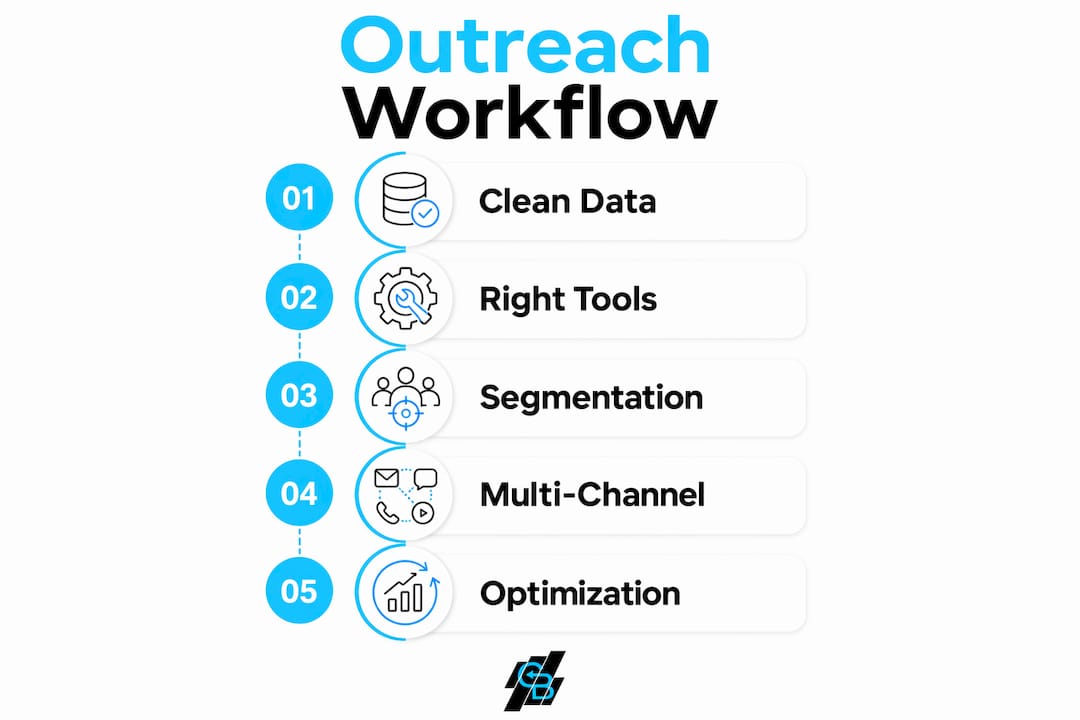
Segmentation by buyer role, company size, lifecycle stage, and pain point keeps messaging relevant throughout the client relationship. A new policyholder needs onboarding guidance. A client approaching renewal needs a value reminder. A lapsed prospect needs a re-engagement angle. Treating all three groups with the same message is the fastest way to increase unsubscribes.
| Tool category | Core function | Key feature type |
|---|---|---|
| CRM platform | Client data management | Contact history, tagging, pipeline tracking |
| Automation platform | Trigger-based messaging | Workflow rules, scheduling, multi-step sequences |
| Analytics layer | Performance measurement | Open rates, reply rates, cycle time reporting |
| Segmentation engine | Audience targeting | Role, stage, behavior-based filtering |
Pro Tip: Before building any workflow, map the full sequence on paper or a whiteboard. Workflow visualization before implementation is the single step most agents skip, and it is also the step that prevents the most errors.
How do you build a step-by-step outreach workflow for insurance?
Building a workflow starts with defining the trigger, not the message. The trigger is the event that starts the sequence: a new lead form submission, a policy expiration date 60 days out, or a claim resolution. Every message in the sequence flows from that trigger.
The six steps to build your sequence
- Define the trigger. Choose one specific event that starts the workflow. Ambiguous triggers produce inconsistent results.
- Identify the segment. Determine which clients qualify for this sequence based on role, policy type, or lifecycle stage.
- Craft the first message. Keep it under 200 words. Short subject lines with 5–6 words, customized with two recipient attributes, improve open rates by 14%. Personalization at the subject line level costs almost nothing and pays immediately.
- Set the cadence. The optimal B2B outreach cadence in 2026 is three total messages. A 3-message sequence produces a 6.8% reply rate, more than double the rate of a single message. Sending more than three messages increases unsubscribe complaints without improving results.
- Build each follow-up with new value. Each message must add a fresh insight, a relevant statistic, or a new offer. Follow-ups that only ask “did you see my last email?” degrade response rates and risk spam filtering.
- Define exit conditions. Exit conditions based on client behavior prevent tone-deaf communication. If a client files a complaint or responds negatively, the workflow must pause automatically. Ignoring this step damages trust and increases churn.
Multichannel integration
Email alone is not enough for insurance outreach. SMS messages reach clients who ignore email. Phone calls close deals that digital messages cannot. Social touchpoints build familiarity before a direct ask. A complete sales workflow for insurance sequences these channels deliberately, not randomly. The channel order matters: email first for documentation, SMS for urgency, and a call only after the client has shown intent.
Pro Tip: Build your exit conditions before you build your messages. Knowing when to stop is as important as knowing when to start. A client who just filed a claim should never receive a cross-sell message the next day.
What effective outreach techniques improve engagement in insurance?
The most effective outreach techniques in insurance share one trait: they respond to client signals rather than following a fixed internal schedule. Automated outreach fails when it is designed for internal convenience rather than adapting to buyer behavior. A workflow that fires the same message regardless of whether the client opened the last email, clicked a link, or called your office is not a workflow. It is a broadcast.
Techniques that consistently improve reply rates
Use low-friction CTAs. Soft questions outperform direct sales phrases by reducing cognitive load on the prospect. “Would it make sense to connect for 10 minutes?” converts better than “Schedule a call now.” The difference is the prospect feels in control rather than pressured.
Segment by lifecycle stage. A new client in month one needs education. A client in month 11 needs a renewal reminder with a clear value statement. A lapsed client needs a reason to re-engage, not a pitch. Personalized marketing strategies built around lifecycle stage produce higher engagement than generic campaigns.
Add value on every follow-up. Each message in your sequence must earn its place. Share a relevant industry update, a coverage gap analysis, or a client success story. Generic nudges train clients to ignore you.
Common mistakes to avoid
- Sending more than three messages in a cold sequence without a response
- Using the same CTA in every message
- Ignoring behavioral signals like link clicks or email opens when deciding the next step
- Skipping segmentation and sending the same message to new leads and long-term clients
- Failing to update sequences when market conditions or product offerings change
A lead nurturing approach that maps messages to client intent at each stage avoids all five of these mistakes. The goal is relevance at every touchpoint, not volume.
How do you troubleshoot and optimize your outreach workflow?
Optimization starts with measurement. Three metrics define workflow health: engagement rate, reply rate, and cycle time. Engagement rate tells you if your messages are being opened. Reply rate tells you if your messages are compelling action. Cycle time tells you how long it takes to move a prospect from first contact to a decision.
Metrics and what they reveal
| Metric | What it measures | Optimization signal |
|---|---|---|
| Email open rate | Subject line and send-time effectiveness | Below average: test subject line length and personalization |
| Reply rate | Message relevance and CTA quality | Below average: review CTA friction and message value |
| Cycle time | Workflow efficiency and bottleneck presence | Too long: identify manual steps that automation can handle |
| Unsubscribe rate | Sequence fatigue or poor segmentation | Rising: reduce message frequency or improve targeting |
Testing sequence logic and decision points drives better results than tweaking message copy alone. Most agents spend their optimization time rewriting subject lines. The bigger gains come from asking whether the workflow branches correctly when a client opens an email but does not reply, or when a client clicks a link but does not book a call.
Assign clear ownership for each workflow step. When no one is accountable for a specific touchpoint, it gets skipped or delayed. Automation in insurance sales removes the human bottleneck from routine steps, but a human still needs to review performance weekly and adjust the logic when results drop.
When market conditions shift, such as a new product launch or a regulatory change, update your workflows immediately. A sequence built around last year’s product benefits will underperform against a client who has already seen the new options. Treat your workflow as a living document, not a one-time build.
Pro Tip: Review your email optimization steps quarterly. Set a calendar reminder and block two hours to pull your metrics, identify the weakest step in each active sequence, and make one concrete change. One change per quarter compounds into significant improvement over a year.
Key Takeaways
A structured, behavior-responsive customer outreach workflow built on clean data, disciplined segmentation, and a three-message cadence is the most reliable system for improving client engagement and retention in insurance.
| Point | Details |
|---|---|
| Three-message cadence | A 3-message sequence doubles reply rates versus a single message without triggering unsubscribes. |
| Exit conditions are required | Pause triggers based on client behavior prevent tone-deaf outreach and protect client relationships. |
| Segmentation drives relevance | Grouping clients by lifecycle stage and role keeps every message contextually appropriate. |
| Optimize sequence logic first | Testing decision points in the workflow yields better results than rewriting message copy. |
| Automation reduces cycle time | Structured workflows cut engagement cycle time by up to 30% by removing manual bottlenecks. |
What I have learned building outreach workflows for insurance teams
The most common mistake I see is agents building workflows that are really just scheduled broadcasts. They set up a three-email sequence, fire it at every new lead, and wonder why reply rates are flat. The sequence is technically correct. The logic is wrong.
The agents who get real results treat the workflow as a conversation, not a campaign. They watch what clients do after each message and let that behavior drive the next step. A client who opens an email twice but never replies is telling you something. A client who clicks a coverage comparison link is telling you something different. Ignoring those signals and sending the next scheduled message anyway is the definition of outreach that works for the agent’s calendar and not for the client’s needs.
The other pattern I have seen consistently is under-investment in segmentation. Agents know they should segment. They do it once at setup and never revisit it. Six months later, new clients are getting renewal messages and long-term clients are getting onboarding content. The data drifts and the workflow becomes irrelevant.
The fix is simple but requires discipline. Review your segments every quarter. Check that your exit conditions still reflect current client behavior patterns. And resist the urge to add more messages when results drop. The answer is almost never more volume. It is better targeting, fresher value, and cleaner logic.
— Kyle
How Callbackcrm supports insurance outreach workflows
Callbackcrm is built specifically for insurance agents, agencies, and IMOs who need a complete outreach system without stitching together separate tools.
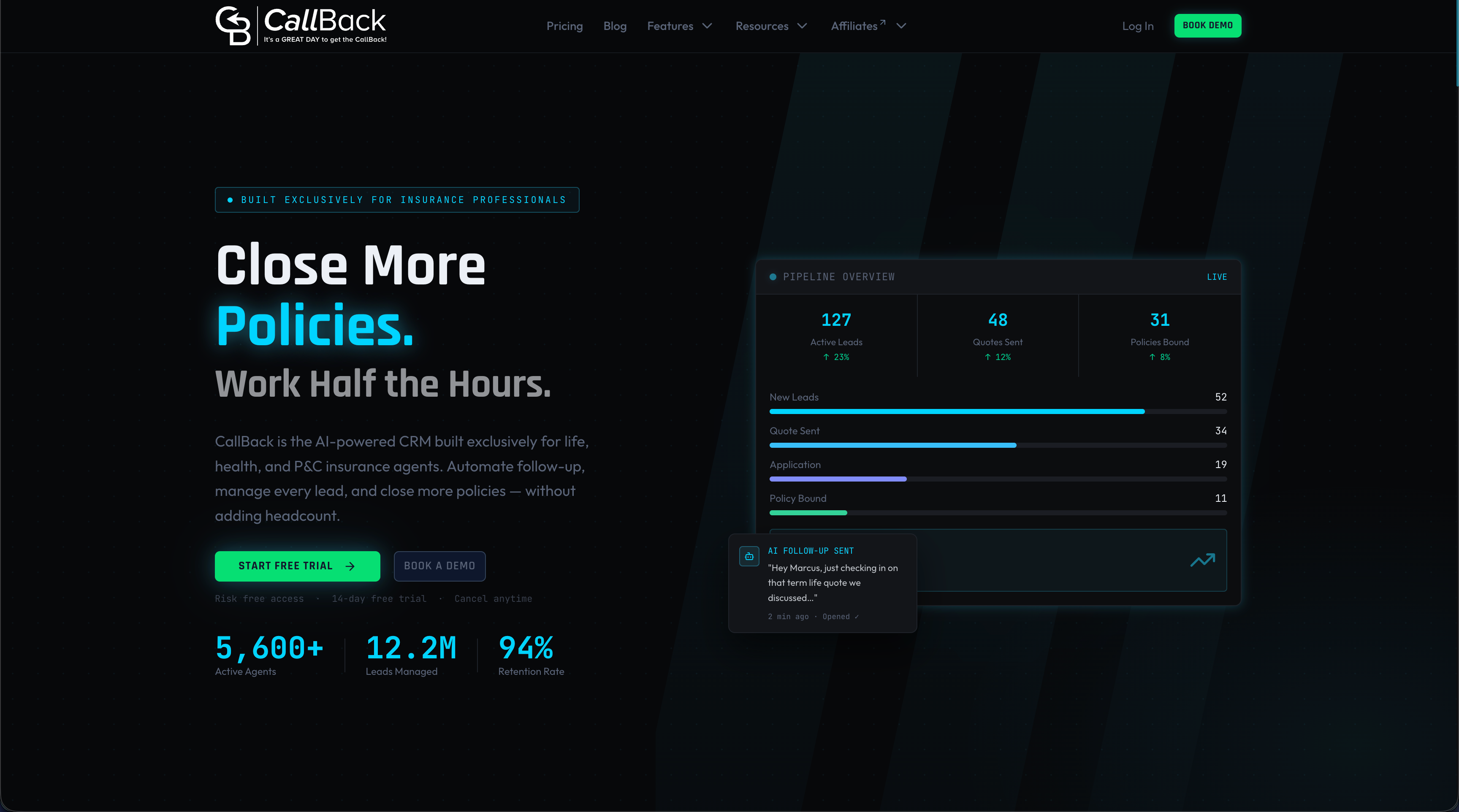
The platform’s SMS marketing features let you add text messaging directly into your outreach sequences, reaching clients who do not respond to email alone. The automation engine handles trigger-based workflows, behavioral branching, and exit conditions without manual intervention. Combined with the website and funnel builder, Callbackcrm gives insurance professionals a single system to capture leads, run segmented sequences, and track performance across every channel. The marketing automation checklist approach Callbackcrm follows means agents spend less time managing tools and more time closing policies.
FAQ
What is a customer outreach workflow?
A customer outreach workflow is a structured, trigger-driven sequence of messages across email, SMS, and phone that guides a client from first contact to a defined outcome. Each step is tied to a client action or lifecycle event rather than a fixed calendar date.
How many follow-up messages should an insurance outreach sequence include?
The optimal B2B outreach cadence is three total messages. A 3-message sequence produces a 6.8% reply rate, more than double the rate of a single message, while sequences longer than three messages increase unsubscribe complaints.
Why does segmentation matter in an insurance outreach workflow?
Segmentation keeps every message relevant to the client’s current situation. Grouping clients by lifecycle stage, policy type, and role prevents generic messaging that reduces engagement and increases opt-outs.
What metrics should I track to optimize my outreach workflow?
Track email open rate, reply rate, cycle time, and unsubscribe rate. When results drop, test the sequence logic and decision branching before rewriting message copy.
How do exit conditions improve outreach workflow performance?
Exit conditions pause or redirect a workflow when a client shows a specific behavior, such as filing a complaint or replying negatively. This prevents tone-deaf follow-ups that damage trust and increase churn risk.