

TL;DR:
- Effective insurance agency automation requires redesigning workflows from the ground up rather than layering tools onto broken processes.
- AI-driven workflows handle lead qualification, follow-ups, quoting, and renewals, improving consistency and client engagement.
- Continuous testing and outcome-focused metrics are essential for maximizing results and adapting to evolving client behaviors and AI capabilities.
Most insurance agencies assume that bolting automation tools onto their existing sales process is enough to see results. It isn’t. Layering scheduling software on top of a broken follow-up routine, or adding email sequences to an unqualified lead list, just automates the chaos faster. Real agency growth from AI requires something harder: rethinking every touchpoint from the ground up. This guide walks you through exactly how to design, build, and measure AI-driven automation workflows that improve client engagement, accelerate conversions, and make your team more effective without burning them out.
Table of Contents
- What are automation workflows for insurance agencies?
- Key mechanics of advanced AI workflows
- Why redesign your workflows, not just automate?
- Building your AI-powered insurance workflow: step-by-step
- The uncomfortable truth about AI automation in agencies
- Transform your agency with CallBack CRM AI automation tools
- Frequently asked questions
Key Takeaways
| Point | Details |
|---|---|
| Redesign, not just automate | Successful AI workflows require rethinking and reengineering processes instead of merely adding new tools. |
| Leverage CRM integration | Connect automation with CRM platforms for seamless, multi-channel communication and efficiency. |
| Human oversight matters | Combine automation for routine tasks with human-in-the-loop review for complex decisions. |
| Measure real outcomes | Track automation success through client engagement and conversions—not just task speed. |
What are automation workflows for insurance agencies?
An automation workflow is a series of triggered actions that move a lead or client through a defined process without manual intervention at every step. In an insurance agency, that could mean a prospect filling out a quote form and then automatically receiving a personalized SMS, a follow-up email, and a calendar invite for a consultation, all within minutes and without anyone at your agency lifting a finger.
AI marketing for insurance has evolved well beyond simple email drips. Modern AI-driven workflows handle a wide range of tasks that used to consume hours of producer time every week:
- Lead qualification and scoring based on behavior, demographics, and intent signals
- Multi-step follow-up sequences via email, SMS, and voice across days or weeks
- Quote generation and delivery triggered by form submissions or CRM updates
- Renewal reminders sent at optimal intervals based on policy expiration data
- Claims status updates pushed automatically to clients without agent involvement
- Client nurturing campaigns that deliver value between policy events to build loyalty
Insurance sales automation that focuses on these core stages produces results you can measure. AI automation workflows for insurance agencies focus specifically on lead qualification, follow-up sequences, quoting, renewals, claims processing, and client nurturing to enhance engagement and sales outcomes.
Here’s how traditional manual workflows compare to AI-driven ones:
| Workflow stage | Traditional manual process | AI-driven automation |
|---|---|---|
| Lead follow-up | Producer calls within 24 to 48 hours | Instant SMS or email triggered on form submission |
| Lead qualification | Producer judges fit on first call | AI scores leads by behavior and demographics before contact |
| Quote delivery | Manual quote prepared and emailed | Auto-generated quote sent within minutes of inquiry |
| Renewal outreach | Admin pulls a list and sends batch emails | Personalized renewal sequences triggered 90, 60, 30 days out |
| Claims updates | Client calls in for status | Automated status messages pushed via SMS or email |
| Client nurturing | Occasional newsletter blast | Behavior-triggered sequences based on policy type and engagement |
The time savings are significant. Agencies that replace manual follow-up with automated sequences reclaim hours per producer per week. But the bigger win isn’t speed. It’s consistency. A lead who inquires at 11 PM on a Friday gets the same immediate, personalized response as one who inquires at 9 AM on Monday.
Key mechanics of advanced AI workflows
Understanding the core benefits, let’s dig into the technical mechanics behind successful AI workflows.
Most agencies think of automation as a single tool. In reality, effective AI workflows are built from several coordinated components working together. Key mechanics include multi-agent systems with Retrieval Augmented Generation (RAG) for context, model routing for cost efficiency, API integrations with CRMs, automated multi-channel communication, and human-in-the-loop protocols for handling exceptions.
Here is what each of those components actually means in practice for your agency:
| Component | What it does | Agency application |
|---|---|---|
| Multi-agent AI | Multiple AI models handle separate tasks simultaneously | One agent qualifies leads while another drafts follow-up messages |
| RAG (Retrieval Augmented Generation) | AI pulls from your agency’s own data to personalize responses | Quote emails reference the client’s actual coverage history |
| Model routing | Directs tasks to the most cost-effective AI model for that complexity | Simple SMS replies use lightweight models; complex queries use larger ones |
| CRM API integration | Connects your AI system to platforms like Applied Epic or CallBack CRM | Lead data flows automatically into the CRM without manual entry |
| Multi-channel communication | Triggers messages across email, SMS, and voice from one workflow | A single lead event kicks off an SMS, then email, then a voicemail drop |
| Human-in-the-loop | Flags complex or high-risk decisions for human review | E&O sensitive situations pause for producer review before proceeding |
Practical AI tools for insurance combine these components into stages that map to your sales pipeline. A well-built workflow typically moves through these stages:
- Trigger event: A lead submits a form, clicks an ad, or opens an email
- Data enrichment: AI pulls public and CRM data to score and profile the lead
- Immediate response: Personalized SMS or email sent within seconds
- Qualification sequence: Follow-up messages over 3 to 7 days designed to surface intent
- Producer handoff: Warm qualified leads routed to the right producer with full context
- Post-quote nurturing: Automated touchpoints keep the lead warm if they haven’t decided
- Closed client onboarding: Welcome sequence with policy details, app download prompts, and review requests
Improving AI customer engagement at each stage requires thinking carefully about timing, tone, and channel. An SMS sent too aggressively kills trust. An email with generic copy gets ignored. The AI is only as effective as the strategy behind it. Strong lead funnel optimization at each stage compounds over time to dramatically increase conversions.
Pro Tip: Always build a human-in-the-loop step for situations involving policy changes, coverage disputes, or anything that could create errors and omissions liability. Automation handles the volume; your producers handle the judgment calls.

Why redesign your workflows, not just automate?
With mechanics covered, it’s crucial to rethink your automation strategy rather than just layer technology onto outdated processes.
This is where most agencies go wrong. They take their existing manual process, map it into an automation tool, and then wonder why the results are underwhelming. Automating a bad process makes it a faster bad process. The real marketing automation benefits only appear when you redesign the process around what the AI can actually do well.
“AI excels at high-volume repetitive tasks such as drafting, summarizing, and routing, but falls short on high-stakes nuanced advice. Agencies must redesign workflows end-to-end rather than layer automation on broken processes. Prioritizing outcome metrics over activity speed, and building with reusable components, is what separates agencies that grow from those that just move faster.” — McKinsey research on AI in insurance
Here’s how to analyze and redesign your workflows for real results:
-
Audit your current process end-to-end. Document every step from lead capture to closed policy. Note where delays happen, where leads go cold, and where your producers spend the most manual time.
-
Identify outcome gaps, not just task gaps. Don’t ask “what can I automate?” Ask “where are leads dropping off and why?” A gap in conversions between quote delivery and close is very different from a gap between first contact and quote request.
-
Define your AI-assisted touchpoints. Decide specifically which communications, decisions, and data tasks the AI will own. Be specific: “AI sends three SMS messages over five days after a quote is delivered” is better than “AI handles follow-up.”
-
Map trigger logic carefully. Every automated action needs a trigger and a condition. If a lead opens the quote email, what happens? If they don’t open it after 48 hours, what’s the alternative path? Build the branches before you build the messages.
-
Set outcome metrics before you launch. Know exactly what success looks like. Track conversion rates from inquiry to quote, quote to close, and renewal retention. Speed metrics like “emails sent” tell you nothing about growth.
-
Run a pilot on a segment of leads. Test the redesigned workflow on a subset of new leads for 30 days before rolling it out fully. Use those results to refine timing, messaging, and branch logic.
-
Review and adjust quarterly. Client behavior changes, AI tools improve, and your product mix evolves. A workflow that worked in Q1 may underperform in Q3 without adjustment.
AI insurance lead boost depends entirely on this kind of disciplined thinking. Agencies that treat workflow design as a one-time setup will plateau. Agencies that treat it as an ongoing practice continue to compound their results.
Pro Tip: Prioritize outcome metrics like conversion rate, renewal retention, and policy-per-client ratio over activity metrics like emails sent or calls logged. Volume metrics make you feel productive. Outcome metrics tell you if you’re actually growing.
Building your AI-powered insurance workflow: step-by-step
Having established why redesign matters, here’s how to build and apply an effective AI-powered workflow in your own agency.
Step 1: Choose your starting workflow. Don’t try to automate everything at once. Pick the stage with the biggest revenue impact, typically automated lead generation and initial follow-up, and build one great workflow before expanding.
Step 2: Connect your data sources. Integrate your lead forms, CRM, and communication tools so data flows without manual entry. If a prospect’s name, phone number, and insurance interest don’t automatically appear in your CRM the moment they submit a form, you have a gap that will break every downstream automation.
Step 3: Build your trigger and response map. For each trigger (form submit, email open, link click, no response after X days), define the immediate action and the downstream sequence. Map this visually before building it in your platform.
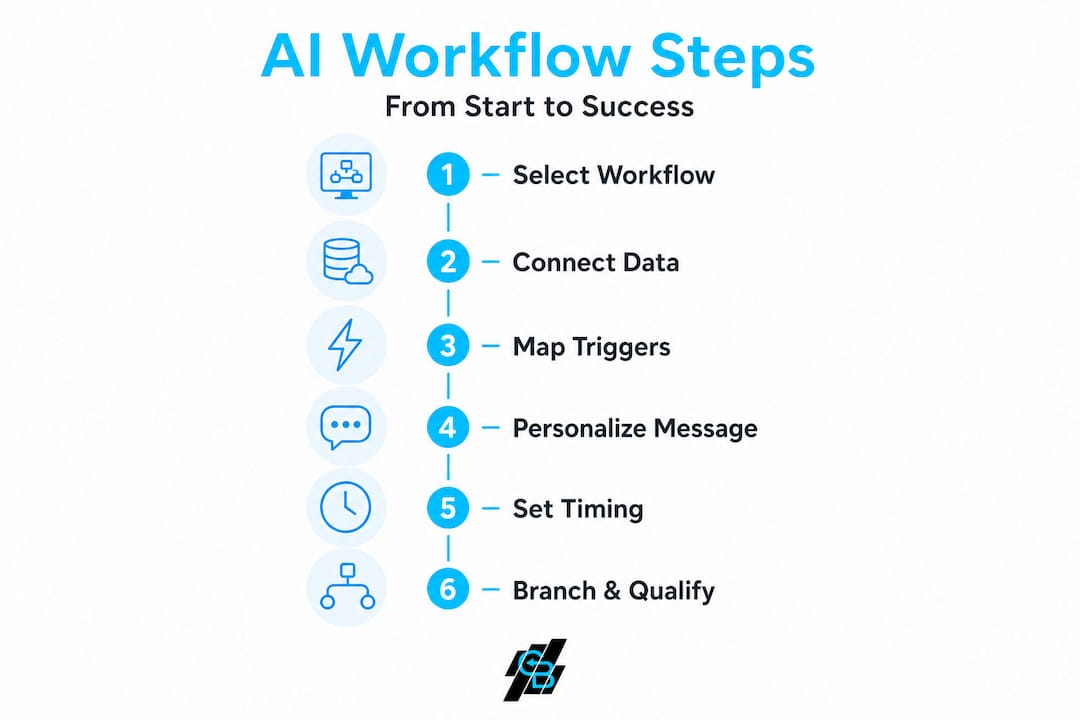
Step 4: Write messages that sound human. AI personalization only works if the underlying message is worth sending. Use the lead’s first name, reference their specific coverage interest, and write in a conversational tone. Test multiple versions of your SMS and email copy to find what resonates.
Step 5: Set timing intervals based on behavior data. The first follow-up message should fire within 5 minutes of a lead inquiry. Studies show contact rates drop sharply after that window. Subsequent messages can be spaced over 2 to 7 days depending on the lead stage.
Step 6: Build qualification branches. High-intent signals (clicking a quote link, replying to an SMS) should trigger an accelerated path that routes the lead to a producer quickly. Low-intent signals (no opens after three emails) should trigger a re-engagement sequence or a graceful exit.
Here’s a real-world scenario: A prospect submits a life insurance quote request at 7 PM. Your sales automation workflow fires an immediate SMS: “Hi Sarah, thanks for reaching out about life insurance coverage. Your quote is being prepared and a link will arrive in the next few minutes.” Two minutes later, a personalized email with the quote lands in her inbox. If she opens the email but doesn’t click, a follow-up SMS fires 24 hours later. If she clicks, she gets a calendar link to book a call. No producer touched anything until Sarah booked the meeting.
Common pitfalls to avoid when deploying these workflows:
- Skipping the audit phase and automating a process you haven’t fully mapped
- Overloading leads with messages by failing to build exit conditions for unresponsive contacts
- Using generic copy that doesn’t reflect the specific product or lead source
- Ignoring mobile optimization for emails and landing pages in your workflow
- Failing to test branches so edge cases like duplicate submissions or missing data break the flow
- Not setting a human escalation trigger for leads who reply with complex questions the AI can’t answer well
- Measuring only activity metrics and missing the actual conversion and retention numbers that matter
The uncomfortable truth about AI automation in agencies
Now that we’ve covered actionable steps, here’s an honest reflection on what most agencies miss when deploying automation.
Most agency owners implement AI automation expecting it to work like a new hire that never sleeps. It isn’t that. It’s more like a very capable system that only performs well when you’ve done the hard thinking first. The agencies that see dramatic results from automation aren’t the ones with the most sophisticated tech stack. They’re the ones that took time to clearly define what a qualified lead looks like, what a successful follow-up sequence accomplishes, and what metrics actually reflect client satisfaction and growth.
The top AI tools available right now are genuinely impressive. But they surface a hard truth: most agencies don’t have clear enough processes to automate well. When you try to automate ambiguity, you just produce more of it, faster.
Here’s the practical wisdom that matters most. Every workflow you build will need to be revisited within 90 days. Client behavior shifts. AI capabilities update. Your product offerings change. What worked perfectly in January may be producing mediocre results by April, not because the technology broke, but because the environment it operates in has evolved. Treating automation as a living system rather than a one-time project is what separates agencies that compound their results from agencies that plateau after an initial bump.
Measure your success by engagement rates, renewals retained, and new policies closed, not by how many emails your system sent last month. The goal was never to automate activity. It was to grow your agency.
Transform your agency with CallBack CRM AI automation tools
Ready to implement? Here’s how CallBack CRM tools can empower your agency’s AI workflow transformation.
Understanding how AI workflows should be structured is the first step. Implementing them without the right platform is where most agencies get stuck. CallBack CRM is built specifically for insurance agencies that want to move from manual, disconnected sales processes to fully integrated AI-driven workflows.
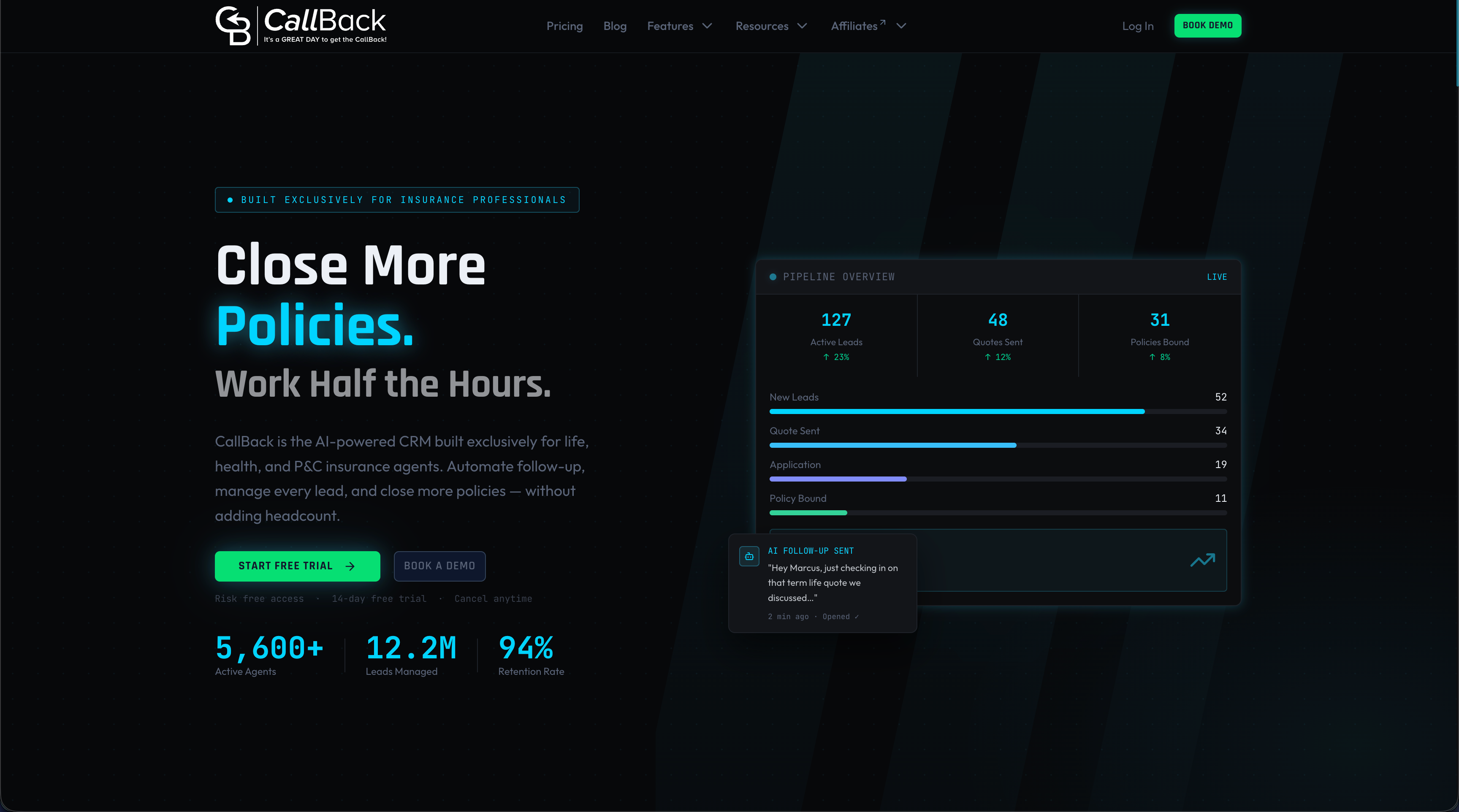
With CallBack CRM’s AI automation features, you can build end-to-end workflows that cover lead qualification, multi-step follow-up, quote delivery, and renewal management in one unified platform. The SMS marketing automation tools let you deploy behavior-triggered text sequences that reach prospects instantly, while the full all-in-one AI tool suite handles CRM management, email campaigns, funnel building, and AI assistants in a single system. No duct tape integrations. No data gaps between tools. Just a clean workflow from first click to closed policy.
Frequently asked questions
What insurance agency tasks are best automated using AI workflows?
Lead qualification, follow-up, quoting, renewals, claims, and client nurturing deliver the highest automation impact and free up the most producer time.
How do CRM integrations enhance automation for insurance agencies?
API integrations with CRMs and multi-channel communication tools allow client data to sync automatically, trigger workflows based on real-time events, and eliminate manual data entry across your sales process.
Should agencies automate every process or retain human review?
Automate high-volume repetitive tasks but always keep human oversight for nuanced coverage decisions, complex client situations, and anything that carries errors and omissions risk.
How do agencies measure success with automation workflows?
Track outcome metrics over activity speed, specifically engagement rates, conversion percentages, renewal retention, and client satisfaction scores, rather than volume metrics like emails sent or calls logged.