

Call queue management is the work of deciding how incoming calls wait, who answers them, and what happens when no one is free. A well-run queue holds callers in order, routes each call to a qualified person, and gives the caller a way out, such as voicemail or a callback, before the wait becomes too long. This guide covers how queues work, the main routing types, setup steps, manager controls and the practices that reduce abandoned calls. It also shows how insurance agencies can connect queue activity to follow-up in a CRM.
TL;DR
- A call queue is a virtual line that holds callers when no agent is free and connects them in order as agents become available.
- Routing method matters. Circular, top-down, longest-idle, weighted, simultaneous and skills-based routing each suit a different team.
- Set a maximum queue length and a timeout, and give callers a fallback: voicemail or a callback.
- Review call data for peak periods, test the queue after every change, and keep the number of queues small.
- Every missed or queued call should end in a logged follow-up. A CRM with automated SMS, email and voicemail follow-up covers that step.
Table of Contents
- What call queue management means
- Routing types and when to use each
- How to set up a call queue
- Manager controls: availability, limits and forwarding
- Reduce wait times and abandoned calls
- Best practices checklist
- Connect the queue to follow-up
- CallBack for queue follow-up
- Build the follow-up workflows
- FAQ
- Sources
What call queue management means
A call queue is a virtual line. Forbes Advisor describes it as a way to hold customers when no agents are available, serve them in order, and sometimes give estimated wait times or route them to the type of agent they need.
Management is everything around that line. It includes the rules for who gets the call, how long a caller waits, what the caller hears, what happens when the line is full, and how the team reviews results afterward.
For a small insurance agency, the queue may be three licensed agents sharing one main number. For an IMO or a larger agency, it may be several teams split by product, such as final expense, Medicare and mortgage protection. The principles are the same in both cases.

How a call moves through a queue
The typical flow is simple:
- The caller dials a number and hears a greeting.
- An automated menu may ask what the call is about. Menu choices route the call to the right queue.
- If an agent is free, the call connects at once.
- If not, the caller joins the line and hears messages or music.
- When an agent becomes available, the system connects the call automatically.
In a basic queue, new calls go to the end of the line and are answered first-come, first-served. Rules can change that order. A queue can be given a priority, so its calls ring before calls from lower-priority queues.
Queue, routing and hunt group are different things
These terms are often mixed up.
- Call routing decides where a call goes.
- A call queue holds the call when the destination is busy.
- A hunt group rings a set of phones in a pattern and usually has little or no waiting-line logic.
A team can use all three together. Routing picks the group, the group rings agents by a set pattern, and the queue holds any call that finds everyone busy.
Routing types and when to use each
The routing method decides which agent gets the next call. Common models include circular, top-down, longest-idle, weighted, simultaneous and skills-based routing.
| Routing type | How it works | Best fit |
|---|---|---|
| Circular | Cycles through agents in turn | Teams of equal skill that want even call counts |
| Top-down | Follows a fixed order, starting at the top each time | A senior agent who should answer first, with others as backup |
| Longest-idle | Picks the agent who has been idle longest | Teams that want fairness based on actual workload |
| Weighted | Splits calls by assigned percentages | Mixed teams, such as a part-time agent taking a smaller share |
| Simultaneous | Rings all selected agents at once | Very small teams where speed matters most |
| Skills-based | Sends the call to agents with the needed skill | Agencies with several products or languages |
The descriptions of circular, top-down, longest-idle, weighted and simultaneous routing come from Verizon’s Webex Calling training. Skills-based routing is listed alongside them as a common model.
Skills-based routing for insurance teams
Skills-based routing fits insurance well. A caller asking about a Medicare plan should reach someone licensed and trained for Medicare. A caller asking about a final expense quote should not wait behind a property and casualty claim.
Queue design criteria that NICE lists include customer intent, agent skill, language, customer segment, service tier, channel, geography, urgency, business hours and availability. For most agencies, three of these do the work: product line, language and urgency.

A documented example of the idea: Gorgias explains that a queue can be assigned specialized agents, such as billing-trained staff, so only qualified agents receive billing calls. An agency can apply the same logic by assigning licensed agents to the queue for their product.
Do not create too many queues
More queues do not always mean better service. NICE cautions that too many narrow queues can fragment staffing and reduce flexibility. A queue with one agent in it leaves that agent overloaded while others sit idle.
A practical rule: start with one queue per major need, and split further only when call data shows a clear reason.
How to set up a call queue
The exact screens differ by phone system. The steps are broadly the same. RingCentral’s setup guide outlines the order: create the queue in the admin portal, enter its name, extension and site, select managers and permissions, and choose the agents who will answer. Then configure schedules, greetings and music, call distribution, routing method and call-handling options.
Step-by-step setup
- Name the queue by purpose. Use names such as “Medicare Inbound” or “Claims Line” so anyone can tell what it does.
- Choose the members. Add only agents who can handle the calls. Match licensing and product knowledge to the queue.
- Assign managers. Decide who can change settings, view reports and move agents in and out.
- Set business hours. Define when the queue is open and where calls go after hours.
- Record the greeting. Keep it short. State the business name, and give any required notice.
- Pick the routing method. Use the table above.
- Set limits. Add a maximum queue length and a timeout.
- Set the fallback. Send overflow calls to voicemail, another queue or a callback option.
- Test it. Place real calls before going live.
Greetings and hold messages
Greetings do real work. A caller who hears a clear business name, a short menu and an honest estimate of the wait is more likely to stay on the line than a caller who hears silence.
Good greetings:
- State who the caller has reached.
- Give menu options in a few words.
- Mention the callback option, if there is one.
- Avoid long sales messages while callers wait.
Insurance agencies should have compliance staff or their carrier or IMO guidance review any recorded notices, such as call-recording disclosures, before use.
Manager controls: availability, limits and forwarding
Setup is done once. Management is daily. Queue managers typically need to do four things quickly.
Change agent availability
Agents step away, go to lunch or finish a long call. Managers need to mark members available or unavailable, and in many systems agents can change their own status. Out-of-date availability causes calls to ring phones no one is near.
Set maximum length and timeout
Administrators commonly configure maximum queue length and timeout settings. When either limit is reached, callers may be sent to voicemail or offered options such as leaving a message or requesting a callback.
Capacity works the same way in other systems. Gorgias documents that queue capacity limits how many callers may wait. When the limit is reached, the call flow can send new callers to another step, and a queue can be disabled to stop accepting new calls.
Practical starting points:
- Set the timeout so callers are offered a way out before frustration builds.
- Keep the fallback useful. A voicemail box nobody checks is worse than a shorter queue.
- Review both limits monthly against real data.
Use priority values
Some systems let queues carry priority values. In RingCX, a larger number gives a queue higher priority within its queue group, and a priority group can make higher-priority queues receive calls before lower-priority ones. An agency might give existing policyholders with a service need a higher priority than general inquiries.
Forward all calls when needed
When the office is closed for a storm or training day, managers can forward all queue calls to another number or to voicemail. Set this up in advance and write down who is allowed to switch it on.
Reduce wait times and abandoned calls
Long queues have causes. Twilio lists high call volume, insufficient staffing, inefficient routing, complex issues, lack of self-service, ineffective handling processes and outdated technology. Each cause has a matching fix.
Offer a callback
Callback is the most direct way to shorten live holding. With virtual hold, eligible callers can leave the line and get a call when their turn arrives. Businesses can set wait-time and virtual-queue limits, which helps reduce live holding and abandoned calls.
Customers value this. Forbes Advisor reports that slightly more than 20% of surveyed customers said receiving a callback was the most important aspect of a good customer-service experience.
To work well, a callback system should capture the caller’s number and the reason for the call, so the agent who calls back is prepared.
Tell callers what to expect
Queue-position and estimated-wait announcements help callers decide whether to stay. Vonage’s description of a good caller journey includes queue status, intent and contact collection, estimated wait time and callback choices, with the call transferred when an agent becomes available.
Add self-service
A menu can answer simple questions without an agent: office hours, mailing address, how to request a policy document. Keep menus short. Three or four options is enough for most agencies.
Staff to the data
For high inbound volume, the advice is to analyze historical call data to identify peak periods, staff for demand, and monitor queue performance in real time. For insurance, peaks are often predictable:
- Medicare annual enrollment season.
- Mornings after a direct mail or TV campaign.
- Mondays after a weekend of online ads.
- Right after a storm, for property and casualty.
Match schedules to those windows instead of staffing evenly all week.
Best practices checklist
- Test after every change. RingCentral recommends testing inbound queues after configuration and after major changes, including routing, IVR, priority events, agent delivery and agent scripts. Call the number as a customer would.
- Serve longest waits first. Forbes Advisor’s view is that good queue management balances customer and agent experience by prioritizing callers who have waited longest.
- Keep queues few. Split only when data supports it.
- Record the reason for each call. It feeds staffing and marketing decisions.
- Check reports weekly. Look at wait time, abandoned calls, calls per agent and busiest hours.
- Give every caller a way out. Voicemail or callback, never a dead end.
- Log every call outcome. A call that ends without a note is a lost lead.
Supervisor tools, business-hours routing, callbacks, reports and analytics are listed in Verizon’s Webex material as supports for high-volume team call handling. When comparing phone systems, check for these.
Connect the queue to follow-up
A queue ends when the call ends. Sales do not. In insurance, a large share of value sits in the calls that were missed, abandoned or sent to voicemail. Each of those is a person who wanted something.
A good process catches them:
- Log the missed or abandoned call against a contact record.
- Send an SMS or email within minutes that says the agency saw the call and offers a time to talk.
- Create a task for an agent if the person does not reply.
- Track the outcome in a pipeline stage.
This is where a CRM does the work a phone system does not. CallBack’s guides on how to automate follow-ups and sales automation workflows for insurance agents show how that sequence can run without manual steps. For outbound calls, click to call tracked in the CRM keeps the call history attached to the contact.
Tracking which campaign produced which call also helps staffing. A marketing automation checklist is a useful way to review how lead sources, follow-up and attribution fit together before call volume grows.
A worked example
An agency runs a final expense mailer. Calls spike on Tuesday and Wednesday mornings. Three agents share one queue, and the queue has a maximum wait before it offers a callback.
- The caller reaches the greeting and picks “new quote”.
- If all three agents are busy, the caller joins the line and hears the estimated wait.
- After the timeout, the caller is offered a callback and leaves a number.
- The call is logged in the CRM. An automated text confirms the callback.
- The agent calls back in order and records the result in the pipeline.
No caller disappears, and the agency can count exactly how many came from the mailer.
Perspective
Most agencies treat the phone queue and the CRM as two separate tools. We see that as the main reason leads slip away. The call comes in, the agent is busy, and nothing records that the person called.
CallBack is built specifically for insurance sales workflows. Our platform centralizes outreach across SMS, email and voicemail, and uses automation to reduce manual work and speed up follow-up. Our deliverability practices, including unique message hashing, iMessage deliverability and carrier-approved verbiage, are designed to help follow-up messages reach the people who called.
Our view is simple. Queue rules decide how fast a call is answered. The follow-up decides whether the call becomes a policy. Both need a plan, and the second one should run automatically.
Kyle
CallBack for queue follow-up
CallBack is an AI-powered CRM and sales automation platform for insurance agents, agencies and IMOs. It includes pipeline management, automated follow-up by SMS, email and voicemail, workflow automation, AI assistants, reporting, and integrations with dialers, calendars and websites. See the full list on the features page.
Published pricing, as read from the CallBack site, is $97 per month for Professional. Enterprise plans are $297 per month for 10 full CRM accounts, $397 per month for 25 and $497 per month for 60. The Unlimited AI Employee Bundle is $127 per month. Phone numbers cost $2.30 per month per number. SMS, email and AI usage are billed separately at wholesale rates, and the fees page lists each category.
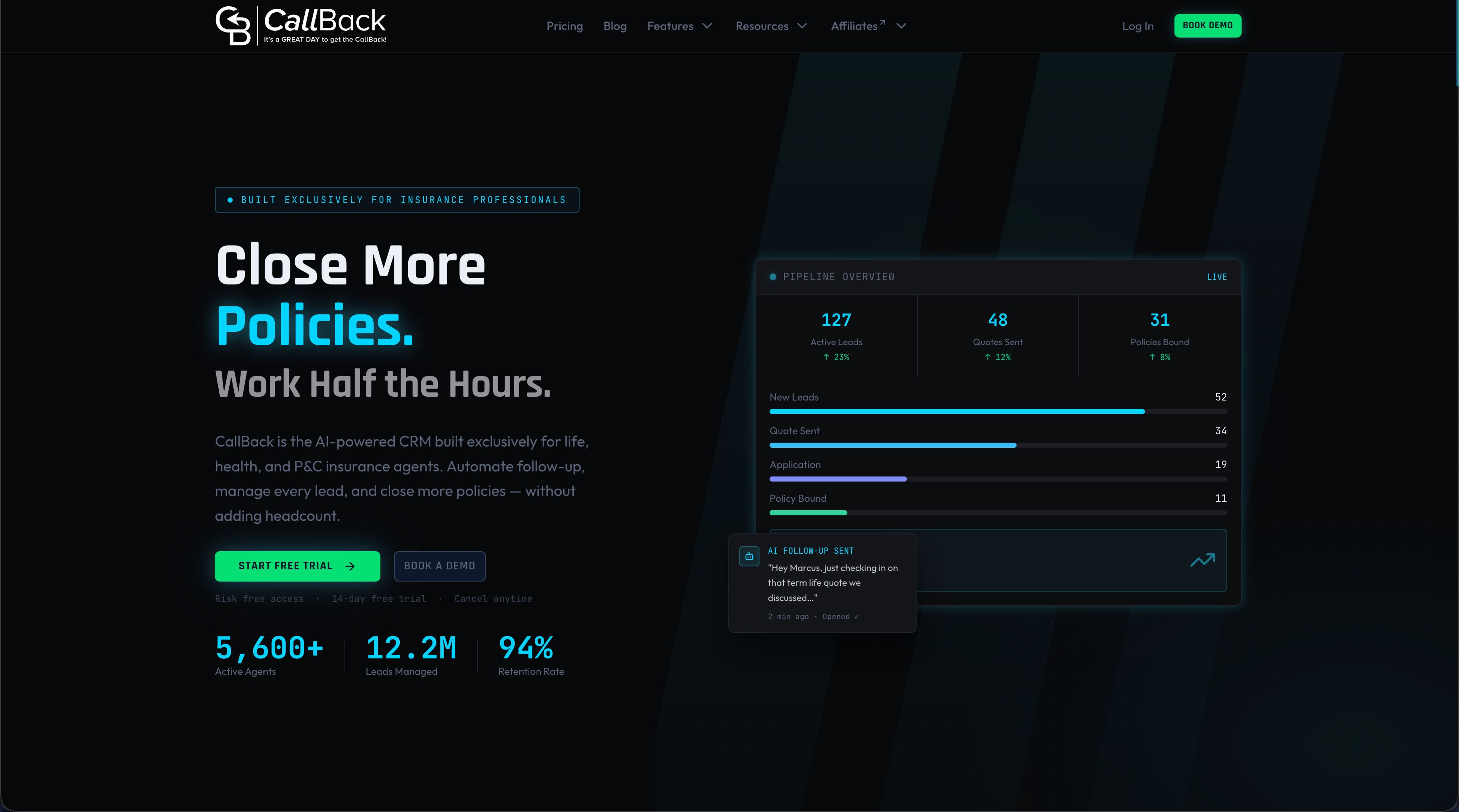
Agencies that want to see how missed-call follow-up would run can start on the Professional plan or look at the CallBack home page first.
Build the follow-up workflows
Once the queue works, build the workflows that sit behind it. Three are enough to start.
Missed call text-back
Trigger: a call is missed or abandoned. Action: send a short text that names the agency and offers a callback time. Keep the wording plain and in line with carrier rules.
New lead response
Trigger: a form, ad or mailer response. Action: text and email at once, create a task, and move the contact to the first pipeline stage. More examples are in the CRM workflow guide for insurance and the step-by-step sales workflow guide.
Post-call email
Trigger: call outcome logged. Action: send a summary or next-step email. Compliance matters here, and the guide to email automation workflows for insurance agents covers that side.
For teams generating their own leads, the lead generation workflow tutorial shows how to connect sources to the pipeline.
FAQ
What is call queue management?
It is the practice of controlling how inbound calls wait and who answers them. It covers routing rules, greetings, hold limits, fallback options such as voicemail and callback, and reporting. The goal is a short wait and a qualified agent for every call.
What is the best routing method for a small team?
Longest-idle or circular routing suits most small teams with similar skills, because both spread calls evenly. Use skills-based routing when agents handle different products, such as Medicare and final expense. Simultaneous ringing works for very small teams where any agent can answer.
How can a caller avoid a long phone queue?
Callers can use a callback option if the business offers one, call outside peak hours, or use the menu to reach the right team the first time. Businesses can help by offering virtual hold and showing estimated wait times. Both reduce live holding and abandoned calls.
How often should a queue be reviewed and tested?
Test it after every change to routing, menus, schedules or agent scripts. Review wait times, abandoned calls and peak hours at least monthly. Adjust staffing, limits and routing when the data shows a pattern.
Sources
- What Is A Call Queue? Definition and best practices (Forbes Advisor)
- Configuring call queues, routing types and queue limits (Verizon Webex Calling training)
- Create and manage call queues (Gorgias documentation)
- How virtual hold technology helps customer satisfaction (Verizon)
- Managing inbound queue settings in RingCX
- Call queue basics and best practices (Twilio)
- What is a call queue? Queue design criteria (NICE)
- Call queue flow with menus and routing (8x8)
- Create a call queue: how to configure and manage (RingCentral)