

What is follow-up email automation and how does it work?
Follow-up email automation sends pre-written messages to prospects based on triggers, delays, and stop conditions. You set the rules once, and the system handles the outreach on schedule, every time, without manual effort. The result is consistent contact with every lead, regardless of team size or daily workload.
Three components make automation work:
- Trigger: The event that starts the sequence. Common examples include a new lead entering the pipeline, a quote being sent, a meeting ending, or no reply within a set number of days.
- Delay: The wait time between messages. Good sequences widen the gaps as they progress, starting with one to two days, then three days, then a week or more.
- Stop condition: The rule that halts the sequence the moment a prospect replies, books, or pays. Sending a follow-up after someone already said yes is one of the fastest ways to damage trust.
A practical three-to-five message sequence looks like this. The first message is an immediate, value-led touch: a recap, a quote, or a direct answer. The second, sent a day or two later, adds a small new reason to reply. The third shifts the angle with a case study or a relevant resource. The fourth is a low-pressure “should I close this out?” note. A fifth, if needed, is a genuine breakup message that leaves the door open.
Every message must stand alone. Assume the prospect never saw the previous one. If a follow-up adds nothing new, it teaches the reader to ignore you.
Why follow-up automation delivers real results
Automated follow-up email systems produce measurable gains across several dimensions. Most replies in outbound sales campaigns come from follow-up touches, not the first email. Stopping after one or two messages leaves a large share of potential responses uncollected.
Key benefits include:
- Scale without added headcount. Automation handles hundreds or thousands of contacts simultaneously. Manual follow-up caps out at a relatively low number of prospects per rep before quality drops.
- Consistent messaging. Every lead gets the same sequence on the same schedule, regardless of who is on the team that day.
- Faster response times. Speed-to-lead is one of the strongest predictors of whether a web inquiry converts. An automated first touch within minutes outperforms a human who gets to it the next day.
- Reduced manual errors. Automation eliminates missed follow-ups, duplicate messages, and forgotten contacts.
- Better lead management. Sequences tied to CRM stages keep deals moving through the pipeline without rep intervention on routine touches.
- Improved customer experience. Timely, relevant messages signal professionalism and attentiveness, which builds trust before a conversation even starts.
Automation also protects brand reputation by ensuring no lead goes dark simply because a rep was busy. The discipline is applied consistently to every contact, every quote, and every no-show.
Best practices for building effective follow-up sequences
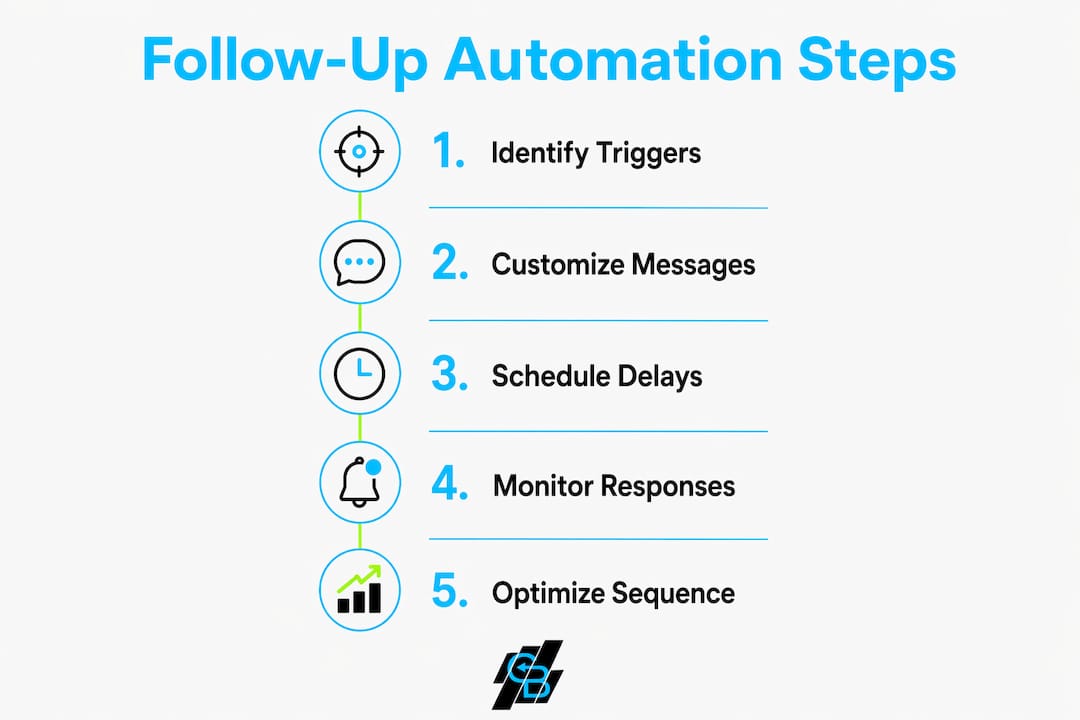
Well-designed sequences follow a clear structure. These steps cover the core decisions that determine whether a campaign converts or gets ignored.
- Map the sequence before writing copy. Define the trigger, the number of steps, the delays, and the exit conditions first. The design comes before the words.
- Keep sequences to three to five messages for most B2B outreach. High-performing B2B sequences run across two to three weeks, front-loading value and spacing out later touches.
- Add distinct value at every step. Each message needs its own reason to exist. A case study, a relevant resource, or a direct question all work. “Just checking in” does not.
- Vary the format. Mix a question, a short insight, and a one-liner. Identical-feeling emails get pattern-matched as spam by both filters and readers.
- Segment by lead source and behavior. A contact who booked a demo needs a different message than one who downloaded a whitepaper. One generic sequence for every persona is a common and costly mistake.
- Personalize from real CRM data. Reference the specific quote number, the exact date of the call, or the problem the prospect described. First-name merge fields alone no longer signal genuine attention.
- Verify your email list before launching. Bounce rates above roughly 3% signal mailbox providers that you are sending to a stale list, which damages your sender reputation for all future sends.
- Warm new sending domains gradually. A brand-new domain sending high volume immediately looks like spam to inbox providers. Ramp up slowly before scaling.
- Set hard frequency caps. Avoid touching prospects more frequently than every 24 hours in early phases, and space touches at least 48 hours apart after the fifth day.
- Use plain text over heavy HTML templates. Rich templates trip spam filters and look mass-produced.
Pro Tip: Use AI to draft each follow-up by pulling the specific quote number, call date, and stated pain point from your CRM. Messages built from real contact data read as hand-written, even at scale.
How to choose and use triggers for automated follow-ups
Triggers are the starting point for every sequence. Choosing the right trigger for each scenario determines whether a message arrives at peak relevance or lands at the wrong moment entirely.
Common and effective trigger types include:
- No reply within X days. The most universal trigger. Whatever the first message was, if nothing comes back within your chosen window, the next message fires automatically.
- Quote or proposal sent. This is where the most revenue leaks. Buyers go quiet not because the answer is no, but because they got busy. A two-day nudge, followed by a four-day and a seven-day touch, recovers a meaningful share of stalled quotes.
- Form submission or demo request. Triggers an immediate confirmation and a follow-up sequence tailored to the inquiry type.
- Meeting or sales call ended. The highest-intent moment in the sales cycle. An automated recap with agreed next steps, sent within the hour, keeps momentum while the conversation is still fresh.
- CRM stage change. Moving a deal from “proposal sent” to “negotiation” can trigger a new sequence appropriate to that stage.
- No activity for 14 or more days. Triggers a re-engagement sequence for contacts that have gone cold.
- Payment or renewal due. Appointment reminders, payment nudges, and renewal notices are follow-ups too, just further down the lifecycle.
Triggers should map to specific sequence variants, not a single generic campaign. A contact who attended a webinar needs a different message than one who clicked a pricing page. Behavior-triggered emails sent within 15–30 minutes of a tracked event consistently outperform time-based emails because they reach the prospect at peak intent.
Stop conditions are as important as triggers. The sequence must halt the moment a prospect replies, books, or completes the desired action. A follow-up that fires after someone already said yes signals carelessness and undermines the relationship built by the sequence.

| Trigger Type | Best Use Case | Recommended Delay |
|---|---|---|
| No reply within X days | Universal outbound follow-up | 2–3 days after initial message |
| Quote sent | Proposal recovery | Day 2, Day 4, Day 7 |
| Form submission | Inbound lead response | Immediate, then Day 2 |
| Meeting ended | Post-call recap and next steps | Within 1 hour |
| CRM stage change | Stage-specific nurture | Immediate on stage change |
| No activity (14+ days) | Re-engagement | Day 14, Day 30 |
Which AI-powered tools help you automate follow-up emails?
The right tool depends on team size, existing tech stack, and how much customization the workflow requires. Nine tools cover the range from lightweight Gmail add-ons to full CRM-native platforms.

| Tool | Ease of Use & Integration | Customization & Personalization | Analytics & Reporting | Best For |
|---|---|---|---|---|
| Pipedrive | High; native CRM integration | Pipeline-stage triggers, custom fields | Deal and activity reporting | Sales teams needing CRM and automation together |
| HubSpot | High; all-in-one platform | Extensive workflow logic, branching | Full funnel reporting, A/B testing | Businesses needing marketing and sales automation |
| Mailbutler | High; Gmail and Outlook plugin | AI task extraction, reminder rules | Email activity tracking | Email users wanting smart reminders |
| Attention | Moderate; CRM integrations | AI-generated follow-up drafts | Contact enrichment data | AI-driven follow-up creation |
| Gemini for Gmail | High; native Gmail | AI drafting within Gmail | Limited; Gmail-native only | Small businesses using Gmail |
| SaneBox | High; connects to any inbox | Inbox filtering plus follow-up nudges | Inbox analytics | Individuals needing inbox management |
| Bardeen | Moderate; browser-based | Custom multi-app workflows | Workflow run logs | Teams needing flexible cross-app automation |
| Mail Mint | High; WordPress native | Drag-and-drop sequence builder | Campaign performance reports | WordPress site owners |
| Smartlead.ai | Moderate; API and CRM sync | AI-optimized multi-step sequences | Deliverability and reply analytics | Sales teams running high-volume outreach |
A few distinctions worth noting:
Pipedrive integrates follow-up automation directly into its sales pipeline, so triggers fire based on deal stage rather than requiring a separate tool. CRM data, real-time tracking, and cross-channel orchestration combine to adjust messaging based on where a buyer sits in the journey.
HubSpot suits teams that want marketing and sales automation in one place. Its workflow builder supports branching logic, so a contact who clicks a link gets a different next message than one who ignores the email entirely.
Smartlead.ai is built for high-volume outbound. It manages multi-step sequences across multiple sending accounts and includes deliverability tools to protect sender reputation at scale.
Gemini for Gmail works inside Gmail directly. Google Workspace business accounts can send up to 2,000 emails per day; free Gmail accounts are capped at 500 daily. For small teams already living in Gmail, it removes the need for a separate platform.
Bardeen goes beyond email. It automates workflows across multiple apps, making it useful for teams that need follow-up logic connected to tools like Notion, Slack, or LinkedIn simultaneously.
For teams building a marketing automation checklist, the sequencing layer sits between the data layer (verified contacts) and the channel layer (email, phone, LinkedIn). Choosing a tool that integrates cleanly with your CRM at the data layer prevents duplicate outreach and missed context.
What the research says about follow-up automation effectiveness
The evidence for automated follow-up is consistent across platforms and industries. Multi-channel orchestration across email, SMS, LinkedIn, and phone prevents channel fatigue and increases the chance a prospect engages through their preferred channel. Relying on email alone leaves responses on the table.
Expert consensus points to three principles that separate high-performing sequences from ones that get ignored.
Personalization from real data. AI-powered assistants now generate contextual follow-up emails at scale by reading prior conversations and CRM records. The result is mass outreach that does not feel mass at all, because each message references the actual details of that relationship.
Cadence discipline. Spacing follow-ups by at least 48 hours after multiple touches preserves engagement quality and reduces the risk of being flagged as spam. Tuesday through Thursday between 9:00 AM and 11:00 AM in the recipient’s local time zone consistently outperforms other windows for B2B email, though behavior-triggered messages should send immediately on the trigger event regardless of time of day.
Human-automation balance. Automation handles high-volume repetitive tasks while human attention focuses on high-value exceptions. Smart alerts and handoffs route hot leads to reps the moment engagement signals indicate readiness for a conversation.
The metrics that matter most are positive reply rate, meetings booked per sequence, and bounce rate. Open rates are increasingly unreliable because privacy tools pre-fetch images and inflate pixel-based counts. Tracking replies and meetings booked gives a cleaner picture of what each sequence actually produces.
For teams looking to improve email conversion rates, the sequence architecture matters as much as the copy. A well-timed, value-led message sent to a verified list outperforms a clever subject line sent to a stale one.
Callbackcrm offers a different path to the same goal
The tools compared above each require configuration, ongoing maintenance, and often a dedicated person to manage workflows as the business changes. Callbackcrm takes a different approach, and it suits a specific type of team well.

Callbackcrm is an all-in-one platform built for insurance agents, agencies, and IMOs that want AI-powered automation without assembling a stack of separate tools. Email and SMS marketing automation, CRM management, lead scoring, and follow-up workflows all run from one place. The AI assistant handles outreach personalization using data already in the CRM, so messages reference real contact details rather than generic merge fields. For insurance professionals who need consistent follow-up across a high volume of leads without a dedicated marketing operations team, Callbackcrm replaces the manual work that typically falls through the cracks. The platform runs on Google Cloud and includes 24/7 support, which matters when a follow-up sequence needs a fix outside business hours.
Key Takeaways
Automated follow-up email systems consistently outperform manual outreach because they apply consistent, personalized contact to every lead without relying on memory or mood.
| Point | Details |
|---|---|
| Three core components | Every sequence needs a trigger, a delay, and a stop condition to function correctly. |
| Stop conditions are critical | The sequence must halt the moment a prospect replies to avoid damaging trust. |
| Value at every step | Each message needs a distinct reason to exist; generic “checking in” messages reduce reply rates. |
| Deliverability first | Bounce rates above roughly 3% damage sender reputation; verify lists before launching any sequence. |
| Callbackcrm for insurance teams | Callbackcrm combines CRM, email, and SMS automation in one platform built for insurance agents and agencies. |