

A CRM sandbox is an isolated copy of a CRM where changes can be built and tested without touching live records. Workflows, fields, permissions and integrations get tried there first. Only approved changes move into the live system, often called production. For an insurance agency, this protects client data, active pipelines and automated messages from mistakes.
This guide explains how a sandbox works, what to test in it, how to handle test data, and how to get the same protection when a CRM has no dedicated sandbox mode.
TL;DR
- A sandbox is a separate environment that mirrors a live CRM. Changes made there do not affect real contacts, deals or messages.
- Test automations, integrations, permissions, reports and required fields before release. Silent failures are the main risk.
- Use synthetic or anonymized data by default. Real client data in a test environment needs approval, controls and a deletion date.
- Insurance agencies hold nonpublic personal information. Test setups must be protected at the same level as production.
- Without a sandbox, a small test pipeline, dummy contacts and a written release checklist give much of the same protection.
Table of Contents
- What a CRM sandbox is
- Why teams use a sandbox
- What to test before release
- How to set up a sandbox
- Handling test data
- The risk of messages reaching real people
- Moving from test to live
- Testing safely without a dedicated sandbox
- Perspective
- Try the workflow approach with CallBack
- Common mistakes to avoid
- FAQ
- Sources
What a CRM sandbox is
A sandbox is a copy of the CRM configuration, and sometimes a sample of its data, that lives apart from the live system. The live system is the production environment. Anything changed in production takes effect right away. A sandbox adds a staging step before that. One CRM consultancy describes the two environments as halves of one safe change process, not as rivals.
The difference comes down to consequences:
| Sandbox | Production | |
|---|---|---|
| Purpose | Build and test changes | Run daily business |
| Data | Synthetic, masked or a limited copy | Real contacts, policies and conversations |
| Effect of a mistake | Contained | Immediate, visible to clients and staff |
| Outbound messages | Often blocked or limited | Sent to real people |
| Who uses it | Admins, testers, a few power users | The whole team |
Not every CRM offers a sandbox, and those that do usually limit it by plan. In one widely used CRM, sandboxes are tied to higher-tier editions. On that platform, the full-data version is capped at 10 GB, limited to one per organization and can be rebuilt only once every 30 days. Other platforms set different limits, so the plan and its terms should be checked before a team relies on one.
Why teams use a sandbox
A CRM is a web of dependencies. One field, automation or permission touches many others. A 2026 release-governance guide points out that these failures are rarely loud. No error message appears. The symptoms show up days later as leads that were never assigned, quotes that never synced, or a report that quietly leaves out half a region.
For an insurance agency, the same pattern looks like this:
- A new lead-routing rule sends final expense leads to a producer who is not licensed in that state.
- A renewal reminder workflow fires twice, so a client gets duplicate texts.
- A permission change hides a client’s file from the agent who services it.
- A changed required field blocks a web form from creating contacts, and leads are lost for a week.
Each of these costs money and trust. A sandbox lets the team find them before a client does.
What to test before release
The same guide lists the areas that most often need a trial run: automations and workflows, integrations with billing or other systems, permissions and visibility, reports and dashboards, and required fields and validation rules. For an agency, the checklist can be made specific.
Automations and follow-up sequences
Run a test contact through the full sequence. Confirm the trigger, the wait times, the channel (text, email or voicemail), the stop conditions and the hand-off to a person. Check what happens when a contact replies, books an appointment or opts out. An opt-out that does not stop the sequence is a compliance problem, not only a bug.
Lead capture and routing
Submit every web form and funnel with a test entry. Confirm the contact lands in the right pipeline stage, gets the right tags and reaches the right owner. The CallBack guide on routing website forms into an insurance CRM covers the setup steps.
Permissions
Log in as each role: producer, service rep, office manager, outside contractor. Check that each sees only what the role requires. Permissions are among the most common sources of silent errors after a change.
Integrations
Dialers, calendars, websites and carrier or quoting tools are usually connected separately in a test environment. A sandbox is not an exact clone of production. Some assets do not copy over, record IDs differ, and integrations need to be reconnected, as one CRM agency notes. A passing test with a mock connection does not prove the live connection works.
Reports and dashboards
Compare a report’s numbers in the test environment against a known set of records. If a field was renamed or a stage was merged, check that the report still counts the right deals.
How to set up a sandbox
The exact steps depend on the platform, but the pattern is the same almost everywhere.
- Confirm access. Check whether the plan includes a sandbox and what it limits: storage, number of copies, refresh frequency.
- Create the copy. Name it clearly, such as “Sandbox - Workflow Q1”. Choose whether to copy configuration only or configuration plus some data.
- Assign users. Give access to the few people who build and review changes. Limiting deployment permissions reduces the risk of accidental changes, a point release guides stress.
- Refresh before testing. An old copy drifts from production. Refresh it so it mirrors current settings. Drift between environments is a known cause of bugs after deployment.
- Make and test the change. Write down what was changed and what result was expected.
- Review the change set. On some platforms each change is marked as safe to deploy or in conflict. A conflicted change cannot go live until it is resolved in the sandbox.
- Deploy and watch. Release, then check the live system against the test plan.
Handling test data
Test data is where many sandbox programs go wrong. A sandbox holds a copy of the structure of the business. If it also holds a copy of real client records, it becomes a second place where that data can leak, often with weaker controls.
Guidance on test information in ISO 27001 says the default should be synthetic or anonymized data. Real production data is an exception that should be justified, documented and formally approved. It also needs access controls, logging, the minimum necessary volume and a firm deadline for secure deletion.
The U.S. federal security control catalog says the same in its own terms. Its control on live or operational data in preproduction environments calls for approving, documenting and controlling that use, and for protecting the test environment at the same level as the live data it holds.
In practice, three methods cover most cases:
- Synthetic records. Invent contacts: “Test Client 001”, a number reserved for testing, an email address on a domain the agency controls.
- Substitution. Copy real records, then replace names, phone numbers, emails and policy numbers with realistic fake values.
- Deletion. Copy the records but remove sensitive fields entirely.
For insurers and agencies, there is a regulatory layer too. The NAIC’s Insurance Data Security Model Law requires licensees to maintain an information security program with safeguards for nonpublic information. States have adopted versions of it, so the rules that apply depend on the state where the agency is licensed. A test environment holding real client details falls inside that program. The CallBack article on CRM data privacy for insurance agencies goes through the practical compliance points. An agency’s compliance officer or attorney should confirm what applies to the agency.
The risk of messages reaching real people
One feature of some sandboxes is worth copying everywhere: outbound email is not delivered to recipients. According to a consultancy summary of one vendor’s documentation, emails sent from the sandbox do not reach real contacts. This makes it safe to test nurture sequences.
Any test that sends texts, emails or voicemails should follow the same rule. Use only internal numbers and addresses, such as the team’s own phones. Never attach a test workflow to a list of real clients. Messages that reach a real client cannot be recalled.

Moving from test to live
A good release process is short but written down. The release guide recommends that every change begin as a written request with a stated business goal and an owner. The sandbox is refreshed first. Sign-off then comes from the people who work in the affected process, not only from the admin who built the change.
For a small agency, that can be a one-page form:
- What is changing, and why?
- Who owns it?
- What was tested, and with which test contacts?
- Who signed off? (A producer or service rep, not only the builder.)
- What is the rollback plan?
Phased rollout also helps. Releasing to a small group of users first limits disruption and gives early feedback. After release, run regression checks on the existing features the change might affect.
Rollback needs planning ahead. Some platforms do not keep prior states, so a deployed change cannot be undone with one click. Release guidance for that platform recommends a backup and restore strategy, with all changes kept in version control. Agencies without version control can export workflow settings and pipeline structures and keep dated copies. For a wider look at keeping environments aligned and preparing for recovery, a marketing automation checklist is a useful companion.
Testing safely without a dedicated sandbox
Many agencies run on CRMs with no sandbox mode. The goal stays the same: keep experiments away from live clients. A few habits provide most of the protection.
- Build in a separate test pipeline. Keep a pipeline named “TEST” with its own stages. Build and run new automations there first.
- Use test contacts only. Create contacts with internal phone numbers and emails. Tag them “test” and exclude that tag from every live workflow and report.
- Duplicate before editing. Copy a workflow, change the copy and leave the original running until the copy passes.
- Test in a quiet window. Make live changes outside peak hours, and not during open enrollment or a lead-buying push.
- Record every change. A shared log of date, change, owner and result makes problems traceable.
- Remove test records afterward. Stale test data skews reports and counts.
Note that message and AI usage during tests is billed. CallBack bills SMS, email and AI usage at wholesale rates, listed on its fees page. Keeping test volume small keeps that cost small.
Perspective
Agencies rarely lose clients because of a big technology failure. They lose them to small things: a text sent twice, a follow-up that never fired, a lead that sat in the wrong stage for a week.
We build CallBack around insurance sales workflows, with pipelines and AI-powered follow-up designed for how agents work. Because of that, we encourage the same discipline a sandbox gives larger teams: test with internal contacts, keep each change small, and write down what was changed.
Our approach to deliverability follows the same logic. We use unique message hashing, iMessage deliverability and carrier-approved verbiage, so that messages sent from a workflow are built to reach the client. Checking that a workflow behaves as expected before pointing it at a real book of business is the natural companion to that.
We designed the platform to need less setup than a generic CRM. That makes it practical to build a test pipeline, run a few internal contacts through it and go live in days, not months.
Kyle
Try the workflow approach with CallBack
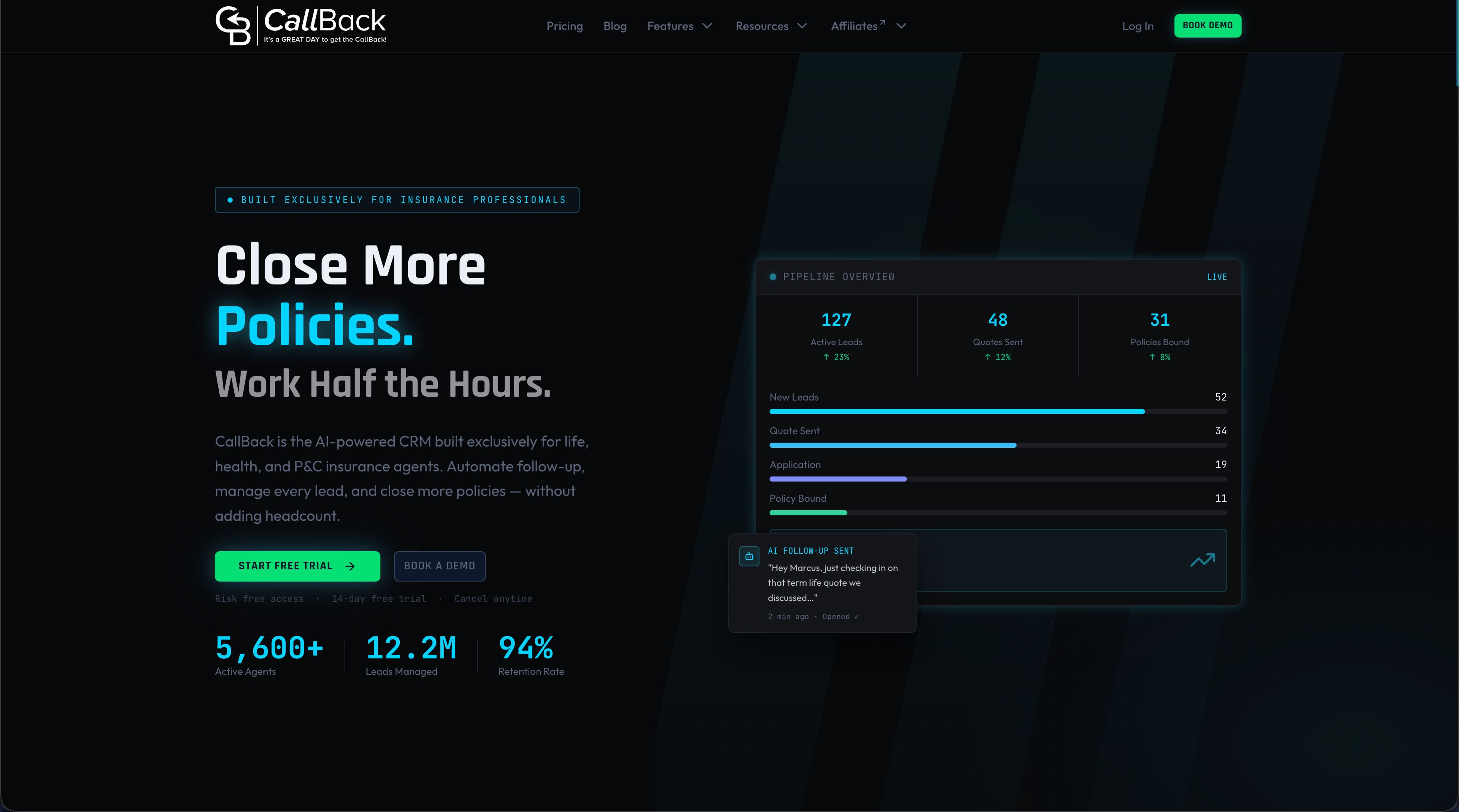
CallBack is an AI-powered CRM and sales automation platform for insurance agents, agencies and IMOs. It includes pipeline management, automated follow-up by SMS, email and voicemail, funnel and website builders, workflow automation, reporting and integrations with dialers and calendars. Data is hosted on Google Cloud.
The Professional plan is $97 per month. Enterprise plans cost $297 per month for 10 full CRM accounts, $397 per month for 25 and $497 per month for 60. An Unlimited AI Employee Bundle is $127 per month, and each phone number is $2.30 per month. Other usage fees are listed on the fees page. A new account can start with the Professional plan, and the feature overview shows what is included.
For larger teams, the Enterprise plans cover multiple full CRM accounts. A step-by-step workflow guide for insurance agents is a good place to plan the first automation to test.
Common mistakes to avoid
- Testing with real clients on the list. A workflow tested against a live list is no longer a test.
- Skipping the refresh. A stale sandbox passes tests that production would fail.
- Letting the builder be the only reviewer. The people who use the process daily catch what an admin misses.
- Forgetting integrations. Connections must be tested in the live system, not assumed.
- Keeping real data too long. Set a deletion date when real records are copied.
- Changing several things at once. When something breaks, the cause is hard to find.
Agencies adopting a new system can also use the CRM adoption plan for insurance agencies, which sequences setup so that testing comes before the full team starts. Email-heavy teams can review the email marketing checklist for agents before turning on a new campaign.
FAQ
What is the difference between a CRM sandbox and a test account?
A sandbox is a copy of the live system’s configuration, so tests reflect the real setup. A test account is usually a blank, separate account. It is quick to create, but it does not show how a change behaves against the real pipelines, fields and permissions.
Does a CRM sandbox copy all production data?
Not always. Many sandboxes copy configuration only, and others copy a sample or capped amount of data. Limits vary by platform and plan. Copied personal data should be masked or replaced with synthetic values unless a documented exception is approved.
Can changes in a sandbox be pushed to the live CRM?
On most platforms, configuration changes such as workflows, fields and layouts can be deployed. Records created in the sandbox generally cannot. Some items, such as certain integrations, may need to be rebuilt in production by hand.
How often should a sandbox be refreshed?
Refresh it before each round of testing so it mirrors current production settings. Platforms set their own refresh limits, from daily to about once a month depending on type, so check the plan’s terms.
Do small insurance agencies need a sandbox?
Any agency that automates texts, emails or lead routing benefits from a safe place to test. A full sandbox is not required. A test pipeline, internal test contacts and a short written release checklist cover the main risks.
Sources
- Zoho CRM Sandbox Environment vs Production, CodeStringers
- How to Change Your Live CRM Without Breaking It, CRM Experts Online
- HubSpot Sandbox Environment: How to Test CRM Changes Safely, InsideA
- Salesforce deployment best practices, Itransition
- ISO 27001 A.8.33: Test information, AuditFront
- SA-3(2): Use of Live or Operational Data, CSF Tools
- Insurance Data Security Model Law, NAIC