

TL;DR:
- Automation strategies for agencies use tools and workflow redesigns to cut manual work and boost capacity. Prioritizing invoicing, client intake, time tracking, retainer alerts, and reporting yields the highest return on investment. Effective automation starts with clear processes, simple tools, and a focus on client experience and revenue protection.
Automation strategies for agencies are deliberate approaches that use tools and workflow redesigns to reduce manual tasks, increase capacity, and protect client revenue. The industry term for this practice is marketing workflow automation, and it covers everything from invoicing and onboarding to AI-powered lead response. Agencies using workflow automation achieve 31% higher client retention than those running manual processes. Industry reports from 2025 and 2026 show 30–50% efficiency improvements from automation, enabling agencies to scale without proportional headcount increases. The workflows that deliver the fastest payback are invoicing, client intake, time tracking, retainer alerts, and reporting.
1. Which core workflows yield the highest ROI when automated?

A typical 12-person agency that automates five core workflows reclaims 1,200–1,800 billable hours annually. At standard billing rates, that translates to $90,000–$135,000 in recovered value each year. That number alone justifies the investment in most agency automation programs.
The five workflows with the fastest payback are:
- Invoicing and payment reminders: Automated billing eliminates manual follow-up and reduces late payments.
- Time tracking: Automated timers and project-based logging remove the end-of-week scramble.
- Retainer alerts: Triggered notifications flag scope creep or budget thresholds before they become client disputes.
- Client intake: Automated intake forms, contracts, and welcome sequences cut onboarding time from days to hours.
- Reporting: Scheduled, auto-generated reports replace hours of manual data pulling every month.
Prioritize these five before touching anything else. Each has clear inputs, clear outputs, and low judgment requirements. That combination produces the highest automation ROI with the lowest error risk.
Pro Tip: Document every manual step of a workflow before you automate it. Automation amplifies whatever quality already exists in your process. If the process is broken, automation scales the chaos.
2. How can client-facing automations improve retention and revenue?
Client-facing automation delivers the highest ROI by protecting revenue through better onboarding, faster communication, and consistent reporting. Internal efficiency matters, but client-facing automation is what prevents churn. A client who feels ignored or uninformed is a client who cancels.
Three client-facing automations produce outsized results:
- Onboarding sequences: Automated welcome emails, intake forms, and kickoff checklists set expectations immediately. Clients who experience a structured onboarding are far less likely to churn in the first 90 days.
- Automated reporting: Scheduled reports delivered directly to client inboxes prevent the “silent churn” problem, where clients disengage before they ever raise a concern. Consistent reporting signals that you are working, even when no meeting is scheduled.
- Lead response automation: Responding to leads within 5 minutes produces 8x higher conversion rates compared to next-business-day responses. Automated lead response costs near zero incremental dollars and runs 24 hours a day.
“Client-facing automation such as onboarding and reporting provides critical revenue protection by enhancing client experience and preventing churn.” — Marketing Agency Automation Complete Playbook 2026
Pro Tip: Map every client touchpoint in your first 30 days of engagement. Automate the ones that are purely informational. Keep human judgment in the ones that require relationship-building.
You can explore how agencies structure these touchpoints in detail by reading about client touchpoint automation and its effect on retention.
3. What tools and platforms are best suited for agency automation?
The right automation tool depends on your team size, technical comfort, and the volume of workflows you need to run. No-code platforms like Zapier and Make handle the majority of agency automation needs without requiring developer resources. For agencies with proprietary data or complex logic that exceeds no-code capabilities, custom API builds are justified. Otherwise, they add cost and maintenance burden without proportional benefit.
| Tool | Best for | Technical level | Cost range |
|---|---|---|---|
| Zapier | Simple, high-volume triggers | No-code | Low to medium |
| Make | Multi-step, visual workflows | No-code | Low to medium |
| n8n | Self-hosted, custom logic | Low-code | Low (self-hosted) |
| HubSpot | CRM-integrated automation | No-code | Medium to high |
| Callbackcrm | AI-powered agency and insurance automation | No-code | Medium |
Custom API builds are justified only for high-volume workflows, proprietary data that cannot leave agency infrastructure, or complex logic beyond no-code platform capabilities. For most agencies, Zapier or Make covers 80–90% of automation needs at a fraction of the cost.
Tool selection criteria matter as much as the tools themselves. Evaluate each platform on four factors: usability for your team, integration breadth with your existing stack, cost at your expected workflow volume, and vendor support quality.
Pro Tip: Avoid building a complex multi-tool stack. Simple, team-used tools outperform elaborate setups that nobody actually uses. Feature-buying without adoption is wasted spend.
4. What are best practices for implementing automation effectively?
Implementation is where most agency automation programs fail. The tools are rarely the problem. The process around them is. Follow these practices to avoid the most common failure modes:
- Document SOPs first. Never automate an undocumented process. Write out every manual step before building the automation. This forces clarity and catches gaps before they become automated errors.
- Run shadow mode testing. Run new automations alongside manual processes for at least one full cycle. This catches edge cases that testing environments miss and builds team confidence before you cut over completely.
- Automate one workflow at a time. Build sequentially. Verify stability. Then move to the next workflow. Parallel manual processes stay active until the automated version proves reliable.
- Avoid high-judgment tasks. Never automate deep strategic judgment or sensitive client communications. Errors in those areas are costly and hard to recover from. Automate high-volume, low-judgment tasks first.
- Redesign around AI, not on top of legacy processes. The most successful agencies redesign core workflows specifically for AI rather than bolting automation onto existing broken processes. This distinction is the key to scaling beyond 20 clients.
The agencies that scale fastest treat automation as a process design exercise, not a software purchase. The tool is secondary to the workflow logic behind it.
5. How to automate agency tasks: a workflow-by-workflow breakdown
Knowing which tasks to automate is one thing. Knowing how to sequence the build is another. Start with the workflows that have the clearest inputs and outputs. Meeting notes, status reports, and retainer alerts are ideal first targets because they are repetitive, time-consuming, and require no judgment calls.
For lead management, connect your intake form to your CRM automatically. Every new lead should trigger a sequence: confirmation email, internal notification, and a follow-up task assigned to the right team member. Callbackcrm handles this natively with AI-powered lead scoring and automated outreach sequences, which means no manual handoff between marketing and sales.
For reporting, connect your project management tool and ad platforms to a reporting template. Schedule delivery to client inboxes on a fixed day each month. The client receives consistent data without your team spending three hours pulling numbers. Platforms like Callbackcrm include built-in reporting automation alongside CRM management, which reduces the number of tools your team needs to manage.
For a deeper look at how agencies structure these workflows end to end, the guide on AI automation workflows covers the sequencing logic in practical terms.
6. Avoiding the most common agency automation mistakes
Most agency automation failures share a common root cause: agencies automate before they understand their own processes. The result is a faster version of a broken workflow.
The second most common mistake is over-automating client communication. Automated emails and SMS messages are effective for transactional updates. They are not effective for relationship-building conversations. Clients notice when a response feels templated. Reserve automation for information delivery and use human communication for anything that requires empathy or judgment.
The third mistake is tool sprawl. Agencies often buy multiple automation platforms, each solving one problem, and end up with a stack that nobody fully understands. A marketing automation checklist approach forces you to define what you need before you buy. That discipline prevents the accumulation of redundant tools that drain budget and attention.
Finally, measure the right outcomes. Track billable hours reclaimed, client retention rates, and lead response times. These three metrics tell you whether your automation program is working. Vanity metrics like “number of automations built” tell you nothing about business impact.
Key takeaways
The most effective automation strategies for agencies combine client-facing workflow automation with disciplined implementation practices, starting with the five highest-ROI workflows before expanding to more complex processes.
| Point | Details |
|---|---|
| Start with five core workflows | Invoicing, time tracking, retainer alerts, client intake, and reporting deliver the fastest payback. |
| Client-facing automation protects revenue | Onboarding sequences and automated reporting prevent churn before clients raise concerns. |
| Lead response speed drives conversions | Responding within 5 minutes produces 8x higher conversion rates than next-day responses. |
| Document before you automate | Undocumented processes produce automated chaos. Write SOPs first, then build the workflow. |
| Simplicity beats complexity | Choose tools your team will actually use. A simple stack with high adoption outperforms a complex one with low usage. |
What I’ve learned after years of watching agencies automate
Agency owners tend to treat automation as a technology problem. It is not. It is a process design problem that technology solves once the design is right.
The agencies I have seen succeed with automation share one habit: they map their workflows on paper before they open any software. They know exactly what triggers each task, who is responsible, and what the output looks like. When they build the automation, it works because the logic was already sound.
The agencies that struggle do the opposite. They buy a tool, connect a few triggers, and call it automation. Six months later, the tool is running in the background, nobody trusts the outputs, and the team has reverted to manual processes. The tool gets blamed. The real problem was the process.
Client-facing automations deserve more attention than most agency leaders give them. Internal efficiency is satisfying to build. Automated reporting and onboarding sequences feel less exciting. But they are the ones that protect your revenue. A client who receives consistent, professional communication is a client who renews. That is where the ROI actually lives.
One more thing: do not oversell automation to your team. Present it as a way to eliminate the work nobody wants to do, not as a replacement for human judgment. That framing drives adoption. Adoption drives results.
— Kyle
How Callbackcrm helps agencies automate at scale
Callbackcrm is built for agencies that need AI-powered automation across the full client lifecycle, from lead capture to renewal. The platform combines CRM management, email and SMS marketing, automated workflows, AI assistants, and reputation management in a single tool. That means fewer integrations, less maintenance, and a team that actually uses the system.
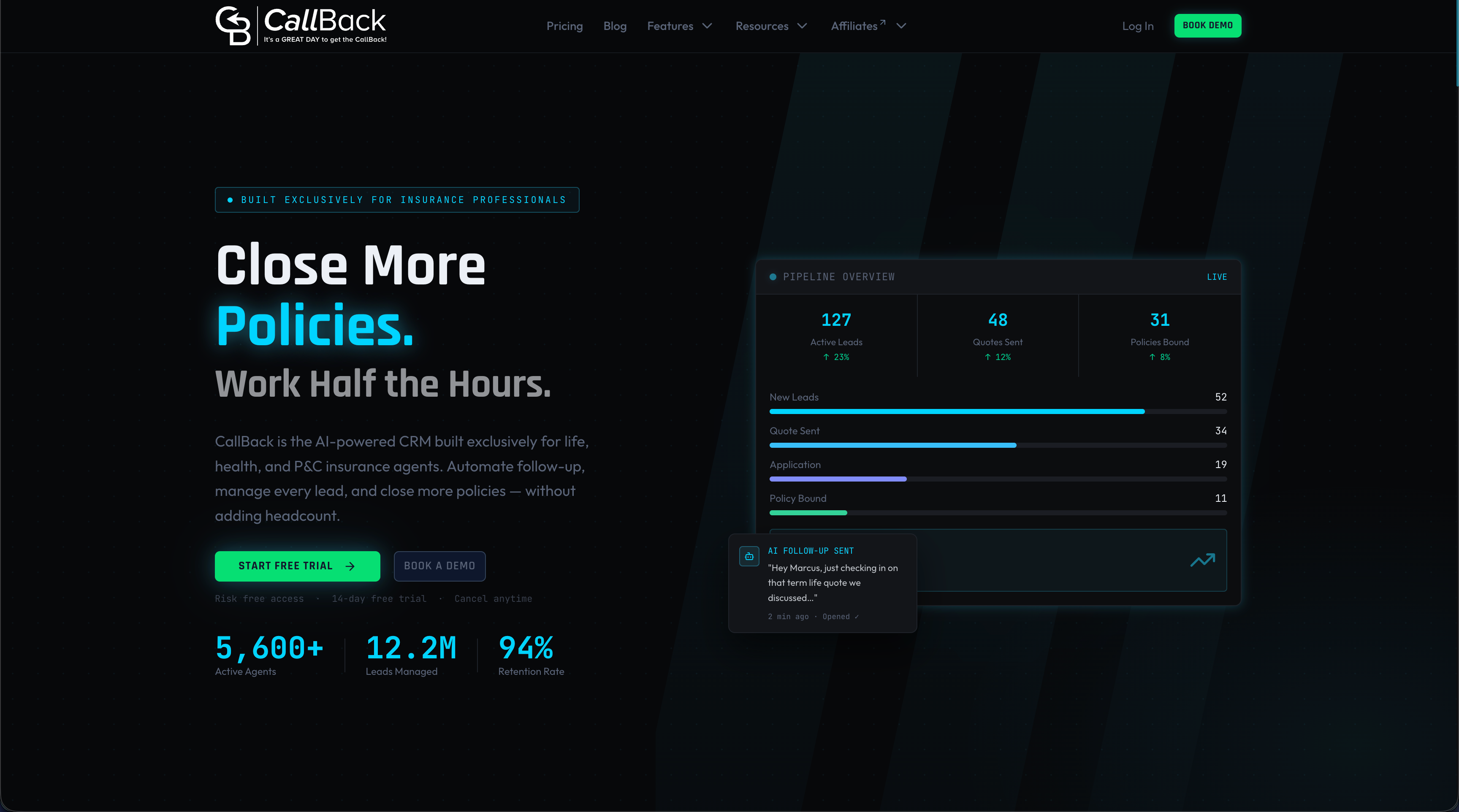
Callbackcrm’s automation workflows handle lead scoring, client outreach, proposal generation, and follow-up sequences without manual input. The AI identifies high-value leads, predicts client behavior, and personalizes communication at scale. If you are ready to replace manual processes with a system that runs on its own, explore the full Callbackcrm feature suite and see how it fits your agency’s workflow. A free trial is available to get started without commitment.
FAQ
What are the best automation strategies for agencies in 2026?
The highest-impact strategies are automating client onboarding, lead response, invoicing, reporting, and retainer alerts. Agencies that automate these five workflows first see the fastest ROI and the lowest implementation risk.
How do I automate agency tasks without breaking client relationships?
Automate transactional and informational tasks like status updates, invoices, and reports. Keep human communication in place for relationship-building conversations and any situation that requires judgment or empathy.
What tools are best for agency workflow automation?
Zapier and Make cover most no-code automation needs at low cost. For AI-powered client communication and lead management, platforms like Callbackcrm combine CRM, marketing automation, and workflow tools in one place.
How long does it take to see results from agency automation?
Most agencies see measurable time savings within the first 30–60 days of automating their first workflow. Full ROI, including client retention improvements, typically becomes visible within one quarter.
Should agencies build custom API automations or use no-code platforms?
No-code platforms like Zapier or Make handle the majority of agency needs. Custom API builds are only worth the investment for high-volume workflows, proprietary data requirements, or logic that no-code tools cannot replicate.