

TL;DR:
- Workflow automation in insurance uses software and AI to replace manual, repetitive tasks like certificate issuance and claims processing. It helps agencies improve efficiency and revenue by automating high-impact, low-complexity processes, especially renewals and COI issuance. Successful adoption relies on mapping workflows, starting small with pilots, and using orchestration platforms that connect existing systems without full replacements.
Workflow automation in insurance is the use of software and AI to replace manual, repetitive tasks with automated processes that handle everything from certificate issuance to claims intake. Agencies running on manual workflows lose ground fast. Staff spend 38% of their time on process management instead of client work, which directly cuts into revenue and retention. Platforms like Vertafore, Applied Epic, and AI-driven orchestration tools are changing that equation. The agencies that act now will protect commission revenue and free their teams for the work that actually requires human judgment.
What is workflow automation in insurance?
Workflow automation in insurance covers any technology that moves a task, document, or decision through a defined process without manual intervention. That includes routing a new application to the right underwriter, triggering a renewal reminder 90 days out, or generating a certificate of insurance (COI) in seconds instead of 15 minutes.
The industry term you will encounter in vendor documentation and carrier conversations is insurance process automation. It sits under the broader umbrella of digital transformation in insurance and ranges from simple rule-based triggers to full agentic orchestration that adapts in real time.
The core benefits are measurable. Automating the top six core workflows saves a typical 15-person agency 25–40 hours weekly and protects $18,000 in annual commissions. That is not a projection. That is the documented outcome for agencies that have already made the shift.
Which insurance workflows deliver the highest automation ROI?
Not every workflow deserves automation first. The right starting point is a benefit-to-effort ratio. High financial impact combined with low implementation complexity is the target. Prioritizing renewals and COI issuance delivers measurable early wins because both are high-volume, rule-based, and directly tied to revenue retention.
The six workflows that consistently produce the fastest ROI are:
- Certificate of insurance issuance: A 15-minute manual task drops to 4–6 minutes with automation, and volume scales without adding headcount.
- Renewal outreach: Automated sequences protect retention revenue by triggering personalized touchpoints 90, 60, and 30 days before expiration.
- New business intake: Automating policyholder onboarding cuts processing time from 5–7 days to same day by connecting application portals with document collection and ID verification.
- First notice of loss (FNOL): Automated intake routes claims data immediately, reducing the lag that frustrates policyholders most.
- Billing follow-up: Triggered payment reminders reduce lapse rates without requiring a staff member to monitor each account.
- Policy change requests: Automated endorsement workflows eliminate the back-and-forth email chains that slow down service teams.
Pro Tip: Start with COI issuance and renewal outreach before touching claims or billing. Both are low-risk to automate and produce visible time savings within the first 30 days, which builds internal confidence for larger projects.
ROI on these workflows typically arrives within 6–12 months. That timeline shortens when you begin with the two or three workflows where your team currently spends the most manual hours.

How do orchestration platforms differ from basic task automation?
Single-task automation handles one step in isolation. It sends an email, generates a document, or updates a field. Orchestration manages the entire sequence across multiple systems, adapting when conditions change. That distinction matters enormously in insurance, where a single claim can touch a CRM, an AMS, a payment system, and a compliance log before it resolves.
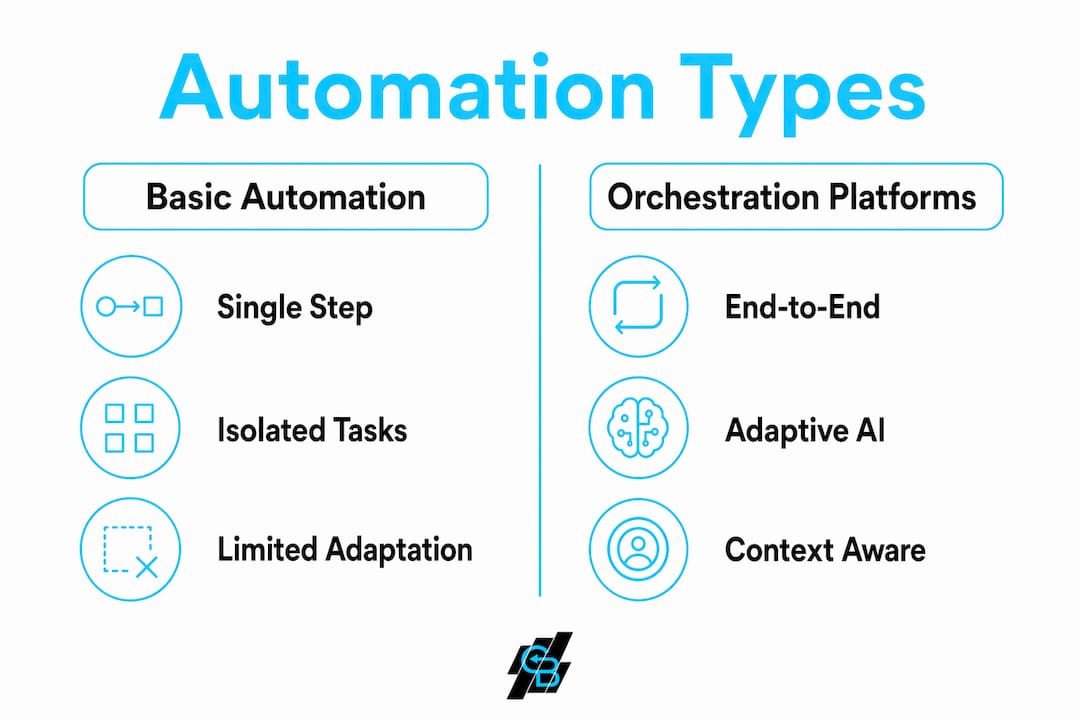
| Feature | Task Automation | Agentic Orchestration |
|---|---|---|
| Scope | Single step or trigger | End-to-end process management |
| Adaptability | Fixed rules only | Context-aware, adjusts to exceptions |
| System integration | One system at a time | Connects CRM, AMS, and legacy stacks |
| Audit capability | Limited or manual | Full timestamp and metadata logging |
| Best for | Simple, repetitive tasks | Complex, multi-step workflows |
Agentic AI orchestration perceives context and adapts actions across systems, which makes it the right tool for high-stakes operations like claims handling. A basic automation script cannot handle an exception. An orchestration platform routes it, flags it, and logs the decision.
The insurance industry is shifting from single-task automation to these adaptive platforms because isolated scripts accelerate inefficiency when the underlying data is fragmented. Automating a broken process just breaks it faster.
Pro Tip: Before selecting any platform, map your current workflow on paper. If you find more than three manual handoffs between systems, you need orchestration, not a simple trigger tool.
Automation also clears the fog for human professionals by handling intake and routing so your experts focus on decisions that require judgment. That is the real productivity gain: not replacing people, but redirecting them.
What are the key challenges of implementing insurance automation?
Implementation challenges in insurance automation fall into four categories: legacy system fragmentation, compliance requirements, cost, and organizational resistance. Understanding each one before you start saves significant time and budget.
Legacy systems do not have to be replaced
The most common misconception is that automation requires a full core system overhaul. It does not. Orchestration platforms layer intelligence atop existing stacks through bi-directional sync, connecting your CRM and AMS without replacing either. That approach protects your existing data relationships while adding automation capability on top.
Automation applied to fragmented systems accelerates inefficiency rather than fixing it. Orchestration unifies data, decisions, and workflows end-to-end. The sequence matters: clean your data and map your process before you automate it.
Compliance and audit trail requirements
Every automated step in an insurance workflow must be logged. Audit trails with timestamps, user IDs, and reason codes are required for compliance and litigation protection. Simple scripts that lack this governance create regulatory exposure. Any platform you evaluate should produce a complete, exportable audit log by default, not as an add-on.
Budget ranges by organization size
Cost is a real constraint, and the range is wide.
| Organization Type | Typical Automation Budget |
|---|---|
| Independent agency (under 20 staff) | $10,000–$50,000 |
| Mid-sized carrier or regional agency | $200,000–$1,500,000 |
| Large national carrier | $1,000,000–$4,000,000 |
Mid-sized insurance automation projects cost $200,000–$1.5M, and large carriers can reach $4M depending on integration complexity. For independent agencies, the math is different. Cloud-based platforms with subscription pricing bring automation within reach for under $1,000 per month.
How do you successfully adopt and scale insurance workflow automation?
A phased approach consistently outperforms big-bang implementations. The agencies and carriers that succeed follow a clear sequence rather than automating everything at once.
-
Audit your current workflows. Document every manual step, who performs it, how long it takes, and what triggers it. This audit reveals where time actually goes, which is often different from where managers assume it goes.
-
Rank by benefit-to-effort ratio. Score each workflow on financial impact and implementation complexity. Renewals, COI issuance, and onboarding almost always rank highest. Start there.
-
Select tools that match your stack. Evaluate platforms on integration capability first, features second. A tool that cannot connect to your existing AMS creates more work, not less. Look at automating lead generation as an early win that also feeds your pipeline.
-
Run a 30-day pilot on one workflow. Measure time saved, error rate, and staff feedback. A pilot gives you real data to justify broader investment and surfaces integration issues before they become expensive.
-
Train staff on the new process, not just the tool. Change management is where most automation projects stall. Staff who understand why a workflow changed adapt faster than those who only receive a software tutorial.
-
Measure ROI at 90 days. Track hours saved, error reduction, and revenue protected. Compare against your pre-automation baseline. If the numbers do not support expansion, diagnose the gap before scaling.
-
Expand to adjacent workflows. Once one workflow runs cleanly, the next implementation is faster because your team understands the process and your integrations are already in place.
The marketing automation checklist approach used by high-performing SMBs applies directly here: document, pilot, measure, then scale. Skipping the pilot phase is the single most common reason automation projects underdeliver.
Key takeaways
Workflow automation in insurance delivers its highest returns when agencies prioritize high-impact, low-complexity processes first and use orchestration platforms that unify systems rather than automate them in isolation.
| Point | Details |
|---|---|
| Start with COI and renewals | These two workflows produce the fastest ROI and lowest implementation risk for any agency size. |
| Orchestration beats task automation | Platforms that manage end-to-end processes outperform single-trigger scripts in complex insurance environments. |
| No core system replacement needed | Modern orchestration layers connect to existing CRM and AMS stacks without a full overhaul. |
| Audit trails are non-negotiable | Every automated step must log timestamps, user IDs, and reason codes to satisfy compliance requirements. |
| Pilot before scaling | A 30-day single-workflow pilot produces the data and staff confidence needed to justify broader investment. |
What i have learned after watching agencies automate
The agencies that struggle with automation share one pattern: they automate the symptom instead of the process. They build a trigger to send a renewal email, but the underlying client data is inconsistent, the policy dates are wrong in the AMS, and the email goes out with errors. The automation did not fail. The process failed, and the automation made it visible faster.
The agencies that succeed start with a workflow audit that feels almost embarrassingly basic. They draw the process on a whiteboard, count the handoffs, and identify where data enters and exits each system. That exercise alone surfaces problems that no software can fix.
I have also seen professionals resist orchestration platforms because they assume the technology is out of reach for a 10-person agency. That was true in 2019. It is not true now. Cloud-based platforms with subscription pricing have made AI-driven insurance marketing and workflow automation accessible at a price point that pays for itself within a single renewal cycle.
The other thing worth saying directly: automation does not replace your best people. It removes the work that prevents them from being your best people. A senior account manager who spends two hours a day generating certificates is not doing account management. Automation gives that time back.
The professionals who will lead their agencies in the next five years are the ones who treat automation as a core operational skill, not an IT project.
— Kyle
How Callbackcrm helps insurance agencies automate at scale
Callbackcrm is built specifically for insurance agents, agencies, and IMOs who need automation that works without a dedicated IT team. The platform combines CRM management, AI-powered lead scoring, email and SMS workflows, and proposal tools in one place, so you are not stitching together five separate subscriptions.
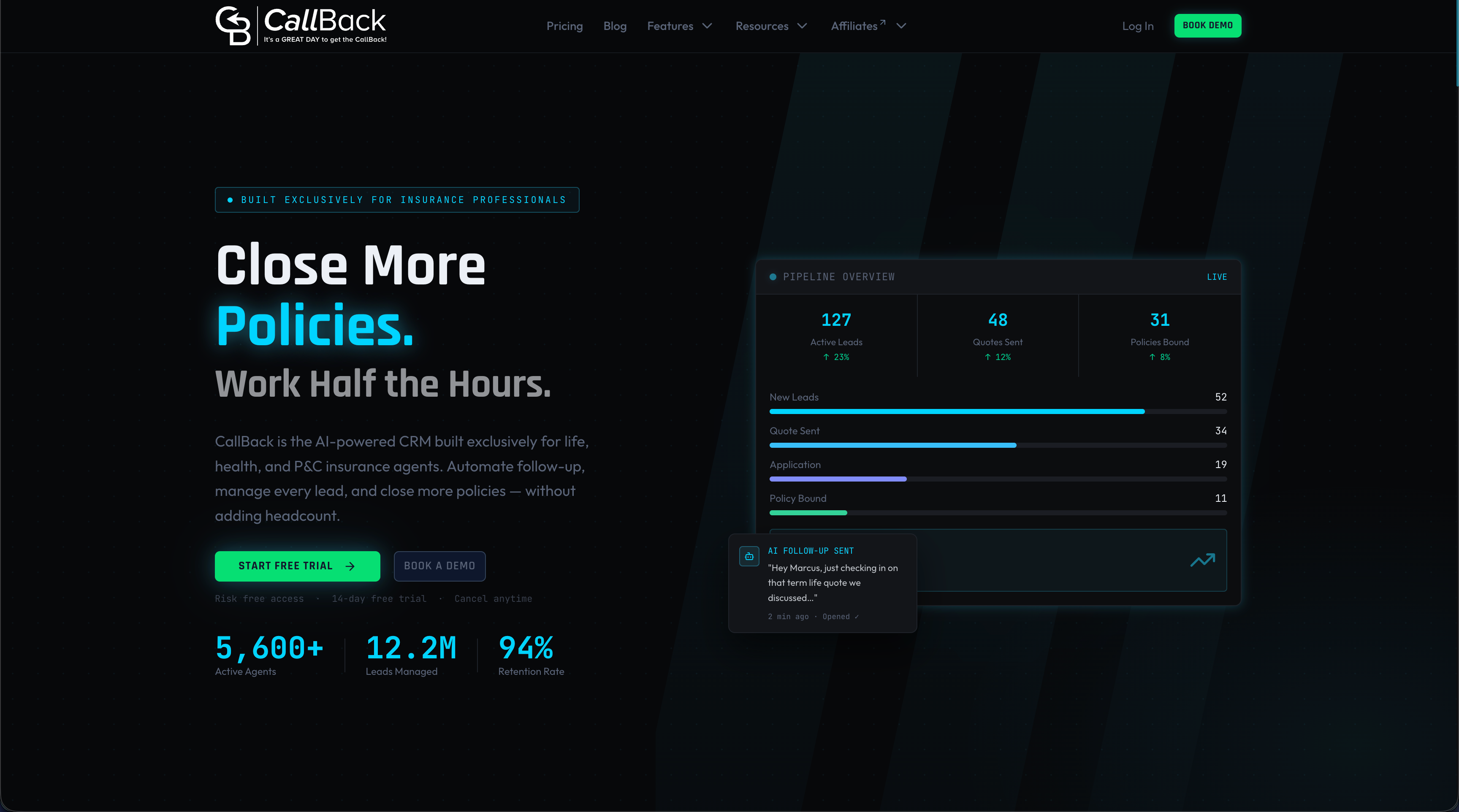
For agencies ready to move beyond manual follow-up and fragmented tools, Callbackcrm connects your marketing, sales, and client management workflows in a single system. Explore the full suite of automation features to see how it maps to the workflows covered in this guide. The platform runs on Google Cloud with 24/7 support, and you can start a free trial without committing to a long-term contract.
FAQ
What is workflow automation in insurance?
Workflow automation in insurance is the use of software and AI to execute repetitive tasks, such as COI issuance, renewal outreach, and claims intake, without manual intervention. It reduces processing time, cuts errors, and frees staff for client-facing work.
Which workflows should an insurance agency automate first?
Agencies should start with certificate of insurance issuance and renewal outreach because both are high-volume, rule-based, and directly tied to retention revenue. These workflows produce measurable ROI within 30–90 days.
Do i need to replace my core systems to automate?
No. Modern orchestration platforms layer on top of existing CRM and AMS systems through bi-directional sync, so you can add automation capability without replacing your current technology stack.
How much does insurance workflow automation cost?
Costs range from under $1,000 per month for independent agencies using cloud-based platforms to $200,000–$4,000,000 for mid-sized and large carriers with complex legacy integrations.
What compliance requirements apply to automated insurance workflows?
Automated workflows must maintain audit trails that log every step with timestamps, user IDs, and reason codes. This documentation is required for regulatory compliance and provides protection in litigation scenarios.