

Zapier workflows let insurance agencies automate the tasks eating up staff time: lead capture into a CRM, renewal reminder sequences several weeks prior to policy expiration, claims intake and routing, and underwriting document validation. Agencies that build these four automations first typically recover several hours a week and reduce policy churn through proactive renewal outreach. This guide includes ready-to-build Zap templates and shows when a dedicated platform makes more sense than stacking Zaps.
TL;DR:
- Automating renewal reminders around 90 days prior to policy expiration yields the highest return in policy retention and should be prioritized.
- Lead capture workflows that instantly create CRM contacts and trigger follow-up communications significantly improve conversion rates and agent efficiency.
- Claims intake automation that routes submissions, alerts adjusters, and confirms with clients reduces delays and anxiety in the claims process.
- For agencies handling more than four to five automations, switching to an insurance-specific platform like CallbackCRM improves management, security, and support.
- Most agencies neglect renewal and lead follow-up automations until late, missing out on the most impactful revenue-saving opportunities early in the setup process.
Table of Contents
- High-Value Insurance Use Cases for Zapier Workflows
- Three Step-by-Step Zap Templates to Build Now
- Integrations and Common Tool Pairings for Insurance Automations
- Best Practices, Compliance, and Common Pitfalls to Avoid
- Expert Perspective: CallBack CRM’s Practitioner Notes and Proof
- Why Most Agencies Automate the Wrong Things First
- How CallBack CRM Complements Your Zapier Workflows
- Sources
High-Value Insurance Use Cases for Zapier Workflows
Not every task deserves automation. The ones below return the most time and revenue for the least setup effort, which is why they show up first in almost every insurance workflow automation project.
Lead capture automation connects your website or landing page form directly to your CRM. A new lead submits a quote request, and Zapier creates a contact record within seconds, mapping fields like coverage type, ZIP code, and current carrier so nothing gets typed in twice. The immediate follow-up trigger, an email or SMS sent the moment the record lands, matters more than the data transfer itself. Speed to first contact is what separates a converted lead from a cold one.
Quote generation workflows turn a submitted form into a structured quote record and a personalized client email without an agent touching a keyboard. Zapier’s quote generation templates capture the submission, populate the quote in your system, and send it out, which shrinks the time between “interested” and “quoted” from hours to minutes.
Claims intake and triage routes a submitted claim form or inbound email into a ticketing or CRM record, fires an internal alert to the assigned adjuster, and sends the client an automatic confirmation. This closes the loop that anxious policyholders complain about most: silence after filing.
Underwriting and document intake automatically routes uploaded files, validates that required documents are present, and escalates missing paperwork instead of letting it sit in an inbox.
Renewal reminder sequences built around a 90-day pre-renewal outreach window consistently deliver the highest return of any automation independent agents run, because retention math rewards proactive contact far more than reactive service.
- Lead capture: form submission to CRM contact plus instant follow-up
- Quote generation: submission to structured quote record to client email
- Claims intake: form/email to ticket to internal alert and client confirmation
- Document intake: upload to validation to routing or escalation
- Renewal sequence: 90-day date trigger to multi-touch outreach
Three Step-by-Step Zap Templates to Build Now
You don’t need a developer to get these running. Each one takes under an hour to configure the first time, and once it works, it keeps working without anyone checking on it.
-
Website lead to CRM contact to nurture start. Trigger: new form submission (Jotform, Cognito, or a native webhook). Action one: create or update a CRM contact, mapping name, phone, email, coverage type, and lead source. Action two: send an immediate email or SMS confirming receipt. Action three: add a task for the assigned agent with a due date of same day. Test with a sample submission before going live, and check that duplicate leads update existing records instead of creating clones.
-
Renewal reminder sequence several weeks prior to policy expiration. Trigger: a date field on the policy record hitting the 90-day mark before renewal. Action one: send a personalized renewal email. Action two: a Zapier delay action to wait 30 days, then a follow-up SMS. Action three: at the 15-day mark, create a task for the policy owner to make a personal call. This mirrors the pattern that performs best for retention: an early message, a mid-cycle nudge, and a human touch right before the deadline.
-
Claims intake Zap. Trigger: new form submission or inbound webhook from a claims portal. Action one: create a claim record in your CRM or ticketing tool. Action two: route the record to the correct adjuster using Filters or Paths based on claim type or dollar amount. Action three: send the client an automatic confirmation with a claim number and expected timeline.
For forms your intake tool doesn’t natively support, a Webhook step lets Zapier catch the submission directly. Always test each Zap with sample data covering the messy cases: missing fields, duplicate entries, and unusually large files.
Pro Tip: Build the confirmation message before the routing logic. If the client never hears back, the automation failed even if the internal record was created perfectly.
Integrations and Common Tool Pairings for Insurance Automations
Most insurance automation stacks share a similar shape, even when the specific tools differ by agency. Form builders like Jotform or Cognito handle intake because they support conditional logic and file uploads that a generic contact form can’t manage. CRMs serve as the record of truth. Every quote, claim, and policy touchpoint should map to a contact or policy record, not live scattered across inboxes.
Storage and document generation matter more than agencies expect. Google Drive folders organized by client or policy number, paired with automatic PDF generation for quotes and confirmations, keep underwriting document intake from turning into an email attachment graveyard.
Notifications close the loop. SMS gateways and email handle client-facing updates. Slack or internal email alerts keep staff aware of new claims or missing documents without anyone babysitting a dashboard.
- Form builders: Jotform, Cognito, or native webhooks for conditional intake
- CRM records: single source of truth for policy and client fields
- Storage: Google Drive plus automated PDF generation for quotes and confirmations
- Notifications: SMS and email for clients, Slack or internal email for staff
- Middleware: Zapier Tables or Webhooks when a form or portal lacks a native integration
Best Practices, Compliance, and Common Pitfalls to Avoid
The biggest failure mode in insurance workflow automation isn’t a broken Zap. It’s a working Zap that creates a record and stops, leaving a lead or a claim sitting untouched. Every automation needs a closed loop: a next action tied to every trigger, whether that’s an email, a task, or a qualification step.
Document handling needs the same discipline. Validate uploads automatically, escalate missing files to a human, and keep an audit trail of what was received and when. That trail matters if a client disputes a delay later.
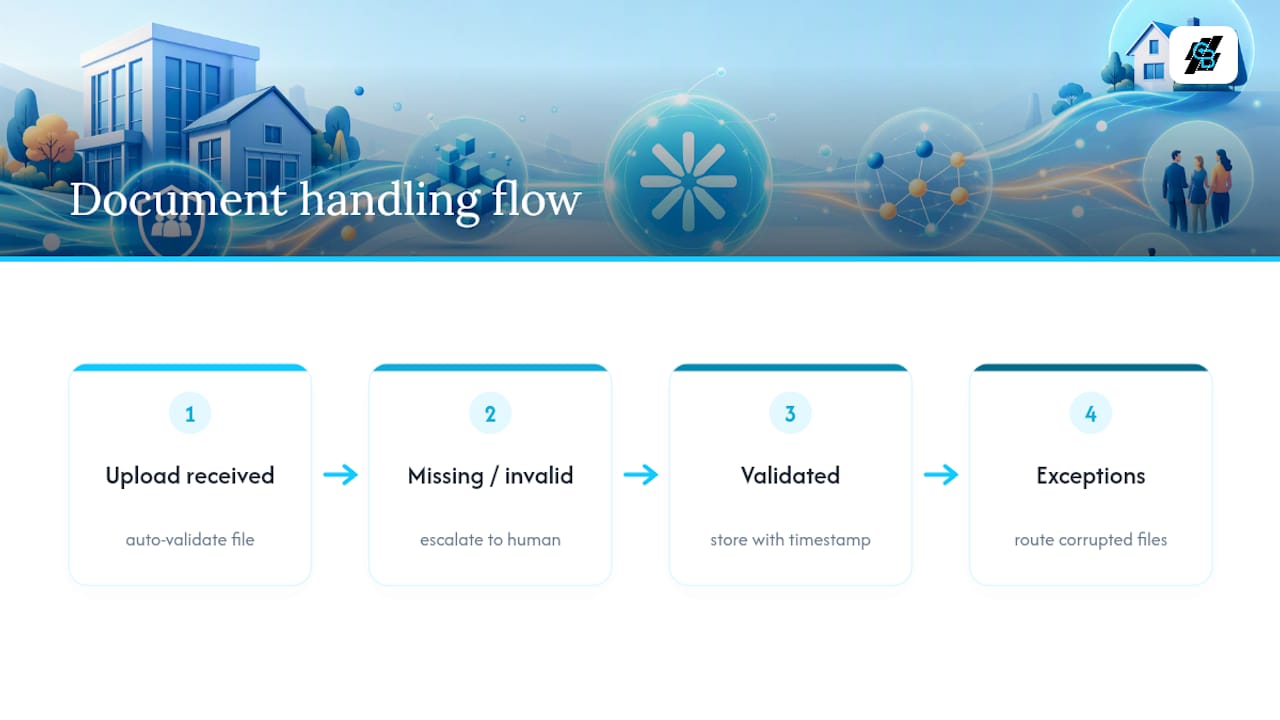
Watch task usage closely. Zapier bills by task, and a multi-step Zap running on every form submission can burn through a plan faster than expected during a busy renewal season. Build in retry logic and logging for failed steps, and always route genuine exceptions, like a corrupted file or an unrecognized policy number, to a person instead of letting the Zap silently fail.
Pro Tip: Grant each Zap the minimum access it needs to a connected account, encrypt stored client documents, and set a retention rule so old files don’t linger past your compliance window.
Expert Perspective: CallBack CRM’s Practitioner Notes and Proof
Kyle has spent years watching agencies automate their way into either real efficiency or a tangle of half-finished Zaps, and the difference almost always comes down to whether the workflow was designed around a single owned CRM or bolted onto whatever tools were already lying around.
Insurance-specific platforms earn their keep once an agency is juggling more than four or five interconnected Zaps, because a platform built for insurance already handles secure hosting and 24/7 support without extra configuration. If your team is still mapping fields manually or debugging broken triggers weekly, that’s the signal to stop stacking Zaps and adopt a platform instead.
— Kyle
Why Most Agencies Automate the Wrong Things First
The instinct is to automate whatever feels most annoying that week, usually data entry. That’s backward. The research on this is consistent: renewal reminders and lead follow-up speed return more revenue per hour invested than almost any other automation, yet most agencies build them last, if at all.
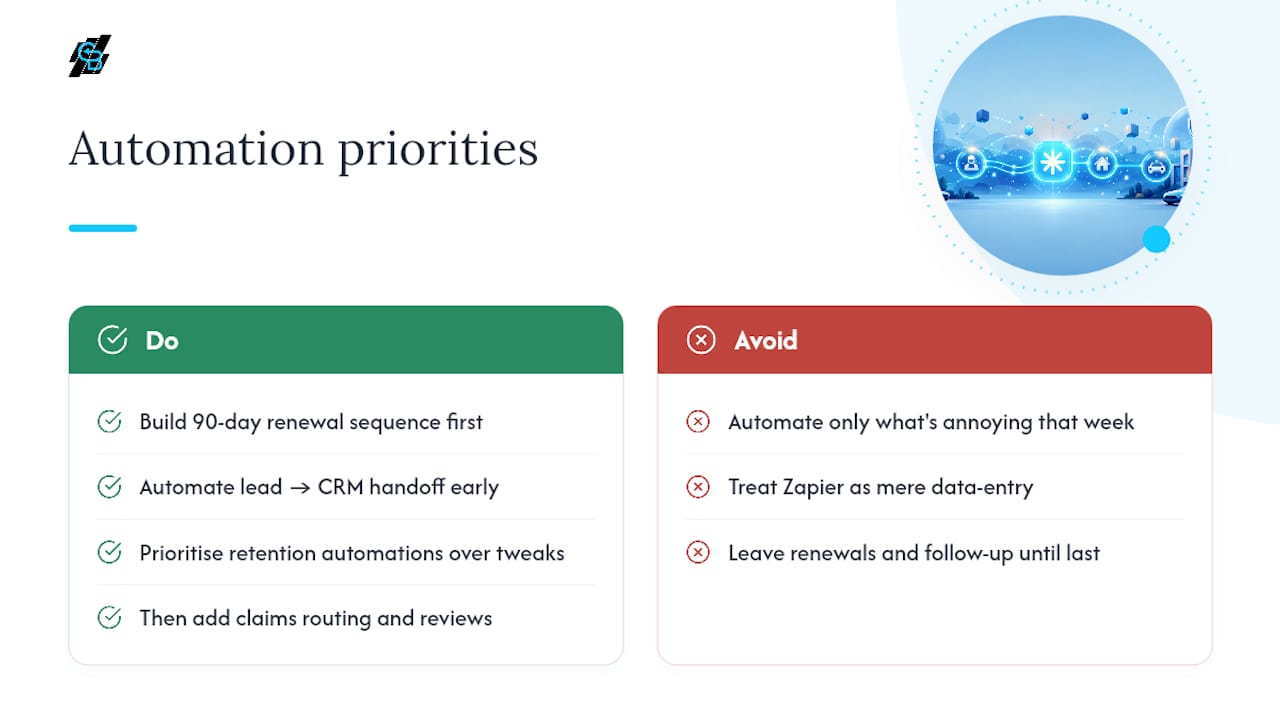
Conventional advice treats Zapier as a data-entry replacement tool. It’s really a retention tool wearing a data-entry costume. The 90-day renewal sequence alone protects more revenue than a dozen small efficiency tweaks combined, because it fixes the single biggest reason policyholders leave: nobody reached out until it was too late.
If you’re starting from zero, build the renewal sequence and the lead-to-CRM handoff before anything else. Everything downstream, claims routing, document validation, review requests, matters, but it doesn’t matter if the front door and the back door are both left open.
— Kyle
How CallBack CRM Complements Your Zapier Workflows
Zapier is excellent at connecting tools you already own, but at some point the number of Zaps an agency needs to manage lead capture, renewals, claims, and outreach across SMS becomes its own maintenance job.

That’s the gap Callbackcrm was built to close. It brings CRM management, automated email and SMS follow-up, and workflow automation together in one system designed around insurance sales cycles specifically, rather than assembled from general-purpose tools. Use Zapier when you’re connecting a handful of external apps you’re not ready to replace. Reach for Callbackcrm when your Zap count keeps growing and field mapping errors start costing you leads. For agencies ready to consolidate renewal sequences, quote follow-up, and CRM workflow automation into a single platform with secure Google Cloud hosting and 24/7 support, the next step is straightforward: explore the SMS automation features and book a demo to see how it handles your current lead volume.