

SMS workflows work because they combine speed with automation: they reach customers on the device they check most, without requiring a person to send each message. Most text messages get read within minutes, which makes SMS the fastest reliable channel for time-sensitive communication. Businesses that adopt SMS workflows typically see three outcomes:
- Faster response to new leads, often within the same hour they inquire
- Fewer missed appointments through automated reminders and confirmations
- Higher conversion on time-sensitive offers, renewals, and cart recovery
The rest of this guide covers how these workflows are built, what they should say, and how to measure whether they’re actually working.
Key Takeaways
SMS workflows work because they combine near-instant delivery with automated, rule-based timing that a manual process can’t match at scale.
| Point | Details |
|---|---|
| Speed drives results | Fast read times make SMS the strongest channel for time-sensitive lead and service messages. |
| Four components define a workflow | Trigger, condition, action, and message template combine to automate any sequence. |
| Compliance comes first | Document opt-in consent and include opt-out instructions in every workflow before launch. |
| CRM integration prevents blind spots | Shared conversation history keeps marketing, sales, and support handoffs consistent. |
| Callbackcrm unifies SMS and CRM | Its automation workflows and mobile inbox keep every reply in one contact thread. |
Table of Contents
- What Is an SMS Workflow?
- What Are the Main Benefits of SMS Workflows?
- What Are Common SMS Workflow Use Cases?
- How Do You Set Up an SMS Workflow?
- Why Does CRM Integration Matter for SMS Workflows?
- What Metrics Should You Track for SMS Workflows?
- How Does an Integrated CRM Improve SMS Operations?
- Sources
What Is an SMS Workflow?
An SMS workflow is an automated sequence that sends a text message when a specific event happens, based on rules you set in advance. Instead of a person typing out a message every time a lead fills out a form or an appointment approaches, the system handles it on its own, at any hour, without waiting on staff availability.
Every SMS workflow is built from four parts:
- Trigger — the event that starts the workflow (a form submission, an abandoned quote, an upcoming appointment, a missed call)
- Condition — the filter that decides who qualifies (has the contact opted in, do they match a segment, has enough time passed since the last message)
- Action — what the system does (send a text, update a CRM field, route a call, wait and check again)
- Message template — the actual text sent, often with tokens like
{first_name}or{appointment_time}that personalize it automatically
Picture it as a simple chain: a lead submits a form, the condition checks that they’ve opted in, the action fires a text within a minute, and the CRM logs the exchange. Automated SMS workflows convert what used to be a manual, one-off text into a sequence that runs continuously, day or night. Consent language belongs in this chain from the start. Every workflow needs a documented opt-in step before the first message and a clear opt-out instruction (usually “reply STOP”) in the first message itself.
What Are the Main Benefits of SMS Workflows?
The business case rests on speed and consistency. A workflow doesn’t get tired, doesn’t forget to follow up, and doesn’t wait until Monday morning to respond to a Saturday inquiry.
- Immediacy — near-instant delivery and fast read times make SMS the right channel for anything time-sensitive
- Speed-to-lead — automated texts reach new inquiries in seconds rather than hours
- Conversion lift — timely, relevant texts convert better than delayed or generic outreach
- Operational efficiency — one workflow replaces dozens of manual texts sent by hand
- Fewer no-shows — automated appointment reminders cut down on missed bookings and last-minute cancellations
- Better customer experience — customers get answers on their schedule, not yours
Ecommerce data backs this up at the revenue level. Omnisend’s benchmarks show automated SMS campaigns can produce higher click and response rates than email, along with measurable revenue-per-send when messages are targeted and timed well.
Different teams benefit in different ways. Marketing sees higher click and conversion rates on promotions and renewal nudges. Sales sees faster lead response and more contacts reached before a prospect goes cold. Support sees lower call volume, since routine questions like appointment times or order status get answered automatically before a customer ever picks up the phone.
What Are Common SMS Workflow Use Cases?
The clearest way to understand SMS workflows is to see them in action. Here are the flows most businesses build first, grouped by what they’re meant to accomplish.
Speed-to-lead: Trigger fires the moment a form is submitted. Send within 1 to 5 minutes for the best response. Quote or cart recovery: Trigger fires 1 to 24 hours after abandonment. Expected outcome: recovered revenue that would otherwise be lost. Appointment reminders: Trigger fires 24 hours and again 2 hours before the appointment. This is the single best-documented use case for reducing no-shows. Order or status updates: Trigger fires on status change. Reduces inbound “where is my order” questions. Renewal or retention nudges: Trigger fires 30 to 60 days before a renewal date. Goal is retention before the customer starts shopping competitors. Basic support routing: Trigger fires on inbound text with no active agent assigned. Cuts response time on simple questions. Each template follows the same rule: one call to action per message, personalization tokens where they add relevance, and a clear next step for the recipient.

How Do You Set Up an SMS Workflow?
Building an SMS workflow is a sequencing problem more than a technical one. Get the order of operations right, and the technical setup is mostly filling in fields.
- Map the customer journey and mark every point where a timely text would change the outcome (new lead, missed call, upcoming appointment, lapsing policy).
- Choose the trigger for each moment, whether that’s a form submission, a CRM status change, or a calendar event.
- Build the message templates, keeping each one short, with a single clear action.
- Set conditions and segments so the right message reaches the right audience, and no one gets duplicate or conflicting texts.
- Test the full sequence end to end before turning it on for real contacts.
- Launch and monitor the first batch closely, watching for delivery issues or unexpected opt-outs.
A few best practices separate workflows that perform from ones that get ignored. Keep messages brief, under 160 characters when possible, with one CTA per text. Always include an opt-out instruction. Respect time zones. Practitioner guidance consistently points to morning sends producing faster replies than late-evening ones, so schedule around each contact’s local window rather than a single company-wide send time. Cap frequency, since two or three texts a week is usually the ceiling before recipients start opting out.
Before launch, send test messages to your own team, simulate edge cases like a contact who replies STOP mid-sequence, and confirm every message logs correctly to the CRM with the right handoff to a human when needed.
Pro Tip: Keep a dated record of every opt-in, including the source (web form, checkout, in-store signup) and the exact consent language shown. If a compliance question ever comes up, that audit trail is what protects you.
Compliance isn’t optional. In the United States, the TCPA requires documented consent before sending marketing texts, and short codes generally handle higher volume with better deliverability than long codes for broadcast-style sends. Avoid spam-trigger words and excessive punctuation, both of which hurt delivery rates with carriers.
Why Does CRM Integration Matter for SMS Workflows?
An SMS workflow that lives outside your CRM creates blind spots. When a lead texts back and that reply doesn’t sync to their record, the next person who talks to them starts the conversation from zero.
CRM integration solves three problems at once: it keeps one source of truth for every contact, it makes triggers more reliable because they fire off real CRM events rather than a separate system’s guess, and it keeps handoffs between marketing, sales, and support consistent instead of fragmented across tools.
Two operational gains stand out. First, automated routing assigns incoming replies to the right rep without a manual sort. Second, teams that pair SMS automation with CRM events and shared conversation history report faster first responses and better consistency across teams, since every rep sees the full thread instead of a fresh, contextless text.
As volume grows, most businesses hit the limits of a manual sending platform. Once you’re managing thousands of contacts across multiple triggers, an API or CPaaS-level integration handles rate limits and message queuing far better than a dashboard built for smaller lists.
What Metrics Should You Track for SMS Workflows?
A workflow you don’t measure is a workflow you’re guessing about. Seven metrics tell you almost everything you need to know.
| Metric | Why It Matters | Action When It’s Off |
|---|---|---|
| Delivery rate | Confirms messages are actually reaching phones | Low: check sender reputation and number type |
| Read/open timing | Shows how fast contacts see your message | Slow: reconsider send window and time zone |
| Reply/response rate | Measures active engagement, not just visibility | Low: shorten message or sharpen the CTA |
| Click-to-sent | Tracks how many recipients act on a link | Low: test link placement and offer relevance |
| Conversion rate | Ties the workflow to actual business results | Low: revisit targeting and message timing |
| Opt-out rate | Flags fatigue or poor targeting | High: reduce frequency or refine segments |
| Revenue-per-send | Connects the workflow directly to dollars | Low: test different offers or triggers |
Watch delivery and opt-out rates most closely early on. A dropping delivery rate usually points to a carrier filtering your number, while a spike in opt-outs almost always means you’re sending too often or to the wrong segment.
How Does an Integrated CRM Improve SMS Operations?
A common scenario: marketing’s workflow sends a lead a text the moment they request a quote. The lead replies with a question. If SMS and CRM are the same platform, that reply lands in the same thread the sales rep already sees, with full context, no re-explaining, no cold restart.
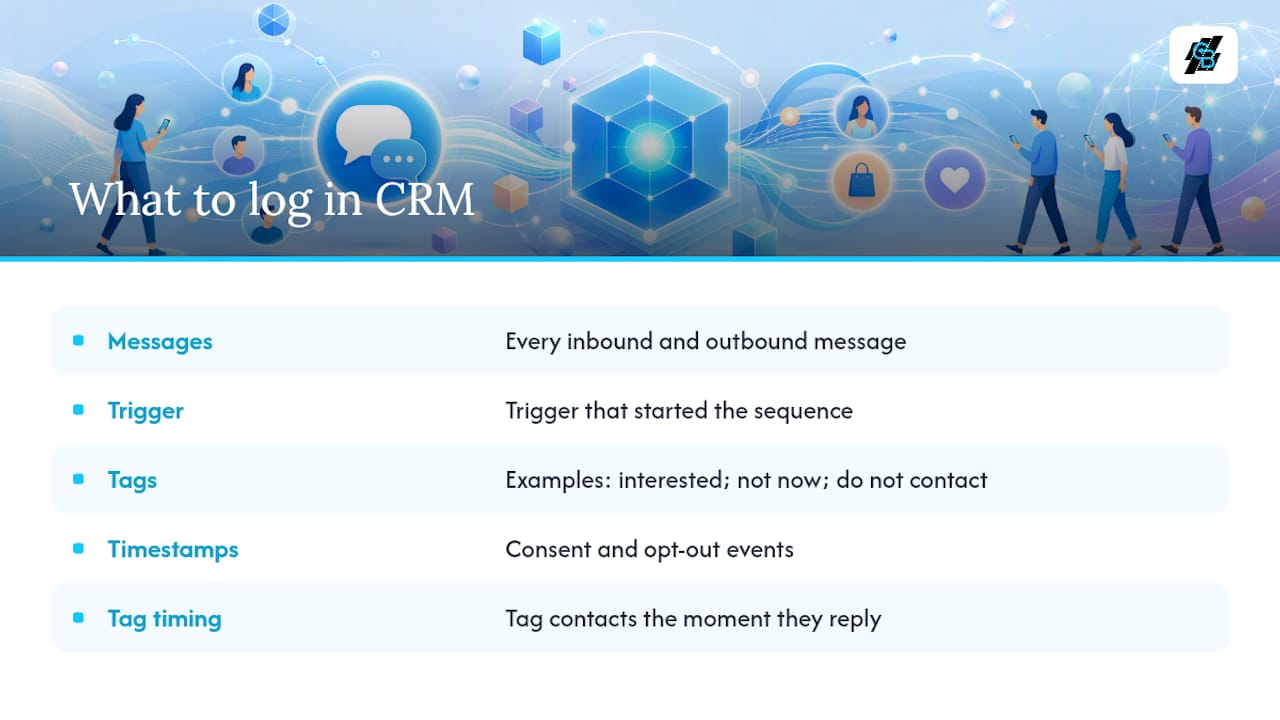
What should get logged? Every inbound and outbound message, the trigger that started the sequence, and any tag applied for follow-up (interested, not now, do not contact). Keep timestamps on consent and opt-out events specifically, since that’s the record you’ll need if a compliance question ever surfaces.
Pro Tip: Tag contacts the moment they reply, not at the end of a conversation. A tag applied in real time is what lets the next available rep pick up the thread without reading the whole history first.
Where SMS workflows fit in a broader stack
The most reliable early wins come from transactional and time-sensitive flows: appointment reminders, lead response, order updates. Get those running well before expanding into promotional or retention sequences, since a workflow with a clear trigger and a clear expectation will always outperform an experimental one. One warning worth repeating: send too often, and even a well-designed workflow trains people to ignore you.
Put your SMS workflows on the same platform as your CRM
The setup work in this guide, mapping triggers, writing templates, building conditions, gets a lot faster when SMS automation and your CRM aren’t separate tools you’re trying to stitch together. Callbackcrm runs SMS workflows directly inside the same system that holds your contact records, so a trigger fires off real CRM data and every reply lands in a thread your team can already see.

Three capabilities matter most for what’s covered above: automation workflows that trigger on lead status or appointment timing, a shared conversation history so marketing and sales never start from zero, and a mobile inbox so reps can respond to a hot lead without being at a desk. If you’re ready to see how your own follow-up sequences would run on it, check the SMS automation features and start mapping your first workflow.
Sources
- Integrating SMS into your Workflows - The SMS Works
- SMS Marketing Benefits: 8 Reasons to Use It for Business 2026
- Do appointment reminders reduce no-shows? - Clinekt Health