

TL;DR:
- Social media automation uses software to manage routine tasks like scheduling posts, engagement, and analytics with minimal human effort. It offers measurable benefits such as over 260% ROI and 60% time savings for marketing teams, enabling focus on higher-value activities. Effective implementation involves phased adoption, human oversight, and ethical practices to maximize productivity without damaging brand trust.
Social media automation is the use of software to handle repetitive social media tasks, including scheduling posts, managing engagement, and collecting analytics data, with minimal manual effort across multiple platforms. Tools like Hootsuite, Buffer, Sprout Social, and MeetEdgar have made this practice standard for marketing teams of every size. According to Hootsuite’s 2026 guide, automation covers scheduling, reporting, responding to messages, and hashtag tracking without logging into each platform separately. For marketing professionals and small business owners, this shift from manual posting to automated workflows is one of the highest-leverage changes you can make to your social media strategy.
What is social media automation and what tasks does it cover?
Social media automation is defined as the systematic use of software to execute routine, repeatable social media tasks across platforms with minimal human intervention. The industry term for this broader practice is “social media management automation,” which encompasses far more than simply queuing up posts in advance. Automation covers scheduling, publishing, reporting, responding to messages, and hashtag tracking, all without requiring you to log into each platform separately.
The core tasks that fall under this definition include:
- Post scheduling and publishing: Queuing content to go live at optimal times across Facebook, Instagram, LinkedIn, and X.
- Engagement management: Auto-routing incoming messages, flagging urgent replies, and sending initial acknowledgment responses.
- Social listening: Monitoring brand mentions, keywords, and competitor activity in real time.
- Analytics and reporting: Pulling performance data automatically and generating scheduled reports.
- Workflow approvals: Routing drafted content through review and sign-off before publishing.
The distinction between scheduling and full automation matters. Scheduling is one feature inside a larger system. True social media management automation, as described by Sprinklr’s practical guide, includes publishing automation, AI-assisted engagement routing, listening and alerting, rule engines, and analytics as separate but connected components. Understanding this distinction helps you choose tools that match your actual operational needs, not just your content calendar.
Pro Tip: Before selecting any automation platform, map out every social media task your team performs in a week. You will almost always find that scheduling is only 20 to 30 percent of the total workload. The remaining tasks, such as reporting, message triage, and content approvals, are where automation delivers the most time savings.

What are the real benefits of social media automation?
The benefits of social media automation are measurable, not theoretical. Sprout Social commissioned a Forrester Total Economic Impact study that found organizations using social media automation achieved a 268% ROI over three years. That figure reflects compounded gains from time savings, faster campaign execution, and reduced overhead across social teams. It is one of the strongest data points available for justifying automation investment to stakeholders.
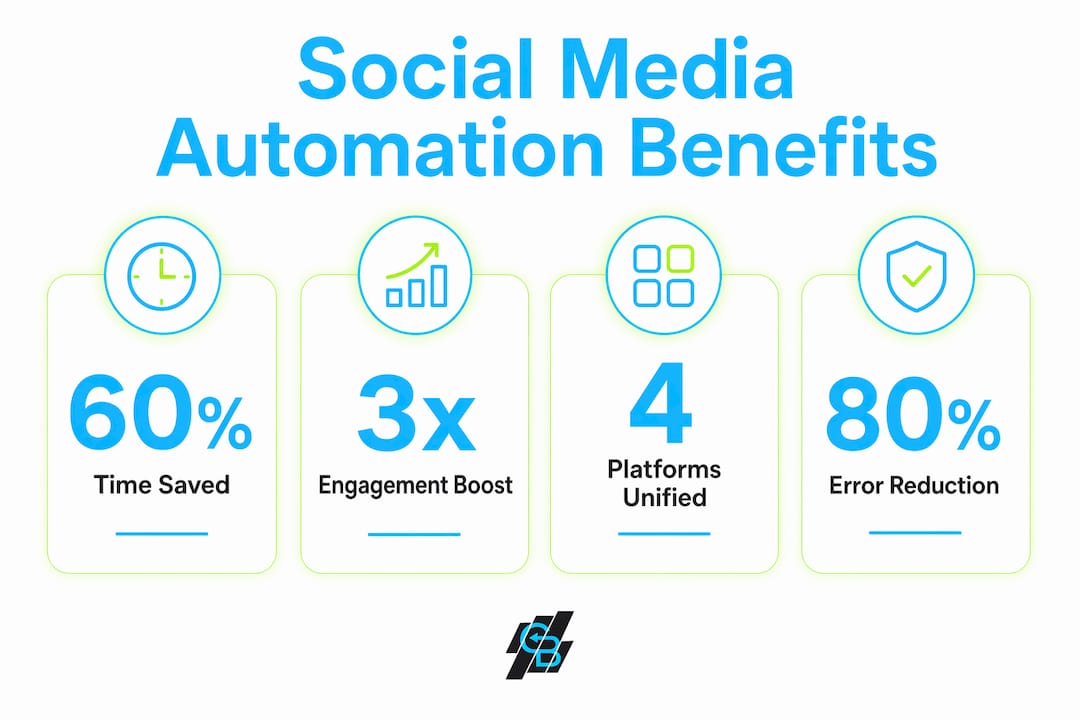
The productivity gains are equally significant. Social teams in the same Forrester study reported a 60% reduction in time spent on core activities including scheduling, replying, and planning campaigns. That freed capacity does not disappear. It redirects toward higher-value work like audience strategy, creative development, and revenue-driving engagement. For small business owners managing social media alongside other responsibilities, this reallocation is the difference between a reactive presence and a proactive one.
“Automation investments pay off by freeing social teams to focus on engagement, satisfaction, and revenue-driving activities rather than operational tasks.” — Sprout Social Forrester TEI Study
Reporting is another area where the gains are dramatic. Consolidating multiple social platforms into a unified workflow solution produces an 80% reduction in time spent on social media reporting and administration. For marketing professionals who currently export data manually from four or five platforms and compile it into a spreadsheet, that number represents hours recovered every single week. The benefits of marketing automation extend beyond social media into lead nurturing and customer retention, making the case for platform consolidation even stronger.
How do social media automation tools compare in features and pricing?
The market for social media automation software spans a wide range of capabilities and price points. Here is a direct comparison of the most widely used platforms:
| Platform | Core strengths | Starting price |
|---|---|---|
| Buffer | Simple scheduling, clean interface, beginner-friendly | Free tier available |
| Later | Visual content calendar, Instagram-focused, link-in-bio tools | From $18.75/month |
| Hootsuite | Multi-platform management, social listening, team workflows | Mid-tier pricing |
| MeetEdgar | Content recycling, category-based scheduling, evergreen posts | Subscription-based |
| Sprout Social | Enterprise analytics, AI engagement tools, CRM integration | From $199/user/month |
Pricing data sourced from TechnologyAdvice’s scheduler comparison. The gap between Buffer’s free tier and Sprout Social’s $199 per seat per month reflects a genuine difference in capability, not just brand positioning. Enterprise tools include AI-assisted message routing, sentiment analysis, approval workflows, and cross-platform analytics that entry-level tools do not offer.
For marketing professionals evaluating options, the key questions are:
- How many platforms do you need to manage simultaneously?
- Do you need team collaboration features and approval workflows?
- Is social listening or competitor monitoring part of your strategy?
- What level of analytics depth does your reporting require?
Small business owners often start with Buffer or Later for scheduling and graduate to more capable platforms as their teams and content volume grow. The operational argument for consolidation is strong. Many teams underestimate how much time is lost switching between multiple single-purpose tools, and a unified automation workflow eliminates that friction entirely.
How does social media automation work in practice?
Implementing social media automation effectively requires a phased approach. Starting with every feature at once creates complexity without clarity. Sprout Social advises automating one high-impact workflow first, tracking its results with explicit metrics, and then expanding from there. This approach builds confidence and surfaces problems before they scale.
Here is a practical sequence for getting started:
- Identify your highest-volume repetitive task. For most teams, this is post scheduling. For others, it is message triage or weekly reporting. Start where the time drain is largest.
- Set up your content calendar and scheduling rules. Define posting frequency, optimal times per platform, and content categories. Tools like Hootsuite and Later allow you to build these rules once and apply them automatically.
- Build an approval workflow. Route drafted content through a review step before it publishes. This single guardrail prevents the most common automation mistakes, including off-brand messaging or posts that go live during a crisis.
- Configure social listening alerts. Set keyword and brand mention alerts so your team is notified of relevant conversations without manually monitoring feeds.
- Automate your reporting cadence. Schedule weekly or monthly performance reports to generate and deliver automatically. This alone can recover several hours per month.
- Review and refine monthly. Measure time saved, engagement rates, and response times. Adjust rules and workflows based on what the data shows.
The most complex challenge in automating social media is managing incoming messages. Triaging urgency, reading sentiment, and routing to the right team member requires either a capable AI layer or clearly defined rule-based triggers. Sprinklr identifies message management as the hardest automation problem because errors here are public and brand-damaging. Getting this right requires human oversight at the routing level, even when the responses themselves are automated.
Hootsuite warns explicitly against fake likes, auto-comments, and engagement bots. These tactics violate platform terms of service and erode audience trust. Authentic automation means handling the mechanical work while keeping genuine human judgment in the loop for anything that touches your brand voice directly. Exploring AI marketing tools built for professional use cases helps you distinguish legitimate automation from shortcuts that create long-term risk.
Pro Tip: Track one metric before and after implementing each automation workflow. If you automate scheduling, measure the hours spent on content publishing in week one versus week four. Concrete before-and-after data makes the ROI case internally and helps you prioritize which workflow to automate next.
Key takeaways
Social media automation delivers measurable ROI only when implemented with clear workflows, human oversight, and a phased adoption strategy.
| Point | Details |
|---|---|
| Automation scope | Goes far beyond scheduling to include engagement routing, listening, analytics, and approval workflows. |
| Proven ROI | Sprout Social’s Forrester study documents 268% ROI and 60% time savings for teams using automation. |
| Tool selection | Match platform capabilities to your actual workflow needs, not just content volume or price. |
| Implementation order | Start with one high-impact workflow, measure results, then expand to avoid complexity overload. |
| Human oversight | Approval workflows and brand voice guardrails are non-negotiable for responsible automation. |
Why I think most teams are using automation at half capacity
I have watched marketing teams adopt scheduling tools and declare themselves “automated.” They queue posts two weeks out, feel organized, and stop there. That is not automation. That is a digital to-do list.
The real value of social media management automation sits in the layers most teams never configure: approval workflows that prevent costly mistakes, listening alerts that surface opportunities in real time, and reporting pipelines that eliminate the manual data assembly that consumes Friday afternoons. The Forrester data on 80% reporting time reduction is not a marketing claim. It is what happens when you actually build the full system.
The other mistake I see consistently is treating automation as a replacement for engagement. Automated posts with zero human follow-up produce exactly the results you would expect: low interaction and declining reach. The teams that get the most from automation are the ones who use the time they recover to have better conversations, not fewer ones. Automation handles the mechanical work. You handle the relationship.
One more thing worth saying directly: ethical automation matters. Fake engagement, bot-driven follower growth, and auto-comment tools are not automation strategies. They are shortcuts that damage credibility and violate platform policies. The Hootsuite guidance on brand voice authenticity is worth reading carefully before you configure any engagement-facing automation. Build systems you would be comfortable explaining to your audience.
— Kyle
How Callbackcrm simplifies social media automation for marketing teams
Callbackcrm is built for marketing professionals and agencies who need more than a standalone scheduling tool. The platform’s social media scheduling and publishing features sit inside a broader automation suite that includes CRM management, SMS marketing, AI assistants, and workflow automation, all in one place.

For insurance agents and small business owners managing social media alongside lead generation and client outreach, consolidating these functions eliminates the tool-switching overhead that fragments your workday. Callbackcrm’s full feature suite covers over 50 capabilities, from automated content publishing to AI-powered lead scoring and SMS campaign management. If you are ready to move beyond basic scheduling and build a social media workflow that actually scales, Callbackcrm is designed for exactly that transition.
FAQ
What is social media automation in simple terms?
Social media automation is the use of software to handle repetitive social media tasks, including post scheduling, message routing, analytics reporting, and social listening, without manual effort for each action. It allows marketing teams to maintain a consistent presence across multiple platforms simultaneously.
How does social media automation work technically?
Automation tools connect to social platform APIs and execute predefined rules or AI-driven triggers, such as publishing a post at a scheduled time or routing an incoming message to a specific team member based on sentiment or keyword. Sprinklr describes this as workflow orchestration across publishing, engagement, listening, and analytics layers.
What are the best social media scheduling tools for small businesses?
Buffer offers a free tier suited for beginners, Later starts at $18.75 per month with strong visual calendar features, and Hootsuite covers multi-platform management with team collaboration tools. The right choice depends on how many platforms you manage and whether you need approval workflows or analytics beyond basic post performance.
Is social media automation safe for my brand?
Automation is safe when it includes approval workflows, brand voice guidelines, and human oversight for engagement-facing actions. Hootsuite warns against fake likes, auto-comments, and engagement bots, which violate platform terms and damage audience trust. Legitimate automation handles mechanical tasks while keeping humans in control of brand-critical decisions.
How much time can social media automation actually save?
Sprout Social’s Forrester study found that social teams save 60% of time on core activities and reduce reporting time by 80% after implementing unified automation tools. The actual savings depend on your current workflow complexity and how many platforms you manage.