

TL;DR:
- CRM integration connects your customer management software with other tools to streamline workflows and eliminate data silos. Choosing the appropriate architecture, prioritizing data governance, and ongoing monitoring are crucial for successful long-term implementation. Most failures stem from lack of planning and treating integration as a one-time setup, not a continuous process.
CRM integration is defined as the process of connecting your Customer Relationship Management software with other business applications through APIs, middleware, or native connectors to synchronize data and automate workflows across your entire operation. When done right, the CRM integration process eliminates data silos, reduces manual entry, and gives every department a single, accurate view of the customer. Industry analysis from 2026 shows businesses achieve up to 245% ROI from CRM integration by automating workflows and improving operational efficiency. That figure is not a ceiling. It reflects what happens when sales, marketing, finance, and support teams stop working from disconnected spreadsheets and start pulling from one synchronized source of truth.
CRM integration explained: types and methods
CRM software integration falls into three distinct categories, and choosing the wrong one for your business size or technical capacity creates more problems than it solves.

Native integrations are pre-built connectors developed and maintained by the CRM vendor or the third-party application. The HubSpot and Shopify native connector is a textbook example. You authenticate, map a few fields, and the two systems begin exchanging data. Native integrations are typically more stable and easier to set up, but they offer less flexibility than custom API-driven solutions. They work well for standard use cases and small-to-mid-size teams that do not need deep customization.
Third-party middleware connectors, often called iPaaS (Integration Platform as a Service), sit between your systems and handle the data translation. Zapier, Workato, and Make are the most widely used platforms in this category. They give non-developers the ability to build multi-step workflows without writing code. The trade-off is real: middleware platforms add dependency on a third-party tool and introduce additional points of failure. If Zapier has an outage, your data stops flowing.
Custom API-based integrations give developers direct access to a CRM’s application programming interface (API), the communication layer that lets two software systems exchange data in real time. This approach offers the deepest customization and the tightest control, but it requires ongoing developer maintenance. One critical misconception to address early: APIs enable data exchange but do not constitute the full integration. Authentication, field mapping, and error handling are separate components that must be built on top of the API connection.
| Integration type | Best for | Key benefit | Key drawback |
|---|---|---|---|
| Native connector | Small to mid-size teams | Fast setup, low maintenance | Limited customization |
| iPaaS middleware (Zapier, Workato) | Non-technical teams | No-code workflows, flexibility | Third-party dependency |
| Custom API integration | Enterprise or complex needs | Full control, deep customization | High maintenance cost |
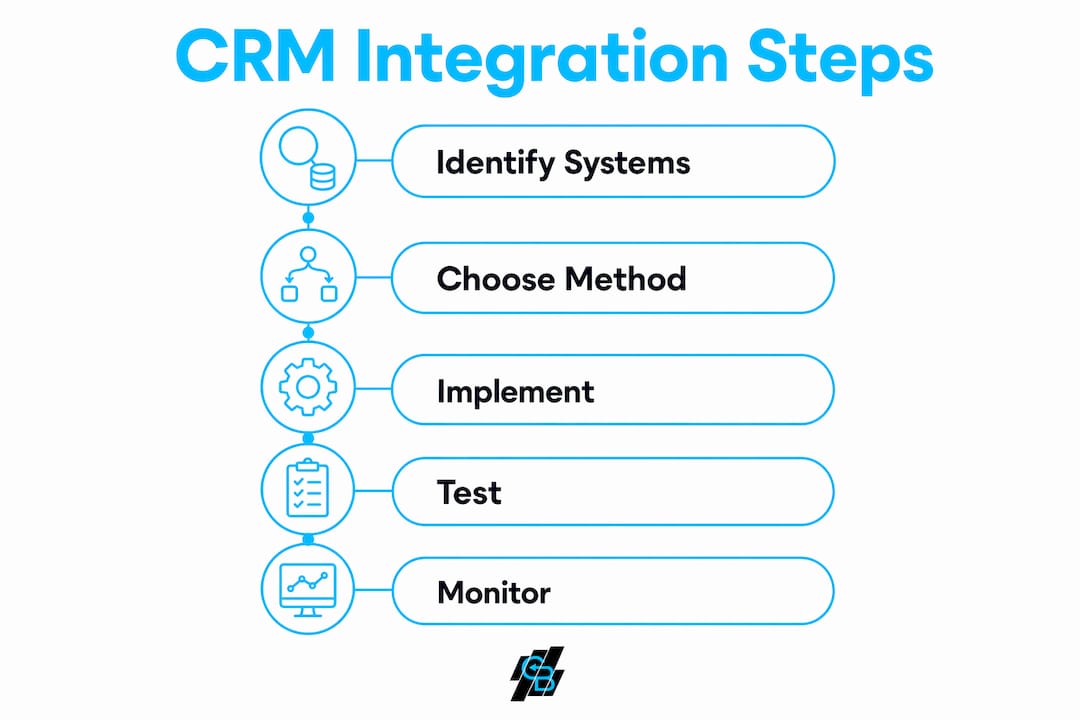
Pro Tip: Before selecting an integration method, document every system you need to connect and the data fields each one owns. This single step prevents the most common cause of failed integrations: discovering mid-project that two systems use different field formats for the same data point.
What are the measurable benefits of CRM integration?
The business case for connecting your CRM to other tools is backed by concrete numbers. 74% of salespeople report improved access to customer data through CRM systems, and that access directly accelerates deal cycles by removing the time reps spend hunting for information across disconnected tools. Faster access to accurate data means faster decisions, not just faster typing.
Customer loyalty is the second major payoff. 83% of customers show increased brand loyalty when companies use integrated data effectively to personalize their experience. This makes sense. When a support agent can see a customer’s full purchase history, open invoices, and recent marketing interactions in one screen, the conversation feels informed rather than generic.
The operational improvements compound across departments:
- Sales teams receive real-time lead updates from marketing automation platforms, eliminating the lag between a prospect filling out a form and a rep making contact.
- Finance teams get synchronized invoicing data without manual re-entry from the CRM into accounting software like QuickBooks or Xero.
- Marketing teams can trigger personalized email and SMS sequences based on CRM pipeline stage, making campaigns respond to actual sales behavior rather than guesswork.
- Support teams access complete customer histories, reducing average handle time and repeat contacts.
For insurance agencies and sales-driven organizations in particular, the connection between CRM and marketing automation is where the most immediate productivity gains appear. Leads stop falling through the cracks when every touchpoint is recorded and acted on automatically.
Best practices and common pitfalls when implementing CRM integration
Most CRM integration failures are not technical failures. They are planning failures. Following a structured process before writing a single line of code or clicking a single “connect” button separates successful implementations from expensive restarts.
-
Map your data before you touch your tools. Canonical data mapping before integration avoids duplicate records and complex cleanup by documenting field names and formats across every system. A “contact name” field in Salesforce may be split into first and last name in your email platform. Resolving that mismatch upfront takes an hour. Resolving it after 50,000 records have synced incorrectly takes weeks.
-
Designate a golden record source. A golden record strategy assigns one authoritative system for each data element. If your CRM and your billing platform both store a customer’s phone number, you need a rule that says which one wins when they conflict. Without this rule, every sync creates a new conflict.
-
Build error handling from day one. Ignoring API rate limits causes integrations to be throttled or blocked entirely. Exponential backoff retry strategies mitigate this risk by waiting in increasing intervals: 1 second, then 2, then 4, then 8. This prevents your integration from hammering a rate-limited API and getting permanently blocked.
-
Set monitoring thresholds before going live. Effective monitoring sets alerts for integration failures exceeding 5% of records or downtime over 15 minutes. Without these thresholds defined in advance, teams discover problems only after customers or sales reps report them, often days later.
-
Treat integration as ongoing governance, not a one-time project. Many businesses underestimate the ongoing data governance required and treat CRM integration as a one-off technical setup. APIs change. Business processes evolve. A field that mapped correctly in January may break in March after a vendor update.
Pro Tip: Assign a named integration owner, not just a team. When no single person is accountable for monitoring sync health, alert fatigue sets in and failures go unaddressed for days. One person reviewing a weekly integration health report catches 80% of issues before they become customer-facing problems.
Which CRM integration architecture patterns should businesses consider?
Architecture is the decision that determines whether your integration scales with your business or collapses under its own weight. Choosing the right architecture upfront prevents the long-term operational issues that come from brittle integrations.
Point-to-point connects two systems directly. It is fast to build and works well for a single, stable connection. The problem is scale. Point-to-point integrations become fragile and hard to maintain as the number of connected applications grows. Adding a fifth system to a point-to-point architecture means building and maintaining ten separate connections.
Hub-and-spoke places a central integration hub between all systems. Every application connects to the hub, not to each other. Hub-and-spoke architecture centralizes data routing and transformations, making auditing and policy enforcement far easier. For growing businesses adding tools regularly, this pattern pays for its added setup cost within the first year.
Event-driven (pub/sub) architecture triggers data flows in response to specific events rather than scheduled polling. Event-driven sync prioritizes reacting to meaningful changes, which optimizes API quota use and reduces latency. When a deal closes in your CRM, the event fires immediately and triggers downstream actions in billing, onboarding, and support tools without waiting for the next scheduled sync.
API-led architecture layers integrations into three tiers: system APIs that expose raw data, process APIs that apply business logic, and experience APIs that deliver data to specific applications. This pattern gives large organizations modular control and reusability across dozens of integrations.
| Pattern | Scalability | Complexity | Best use case |
|---|---|---|---|
| Point-to-point | Low | Low | Two-system connections |
| Hub-and-spoke | High | Medium | Growing businesses, 5+ tools |
| Event-driven | High | Medium-high | Real-time data requirements |
| API-led | Very high | High | Enterprise, multi-team environments |
- Point-to-point: start here only if you have two stable systems and no near-term growth plans.
- Hub-and-spoke: the right default for most mid-size businesses adding tools over time.
- Event-driven: prioritize this when real-time data accuracy drives revenue, such as in insurance quoting or live sales pipelines.
- API-led: invest here only when multiple development teams need to build on top of the same integration layer.
Pro Tip: If you are building a sales automation workflow on top of your CRM, design the integration architecture first. Retrofitting an event-driven pattern onto a point-to-point foundation is one of the most expensive technical mistakes a growing sales organization can make.
Key takeaways
Successful CRM integration requires the right architecture, clean data governance, and ongoing monitoring rather than a single technical setup.
| Point | Details |
|---|---|
| ROI is measurable and significant | Industry data shows up to 245% ROI when CRM integration automates workflows across departments. |
| Architecture choice determines scale | Hub-and-spoke and event-driven patterns outperform point-to-point as your tool stack grows. |
| Data mapping must come first | Canonical field mapping and golden record rules prevent duplicate records and sync conflicts. |
| Monitoring requires defined thresholds | Set alerts for failures above 5% of records or downtime over 15 minutes before going live. |
| Integration is ongoing, not one-time | API changes and business process updates require continuous governance and a named integration owner. |
Why most CRM integration advice misses the hardest part
I have watched sales organizations spend months selecting the right CRM, negotiate a solid contract, and then hand the integration project to a developer with a two-week deadline and no documentation. The technical connection gets built. Data starts flowing. Everyone celebrates. Then, six months later, the sync breaks silently, leads stop updating, and nobody notices until a rep loses a deal they should have won.
The hardest part of CRM integration is not the initial build. It is the discipline to treat it as a living system. Field mapping requires detailed transformations beyond simple one-to-one matches, including data format normalization and value translations that change as your business processes change. Most teams document this once and never update it.
My honest recommendation for any business under 200 employees: start with a hub-and-spoke pattern using a middleware platform like Workato or a native all-in-one platform, get your data governance documented before you connect anything, and assign one person to own integration health permanently. The businesses that get the most from their CRM are not the ones with the most sophisticated architecture. They are the ones that catch problems in hours instead of weeks.
For insurance agencies specifically, the CRM and marketing workflow connection is where I see the fastest ROI. Automated follow-up sequences triggered by CRM pipeline changes consistently outperform manual outreach, not because the messages are better, but because they are sent at the right moment every time without relying on a rep to remember.
— Kyle
See how Callbackcrm handles CRM integration out of the box
Callbackcrm is built for insurance agents and sales teams that need connected workflows without a dedicated IT department to maintain them. The platform brings together CRM management, SMS marketing, email automation, sales pipelines, and AI-powered lead scoring in one place, so the integration architecture is already handled for you.
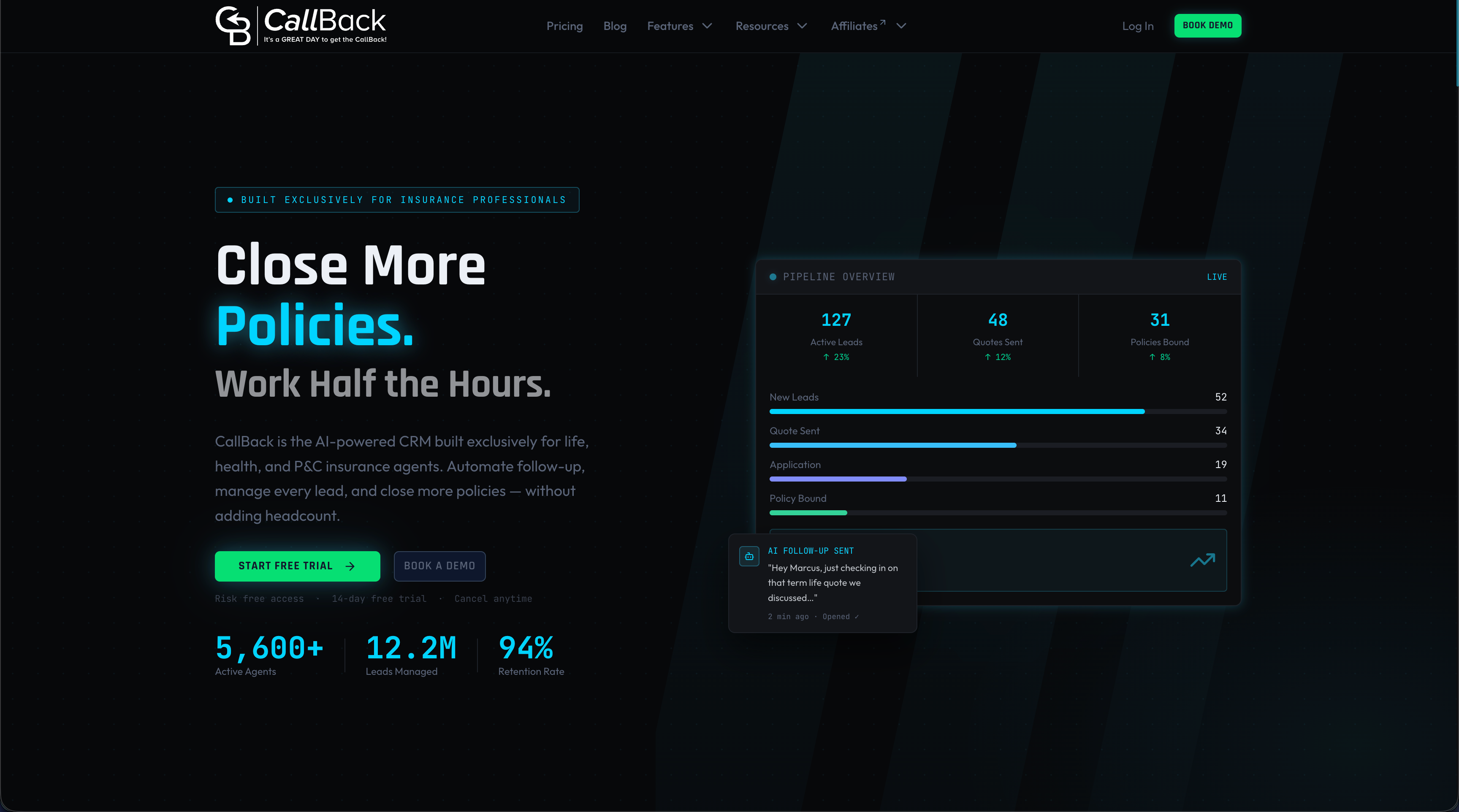
With over 50 integrated features covering everything from marketing automation to proposal tools and reputation management, Callbackcrm removes the point-to-point fragility that plagues teams stitching together five separate tools. You get real-time data flow across your sales and marketing workflows without writing a single line of code. If you are ready to stop managing disconnected systems and start working from one unified customer record, Callbackcrm is built exactly for that.
FAQ
What is CRM integration in simple terms?
CRM integration is the process of connecting your CRM software to other business tools, such as email platforms, billing systems, or marketing automation, so data flows automatically between them without manual entry.
How does CRM integration benefit sales teams?
74% of salespeople report improved access to customer data through integrated CRM systems, which accelerates deal cycles and reduces time spent searching for information across disconnected tools.
What is the difference between native and API-based CRM integration?
Native integrations are pre-built, stable, and easy to set up but offer limited customization. API-based integrations give developers full control over data exchange but require ongoing maintenance and technical resources.
How do I choose the right CRM integration architecture?
Start with hub-and-spoke if you are connecting more than three systems, since point-to-point connections become fragile and hard to scale as your application stack grows. Use event-driven patterns when real-time data accuracy is critical to your sales process.
What are the most common CRM integration mistakes?
The two most damaging mistakes are skipping canonical data mapping before connecting systems and treating the integration as a one-time project. Both lead to duplicate records, broken syncs, and data that sales teams stop trusting.