

TL;DR:
- Callbackcrm is the best overall alternative for insurance teams, offering pre-built pipelines, SMS and email automation, and AI follow-up features. It provides structured migration support and combines insurance-specific workflows in a single platform. Other options include automation-first SaaS, pipeline-focused small-team CRMs, customizable low-cost platforms, open-source solutions, and enterprise-grade systems, each suited to different team sizes and needs.
Callbackcrm is the top alternative to crmvo.com for insurance agents, small agencies, and IMOs. It combines SMS/email automation, pre-built insurance pipelines, AI-assisted follow-up, and migration support in one platform. Other strong options include automation-first SaaS platforms, pipeline-first tools for small teams, budget-friendly customizable CRMs, and self-hosted open-source options for teams that need full data ownership.
Quick shortlist:
- Callbackcrm — best overall for insurance agents and agencies; built-in SMS, email, AI automation, and insurance-specific pipeline templates
- Automation-first CRM (e.g., HubSpot CRM, Freshworks CRM) — strong for teams that prioritize marketing integration and email workflows
- Pipeline-first CRM (e.g., Pipedrive, Close CRM) — best for small sales teams that want a clean, simple deal view
- Budget/customizable CRM (e.g., Zoho CRM, monday sales CRM) — good for teams that need flexibility at a lower per-seat cost
- Enterprise-grade CRM (e.g., Salesforce) — suited for large back-office operations with dedicated admin resources
Start with a free trial of Callbackcrm to see how insurance-specific automation compares to what you have now.
Table of Contents
- What do the best crmvo.com alternatives actually offer?
- Which alternative fits your team’s actual workflow?
- How do you choose the right crmvo.com replacement?
- Migration checklist: moving away from crmvo.com step by step
- Why Callbackcrm works well for insurance agents and agencies
- Which alternative should you pick based on your role?
- What users say about these alternatives
- Key Takeaways
- What actually matters when switching CRMs for insurance teams
- Callbackcrm: built for insurance teams, ready to replace crmvo.com
- Useful sources and migration resources
What do the best crmvo.com alternatives actually offer?
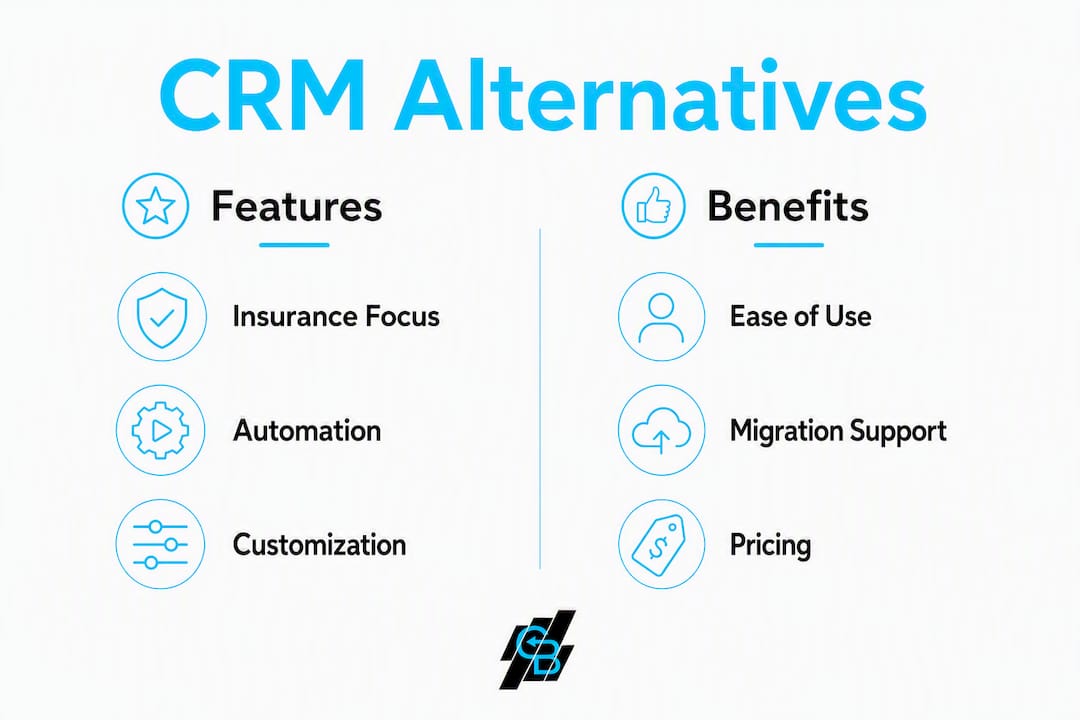
The table below compares the main alternative categories across the dimensions that matter most for insurance teams and small sales operations.
| Category | Best for | Pricing shape | Free trial / plan | Core features | Integrations | Ease of use | Customization | Security & hosting | Migration complexity | Support |
|---|---|---|---|---|---|---|---|---|---|---|
| Insurance-focused all-in-one (Callbackcrm) | Insurance agents, agencies, IMOs | Monthly subscription; SMS/email billed at wholesale rates | Free trial available | Pipeline, SMS/email, AI automation, funnels, webinars, reputation mgmt | Dialers, calendars, websites, Zapier | Low learning curve; templates pre-built | High; custom fields, workflows | Google Cloud; SOC 2-aligned | Low; migration support included | 24/7 support; onboarding included |
| Automation-first SaaS (HubSpot CRM, Freshworks CRM) | Marketing-heavy teams; mid-size sales orgs | Freemium base; per-seat upgrades for automation | Free plan (limited); paid trials | Email automation, sequences, reporting, CRM | Large app marketplace | Moderate | Moderate; limited on free tiers | Cloud; SOC 2 certified | Medium; CSV import tools available | Tiered; premium support costs extra |
| Pipeline-first lightweight (Pipedrive, Close CRM) | Solo agents; 1–10 person teams | Per-seat monthly | — | Visual pipeline, activity tracking, basic email | Moderate ecosystem | Very low | Low to moderate | Cloud; standard compliance | Low; clean CSV import | Email/chat; no dedicated onboarding |
| Budget/customizable (Zoho CRM, monday sales CRM) | Cost-conscious teams; varied workflows | Per-seat; modular add-ons | Free plan or trial | Pipelines, workflows, basic automation, reporting | Wide; native integrations | Moderate | High | Cloud; GDPR-ready | Medium; community docs | Standard; premium tiers for SLA |
| Self-hosted / open-source (e.g., BottleCRM) | Dev-resourced teams; data-ownership priority | No subscription; hosting costs only | Free (MIT license) | Core CRM, contact mgmt, basic pipelines | Limited; manual setup | High learning curve | Very high | Self-managed | High; manual data migration | Community only |
| Enterprise-grade (Salesforce) | Large agencies; complex back-office | Per-seat; high base cost | 30-day trial | Full CRM suite, AI, advanced reporting, CPQ | Massive ecosystem | Steep learning curve | Very high | Cloud; SOC 2, HIPAA options | High; requires admin or consultant | Dedicated; premium SLA available |
Free or low-cost entry tiers often include usage walls such as contact limits, email send caps, or automation trigger limits. Evaluate scaling costs before committing to any plan, not just the entry price.
What to watch in the table:
- SMS and AI usage are billed separately on most platforms; Callbackcrm passes these at wholesale rates rather than marked-up retail pricing.
- Self-hosted options like BottleCRM eliminate subscription fees but shift infrastructure and maintenance costs to your team.
- Enterprise platforms carry the highest migration complexity and usually require a paid implementation partner.
Which alternative fits your team’s actual workflow?
Callbackcrm: the insurance-first pick
Callbackcrm is purpose-built for insurance workflows. It ships with pre-configured pipelines for lead capture, policy quoting, and renewal follow-up. SMS and email automation run from the same dashboard, and AI assistants handle lead scoring and outreach sequencing without manual setup. The platform also includes funnel and website builders, webinars, social media management, and reputation tools, so agencies can replace several point solutions with one subscription.
Migration support is included, not sold as an add-on. For teams moving off crmvo.com, Callbackcrm provides structured onboarding and field-mapping guidance. Hosting runs on Google Cloud with SOC 2-aligned controls.
Pros: Insurance templates out of the box; SMS/email/AI in one plan; 24/7 support; low migration friction. Con: Pricing is subscription-based with usage fees for SMS and AI tokens; best value at agency scale rather than solo.
Migration tip: Export your crmvo.com contacts and interaction logs as CSV before starting the Callbackcrm import wizard. Map custom fields manually to avoid losing lead-source tags.
Automation-first CRM (HubSpot CRM, Freshworks CRM)
These platforms lead with email marketing and sequence automation. HubSpot’s free tier is genuinely useful for contact management, but advanced automation, SMS, and reporting sit behind paid plans that scale steeply per seat. Freshworks CRM (now Freshsales) adds AI-powered lead scoring and a built-in phone dialer at mid-tier pricing.

Best for: Teams that already run heavy email campaigns and need a large app marketplace. Pros: Large integration ecosystems; strong reporting; well-documented APIs. Cons: No insurance-specific templates; SMS requires third-party add-ons; costs rise fast as automation needs grow.
Migration tip: HubSpot’s import tool handles standard fields well but drops custom activity logs. Export interaction history separately and store it as a reference file.
Pipeline-first lightweight CRM (Pipedrive, Close CRM)
Pipedrive and Close CRM prioritize a clean visual pipeline above everything else. For a solo agent or a team of two or three, that simplicity often delivers better sales outcomes than feature-heavy platforms. Close CRM adds built-in calling and SMS, which makes it a closer competitor to Callbackcrm for outbound-heavy teams.

Best for: 1–10 person teams that want fast setup and minimal training. Pros: Low learning curve; fast onboarding; predictable per-seat pricing. Cons: Limited automation depth; no insurance templates; SMS throughput caps on entry plans.
Migration tip: Both platforms accept CSV imports cleanly, but neither preserves custom field hierarchies from crmvo.com without manual remapping.
Budget/customizable CRM (Zoho CRM, monday sales CRM)
Zoho CRM offers one of the widest feature sets at a lower per-seat price than most competitors. monday sales CRM layers CRM functionality on top of a project-management grid, which appeals to agencies that manage both client work and sales pipelines. Both platforms support marketing automation integrations and wide third-party ecosystems.
Best for: Cost-conscious teams with varied workflows; agencies already using monday.com for project work. Pros: Flexible; wide integrations; affordable entry pricing. Cons: Insurance-specific setup requires significant manual configuration; support quality varies by plan tier.
Self-hosted / open-source CRM (BottleCRM and similar)
Self-hosted alternatives appeal to teams needing absolute data ownership and predictable costs, but they require internal developer resources for maintenance and upgrades. BottleCRM is MIT-licensed and free to deploy, covering core contact management and basic pipelines. It suits a dev-resourced startup or a compliance team that cannot place data on third-party cloud infrastructure.
Best for: Teams with in-house developers; organizations with strict data-residency requirements. Pros: No subscription fees; full data control; highly customizable. Cons: No insurance templates; no built-in SMS/email; community-only support; high migration effort.
Enterprise-grade CRM (Salesforce)
Salesforce remains the default for large agencies with complex back-office needs, multi-line reporting, and dedicated CRM administrators. Its ecosystem is the largest available, and it supports HIPAA-eligible configurations for health insurance teams. The trade-off is cost and complexity: implementation typically requires a certified partner and a multi-month rollout.
Best for: Agencies with 26+ users, complex reporting requirements, and a dedicated admin. Pros: Deepest customization; largest ecosystem; strong compliance options. Cons: High per-seat cost; steep learning curve; migration requires professional services.
Pro Tip: Treating your CRM as a business operating system with industry-specific setup rather than a contact database shortens time-to-value significantly. For insurance teams, that means choosing a platform with pre-built renewal and lead-capture workflows, not building them from scratch.
How do you choose the right crmvo.com replacement?
Selection criteria
Rank these factors before you open a single trial:
- Automation depth — can the platform automate SMS follow-up, renewal reminders, and lead scoring without custom code?
- SMS/email billing transparency — are per-message rates published, or do they appear only after you upgrade?
- Insurance-specific templates — does the platform ship with pipelines for quoting, binding, and renewal, or will you build them from scratch?
- Migration support — is structured data migration included, or is it a paid add-on?
- Security and compliance — does the platform document SOC 2 controls, and where is data hosted?
- Cost predictability — what happens to your monthly bill when you add 500 contacts or double your SMS volume?
- Open API — can you connect your dialer, calendar, and agency management system without a middleware tool?
Questions to ask vendors during trials
- Can I export all data, including interaction logs and custom fields, in a standard format at any time?
- How are custom fields mapped during import, and what happens to fields that don’t match?
- Is onboarding support included, and how many hours?
- What is the SLA for support response, and does it apply to my plan tier?
- Are SOC 2 or GDPR compliance reports available on request?
Red flags to watch for
- Usage limits that are not disclosed until after signup
- No structured migration support or a “you’re on your own” CSV import
- SMS throughput caps that aren’t published on the pricing page
- No industry-specific templates, meaning weeks of manual setup
- Vague answers about data export or data ownership
Decision checklist (use at the end of a trial)
- [ ] Can I export all contacts and activity logs without contacting support?
- [ ] Did the import preserve all custom fields from my old CRM?
- [ ] Did automation workflows run correctly during the trial period?
- [ ] Is SMS throughput sufficient for my outbound volume?
- [ ] Is the pricing at my expected usage level within budget?
- [ ] Did support respond within the published SLA during the trial?
- [ ] Are insurance-specific pipelines available without custom builds?
- [ ] Is the platform’s security documentation available in writing?
Migration checklist: moving away from crmvo.com step by step
Migrating from a legacy CRM often fails at preserving historical interaction logs and custom field mappings. Plan for this explicitly rather than assuming the import wizard will handle it.
Step-by-step migration process
- Export all data from crmvo.com — contacts, companies, deals, activity logs, notes, and custom fields. Download as CSV and verify row counts before closing the export.
Sample migration timeline
| Team size | Prep & export | Field mapping & cleaning | Test import | Parallel run | Total |
|---|---|---|---|---|---|
| Small teams require a few days to a couple of weeks for migration preparation and parallel run phases. |
| Medium teams require several days up to a few weeks for migration preparation and parallel run phases. |
| Large teams typically have migration phases spanning multiple weeks to a few months. |
Common pitfalls
- Field-mapping errors — a dropdown field in crmvo.com may import as plain text in the new platform, breaking automation triggers that depend on that field value.
Pro Tip: Before running the full import, open your exported CSV in a spreadsheet tool and run a COUNTIF on your most critical custom field (e.g., lead source or policy type). Compare that count to the same field in the new platform after a test import. A mismatch of more than 1–2% signals a mapping error that will corrupt your pipeline reporting.
Why Callbackcrm works well for insurance agents and agencies
Insurance workflows have specific requirements that generic CRMs don’t address without significant configuration. Lead capture from multiple channels, SMS follow-up within minutes of an inquiry, policy renewal reminders, and agent-split tracking all need to be set up before the platform adds value. Pre-built pipelines and workflows tuned to industry processes improve adoption and conversion — and for insurance teams, that setup time can extend by multiple weeks on platforms without industry templates.
Callbackcrm ships with these configurations ready. A solo agent can activate a lead-capture funnel, connect SMS follow-up sequences, and start logging quotes on day one. A small agency can assign pipelines by agent, set up round-robin lead distribution, and automate renewal outreach without writing a single line of code. An IMO can use the platform’s AI marketing tools to score inbound leads and prioritize outreach across a distributed agent network.
Key capabilities for insurance teams:
- Pre-built pipelines for lead intake, quoting, binding, and renewal
- SMS and email automation with built-in compliance controls
- AI lead scoring and outreach sequencing
- Funnel and website builders for lead capture pages
- Reputation management and review automation
- Webinar and social media tools for agent marketing
- Google Cloud hosting with SOC 2-aligned security
- 24/7 support and structured onboarding
Pro Tip: Use Callbackcrm’s CRM workflow templates to map your current manual process before building automations. Teams that document their existing workflow first configure automations in half the time.
Which alternative should you pick based on your role?
Solo agent: Start with Callbackcrm or a pipeline-first tool. If your primary need is a clean deal view and basic follow-up, a pipeline-first CRM gets you running in a day. If you need SMS automation and lead scoring, Callbackcrm delivers more without requiring integrations.
Small agency (2–10 agents): Callbackcrm is the clearest fit. The combination of shared pipelines, SMS/email automation, and insurance templates removes weeks of manual setup. An automation-first platform works if your team already has strong email marketing processes and doesn’t need SMS throughput.
Growing agency (11–25 agents): Callbackcrm scales to this range with predictable pricing. Budget/customizable platforms like Zoho CRM are worth evaluating if your workflows are non-standard, but expect to invest time in configuration.
Enterprise / back-office (26+ agents): Salesforce or a comparable enterprise platform may be justified if you need complex reporting hierarchies, CPQ, or HIPAA-eligible hosting. Callbackcrm handles most agency needs below this threshold.
Trial evaluation: what to focus on in the first 7 days
- Import a sample of your crmvo.com contacts and verify field mapping.
- Activate one automation workflow (e.g., new-lead SMS sequence) and confirm it fires correctly.
- Send a test email campaign and review deliverability reporting.
- Contact support with a non-trivial question and note response time and quality.
- Check your projected monthly cost at your actual SMS and email volume.
Running Callbackcrm alongside one category alternative for 7 days gives you a direct comparison on the dimensions that matter for your team, without committing to a full migration.
What users say about these alternatives
User reviews on G2 and Capterra consistently surface the same themes across CRM categories.
Automation-first platforms receive high marks for email workflow depth and integration breadth. Common complaints center on pricing complexity: users report that costs increase sharply once automation limits are reached, which aligns with the pattern of usage walls on entry-tier plans.
Pipeline-first tools earn strong reviews for ease of setup and clean UI. The recurring criticism is limited automation and no native SMS, which forces teams to add third-party tools and manage separate billing.
Budget/customizable platforms get credit for flexibility and low entry cost. Negative reviews frequently mention steep learning curves for non-technical users and inconsistent support quality on lower-tier plans.
Self-hosted options attract users who prioritize data ownership and cost control. Reviews note that open-source CRMs require internal developer resources for maintenance, and teams without that capacity often abandon them within six months.
Enterprise platforms receive strong reviews from large organizations with dedicated admins. Solo agents and small agencies consistently rate them poorly on ease of use and cost-to-value.
The pattern across all categories: teams that match platform complexity to their actual team size and workflow report higher satisfaction. A solo agent on an enterprise platform and a 20-person agency on a pipeline-first tool both tend to underperform.
Key Takeaways
Callbackcrm is the strongest crmvo.com alternative for insurance agents and agencies because it combines pre-built insurance pipelines, SMS/email automation, AI lead scoring, and structured migration support in one subscription.
| Point | Details |
|---|---|
| Best overall pick | Callbackcrm delivers insurance-specific pipelines, SMS/email automation, and 24/7 support without add-on fees for onboarding. |
| Migration planning | Export all contacts and activity logs from crmvo.com as CSV before starting any import; verify field mapping on a sample set first. |
| Pricing caution | Entry-tier plans on most platforms include usage walls; evaluate SMS, email, and AI token costs at your actual volume before committing. |
| Team-size match | Pipeline-first tools suit small teams; Callbackcrm scales from solo agents to mid-size agencies with predictable pricing. |
| Callbackcrm trial | Start a free trial to test insurance pipeline templates and SMS automation against your current crmvo.com setup. |
What actually matters when switching CRMs for insurance teams
The conventional advice on CRM selection focuses on feature checklists. That misses the real problem. Most insurance teams don’t fail at choosing a CRM. They fail at using it consistently after the first 30 days.
The platforms that get adopted are the ones that match how agents already think about their pipeline. An agent who tracks leads by policy type and follow-up date needs those fields on screen immediately, not buried in a custom view they have to build. That’s why industry-specific templates matter more than raw feature counts. A platform with 200 features and no insurance setup is slower to value than one with 50 features pre-configured for quoting and renewal.
The second overlooked factor is SMS throughput. Most CRM reviews discuss SMS as a checkbox feature. For insurance outbound, the practical question is how many messages per hour the platform can send, what the opt-out handling looks like, and whether TCPA compliance controls are built in or bolted on. These details rarely appear in feature comparison tables but determine whether your automation actually runs at scale.
The third factor is support quality at the moment of migration. A vendor that offers 24/7 support during a trial but routes post-sale questions to a ticket queue with a 48-hour SLA is a different product than it appeared. Ask for the SLA in writing before you migrate.
Callbackcrm: built for insurance teams, ready to replace crmvo.com
Insurance agents switching off crmvo.com need more than a contact database. They need SMS follow-up that fires within minutes of a new lead, renewal reminders that run without manual intervention, and a pipeline that reflects how insurance sales actually work. Callbackcrm delivers all of that in one platform, with SMS marketing features billed at wholesale rates and website and funnel tools included in the same subscription.

There’s no long configuration period before you see results. Pre-built insurance pipelines, AI lead scoring, and automation templates are ready on day one. Migration support is included, not an upsell. Start a free trial at Callbackcrm and run your first SMS automation sequence within the first week.
Useful sources and migration resources
- Callbackcrm features and trial page — core product overview, pipeline and SMS features, and free trial access
- Callbackcrm SMS marketing features — SMS pricing, throughput details, and compliance controls
- Callbackcrm website and funnel builder — lead capture pages and funnel setup included in the platform
- CRM workflow examples for insurance — pre-built workflow templates for insurance pipelines
- AI marketing tools for insurance agencies — guide to AI features and marketing automation for insurance teams
- Integrate CRM and marketing for insurance agents — explains the value of unified CRM and marketing workflows
- Custom CRM development (Let’s Build My App) — custom CRM builds and migration implementation services for teams considering a bespoke solution