

TL;DR:
- Effective email workflows respond to contact behaviors rather than relying on fixed schedules, enhancing relevance and engagement.
- Building workflows on clean data, clear exit conditions, and thorough testing prevents performance drops and spam issues.
Most marketing professionals set up email campaigns the same way: build a list, write a batch of messages, hit send, and repeat. The problem is that approach treats every subscriber the same regardless of where they are in their relationship with you. A solid email marketing workflow guide flips that model. Instead of broadcasting to everyone, you trigger the right message at the right moment based on what each contact actually does. This guide walks you through every stage of building those workflows, from the tools and data you need before you start to the metrics that tell you when to adjust.
Table of Contents
- Key Takeaways
- Your email marketing workflow guide starts here
- Building your workflow step by step
- Common mistakes that kill workflow performance
- Measuring what actually matters
- What experience has actually taught me
- Take your workflows further with Callbackcrm
- FAQ
Key Takeaways
| Point | Details |
|---|---|
| Start with clean data | List hygiene and proper segmentation protect deliverability and keep your sender reputation intact. |
| Use behavior-based triggers | Effective email workflows respond to what contacts do, not to fixed calendar dates. |
| Map exit conditions early | Define when contacts leave a workflow before you build it, not after launch. |
| Test before and after launch | A/B test subject lines and flow logic to drive measurable lift in open and conversion rates. |
| Track the metrics that matter | Open rate, click-through rate, and conversion rate together tell the real story of workflow performance. |
Your email marketing workflow guide starts here
Before you touch a single automation builder, you need the right foundation. Skipping this stage is the single most common reason workflows fail within the first 60 days.
Tools and platform requirements
You need an email platform that supports behavioral triggers, not just scheduled sends. That means the ability to fire a sequence based on a link click, a page visit, a form fill, or a purchase event. If your current tool only lets you schedule by date, your email automation strategy is already limited before it begins.
Beyond the platform, connect it to your CRM so contact data flows in both directions. When someone becomes a customer, that status should immediately suppress them from any prospect sequences. Without that connection, you are sending promotional emails to people who already bought.
| Resource | What you need | Why it matters |
|---|---|---|
| Email platform | Behavioral trigger support | Enables reactive, not just scheduled, sends |
| CRM integration | Bidirectional data sync | Prevents irrelevant sends after conversion |
| Analytics setup | UTM tracking and attribution | Measures true revenue impact |
| Authentication records | SPF, DKIM, and DMARC | Required for inbox placement |
| Contact segments | Behavior and lifecycle tags | Enables targeted, relevant messaging |
Data quality and compliance
Google and Yahoo mandate spam rates below 0.3%, proper email authentication, and one-click unsubscribe options. If you skip authentication setup, your messages face silent rejection or land in spam before a single subscriber ever sees them.
List hygiene is foundational. That means removing hard bounces immediately and actively suppressing contacts who have not engaged in 90 to 180 days. Unengaged contacts in active segments harm deliverability regardless of how well you segment everyone else.
Pro Tip: Run a re-engagement sequence before you suppress unengaged contacts. Send two to three emails asking if they still want to hear from you. Those who do not click get suppressed. Those who do become your most reliable subscribers.
Building your workflow step by step
With your foundation in place, you can now design and build workflows that actually move contacts forward.
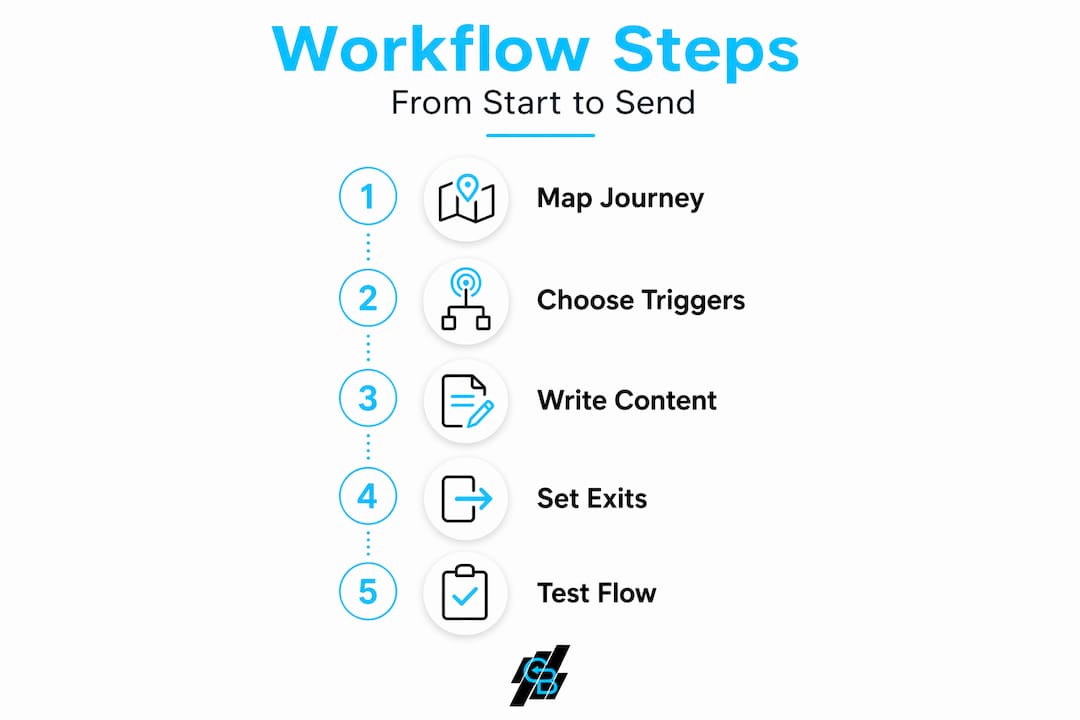
Step 1: Map the customer journey stages
Write down the key moments in your relationship with a contact: first awareness, initial inquiry, first purchase, repeat purchase, lapse risk, and churn. Each of these stages deserves its own workflow objective. A welcome series has a different goal than a re-engagement sequence. Mixing them into one flow creates confusion for the subscriber and makes measurement nearly impossible.
Step 2: Select triggers and timing
Effective email workflows mix time-based and behavior-based triggers. A welcome series runs well as four to five emails sent over ten days following signup. A re-engagement workflow fires after 45 to 60 days of inactivity. For abandoned cart recovery, the first email should go out within one hour of abandonment, the second at 24 hours, and the third at 72 hours.
A well-structured three-email sequence recovers 5 to 15% of abandoned carts. Top-performing programs reach 15 to 20% recovery, yielding up to 40x ROI for high-volume stores. The timing sequence is not arbitrary. The first email catches urgency. The second adds social proof. The third introduces an incentive if needed.
Step 3: Write behavior-informed content
Generic content kills workflows. Personalization using behavioral intelligence and dynamic product recommendations is what separates 30% recovery programs from those stuck at 10%. That means referencing the specific product a contact viewed, the category they browsed, or the service page they visited before leaving.

For an effective email workflow, every message should answer one question in the reader’s mind: why is this relevant to me right now? If you cannot answer that question from the contact’s behavior data, the message probably should not be sent.
Step 4: Set exit conditions and suppression rules
This step gets skipped more than any other. Without explicit exit conditions like “completed purchase,” customers receive irrelevant emails long after they have moved on, which damages trust and increases unsubscribes. Before you launch any workflow, define exactly what event removes a contact from it.
Suppression rules work alongside exit conditions. If a contact converts, suppress them from all related prospect sequences immediately. If they unsubscribe from one workflow, honor that preference across all active flows where legally required.
Step 5: Test your flow logic before launch
Run through every branch of your workflow manually. Enroll a test contact, confirm each trigger fires at the right time, verify personalization tokens populate correctly, and check that exit conditions work as designed.
Pro Tip: Use a spreadsheet to map every node in the workflow before building it in your platform. It takes 30 minutes upfront and prevents hours of troubleshooting after launch.
Here is a pre-launch checklist to run through:
- All trigger events are connected to live data sources
- Personalization tokens have fallback values if data is missing
- Exit conditions cover every conversion scenario
- Suppression lists are applied and up to date
- Unsubscribe links are tested and functional
- Authentication records are verified
Common mistakes that kill workflow performance
Even well-designed workflows break down over time. Knowing where they typically fail helps you catch problems before they compound.
Behavior-driven lifecycle marketing consistently outperforms batch sends on engagement and deliverability. Yet many marketers default to calendar-based sends when they are pressed for time. That habit creates one-size-fits-all messaging that erodes subscriber trust gradually.
Here are the mistakes that show up most often in workflows past their first 90 days:
- Skipping list hygiene after launch. Lists that looked clean at launch grow stale. Regular cleaning of unengaged contacts protects your sender reputation and keeps your active list meaningful.
- Leaving workflows running without review. Offers go stale. Product lines change. A workflow built in January can contain broken links, outdated pricing, or discontinued promotions by March.
- Ignoring unsubscribe rate spikes. A sudden jump in unsubscribes points to a specific email or trigger misfiring. Treat it as a data signal, not just a vanity metric to minimize.
- Over-personalizing in ways that feel invasive. Referencing behavior too precisely can make subscribers uncomfortable. “We noticed you viewed this product three times” reads as surveillance. “Still thinking it over?” reads as helpful.
Pro Tip: Set a calendar reminder every 90 days to audit your active workflows. Check for broken links, outdated content, and shifts in open rate trends. Thirty minutes per quarter prevents major deliverability problems.
Measuring what actually matters
A workflow that runs is not the same as a workflow that performs. You need to measure the right things and know what to do when numbers shift.
The KPIs that drive decisions
| Metric | What it tells you | Target benchmark |
|---|---|---|
| Open rate | Subject line and sender reputation health | 25 to 40% for behavior-triggered sends |
| Click-through rate | Content relevance and CTA clarity | 3 to 8% depending on industry |
| Conversion rate | Workflow effectiveness at driving action | Varies by goal; track against baseline |
| Unsubscribe rate | Message relevance and frequency | Below 0.5% per send |
| Revenue per email | Direct ROI contribution | Track against cost per send |
Setting up measurement correctly
Attribution in email is messier than most marketers admit. Sophisticated ROI calculations subtract organic conversions to avoid overstating email workflow impact. If 5% of your audience would have converted anyway without receiving the workflow, counting all conversions as email-driven inflates your numbers and leads to bad investment decisions.
Use UTM parameters on every link. Connect your email platform to your analytics tool so you can see the full path from email click to conversion event.
A/B testing that produces real answers
A/B testing subject lines and suppressing converted customers improve open rates by 15 to 25% and prevent the trust erosion that comes from irrelevant sends. Test one variable at a time. Subject line tests need at least 1,000 contacts per variant to produce statistically meaningful results. Smaller lists should test over time rather than simultaneously.
- Choose one variable per test (subject line, send time, CTA copy, or personalization depth)
- Define your success metric before the test runs
- Run the test for at least seven days or until you hit statistical significance
- Apply the winner and document the result for future reference
Consider adding SMS alongside your email sequences to create multi-channel touchpoints that catch contacts who do not open emails. The two channels reinforce each other without requiring a full rebuild of your existing flows.
What experience has actually taught me
Here is the thing about creating email sequences that nobody says out loud: most of what gets taught as best practice is really just starting point theory. I have seen meticulously planned workflows underperform average ones because the well-planned version was built around assumptions instead of real behavioral data.
The marketers I have watched build genuinely high-performing programs share one habit. They build simple before they build sophisticated. A straight linear sequence with four emails and one exit condition teaches you more in 60 days than a 12-branch decision tree that nobody can interpret later. You learn what content resonates, what timing works, and where contacts drop off. Then you layer in complexity with real evidence behind each decision.
I have also learned that data integrity matters more than most people expect going into this. A beautiful personalized workflow built on dirty contact data produces irrelevant messages that feel personal in the wrong way. Garbage in, garbage out. The time you invest in list hygiene before building pays back every time.
On personalization and privacy: there is a line between relevant and invasive, and it is closer than most marketers realize. My rule is to use behavioral data to inform relevance, not to demonstrate surveillance. The goal is for the subscriber to feel understood, not watched.
The shift from calendar-based to behavior-triggered email is where I have seen the biggest consistent lift for clients. It is not a small improvement. It is the difference between a workflow that maintains a list and one that actually drives revenue.
— Kyle
Take your workflows further with Callbackcrm
Building workflows from scratch gets complicated fast, especially when you are managing segmentation, triggers, personalization, and reporting across multiple audiences. Callbackcrm brings all of those pieces into one place.
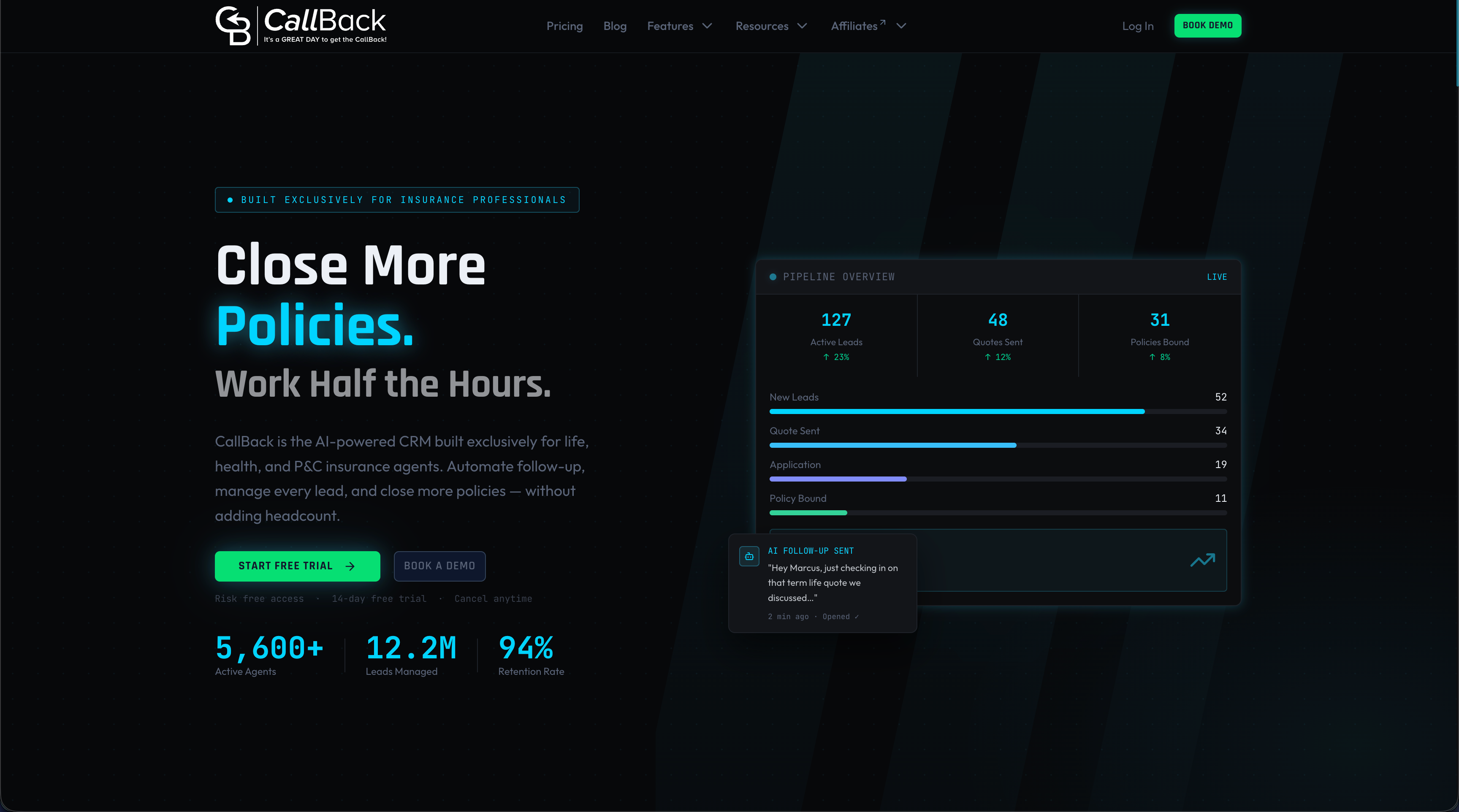
Callbackcrm’s AI-powered features cover email and SMS marketing, behavioral segmentation, automation workflows, and built-in reporting, all designed to reduce the manual work of managing campaigns. For insurance agents, agencies, and marketing teams who need a step-by-step email guide they can actually implement without stitching together five separate tools, Callbackcrm provides the infrastructure to do it. From your first welcome sequence to complex lifecycle programs, every workflow you build lives in one system with real-time data fueling every send. Explore the full platform features to see what is available.
FAQ
What is an email marketing workflow?
An email marketing workflow is an automated sequence of emails triggered by specific contact behaviors or time intervals, designed to move subscribers through a defined journey toward a goal like purchase or renewal.
How many emails should a welcome workflow include?
Most high-performing welcome sequences run four to five emails sent over ten days, with each message building on the previous one to introduce your value and guide the contact toward a next action.
What triggers should I use for my first workflow?
Start with the most reliable triggers: form submission for a welcome series, cart abandonment for recovery sequences, and inactivity for re-engagement. These cover the highest-impact moments in most customer journeys.
How do I know if my workflow is performing well?
Track open rate, click-through rate, and conversion rate against your pre-workflow baseline. Behavior-triggered sequences should outperform your average broadcast sends. If they do not, review your exit conditions and content relevance first.
What is the most common reason email workflows fail?
Missing or poorly defined exit conditions. When contacts remain in a workflow after converting, they receive irrelevant messages that damage trust and increase unsubscribes, undermining the entire program.