

TL;DR:
- Insurance CRMs are prime targets because they store highly valuable personal and financial data vulnerable to social engineering attacks. Agencies must implement continuous security practices, including strong access controls, regular audits, staff training, and compliance measures, to prevent breaches and maintain customer trust. CallBack CRM offers integrated security features designed specifically for insurance agencies to help protect data and ensure regulatory compliance.
The ShinyHunters hacking campaign exposed a brutal reality for insurance agencies: even enterprise-grade CRM platforms are not immune to attack. In 2025 and 2026, coordinated attacks on Salesforce CRM users compromised 1.4 million records at Allianz Life alone, with Farmers Insurance and Canada Life also hit in the same campaign. If your agency still assumes your CRM vendor handles security so you don’t have to, these breaches are a direct challenge to that assumption. This guide shows you exactly how to identify vulnerabilities, apply proven defenses, and stay compliant.
Table of Contents
- Why insurance CRMs are prime targets for attackers
- Key risks: Third-party integrations and employee accounts
- Best practices for securing your insurance CRM data
- Compliance requirements and industry standards
- Why technology alone isn’t enough: The human factor in insurance CRM security
- How CallBack CRM helps protect your agency’s data
- Frequently asked questions
Key Takeaways
| Point | Details |
|---|---|
| CRM breaches are rising | Major insurers lost millions of records to CRM-targeted attacks. |
| Humans are the weak link | Compromised employee accounts often enable the largest breaches. |
| Third-party connections are risky | External integrations and marketing tools expand your attack surface. |
| Proactive security is vital | Multi-factor authentication, regular audits, and training prevent most incidents. |
| Compliance protects your business | Maintaining audit logs and following standards helps avoid fines and reputational damage. |
Why insurance CRMs are prime targets for attackers
Insurance CRMs are not attacked randomly. Attackers target them deliberately because the data inside is extraordinarily valuable. A single policyholder record can include a full name, Social Security number, date of birth, home address, beneficiary information, and detailed financial history. On dark web markets, that combination sells for far more than a standalone credit card number.
The ShinyHunters campaign is one of the clearest examples of how coordinated attacks work at scale. By targeting compromised employee accounts and using social engineering to bypass technical defenses, the group hit Allianz Life (1.4 million records), Farmers Insurance (1.1 million records), and Canada Life (up to 5.6 million records claimed). The common thread was not a sophisticated software exploit. It was human access.
“A CRM breach in insurance is not just a data problem. It is a trust catastrophe. Customers share their most sensitive life details with agents they trust, and a breach destroys that relationship instantly.”
Here is what makes insurance CRM data so dangerous in attacker hands:
- Personally identifiable information (PII): Names, addresses, email addresses, and phone numbers enable phishing and identity theft.
- Social Security numbers: Used for fraudulent credit applications and government benefit fraud.
- Policy details: Reveal coverage gaps, claim history, and financial exposure that can be exploited.
- Beneficiary information: Can be used for targeted social engineering against family members.
- Payment and banking data: Directly enables financial fraud.
The downstream consequences for agencies go well beyond the initial breach. Regulatory fines, class action lawsuits, reputational damage, and customer churn follow almost every major incident. Understanding insurance CRM data privacy obligations is the first layer of protection, but it only works if paired with active security practice.
| Insurer | Records exposed | Primary attack vector |
|---|---|---|
| Allianz Life | 1.4 million | Compromised employee accounts |
| Farmers Insurance | 1.1 million | Social engineering via CRM |
| Canada Life | Up to 5.6 million | Third-party access exploitation |
Strong corporate website security strategies apply to CRMs just as much as to public-facing sites. The perimeter you defend is only as strong as its weakest access point.
Key risks: Third-party integrations and employee accounts
Understanding the target value is important, but you need to know the entry points, so let’s detail the main vulnerabilities. Insurance agencies typically connect their CRM to a range of third-party tools: email marketing platforms, lead generation services, e-signature apps, quoting engines, and payment processors. Each integration creates a new potential entry point.
The ShinyHunters attack pattern showed clearly that technical security can be bypassed entirely when an attacker simply tricks or bribes an employee into providing credentials. Social engineering, which includes phishing emails, fake IT support calls, and SMS scams, now accounts for the majority of successful CRM breaches across industries.
Here is how the two primary risk categories compare:
| Risk category | Common scenario | Potential exposure |
|---|---|---|
| Employee accounts | Phishing email captures login credentials | Full CRM access, all records |
| Third-party integrations | Marketing app with excessive data permissions | Contact records, behavioral data |
| Shared logins | Multiple agents using one account | No audit trail, broad access |
| Abandoned integrations | Old tool still connected after staff departure | Silent data access |
The key weaknesses that agencies most commonly overlook include:
- Shared login credentials across the team, which makes it impossible to trace a breach to a single user.
- Integrations that were set up years ago and never reviewed, with permissions that exceeded what the tool actually needed.
- Former employees whose access was never revoked after they left the agency.
- Marketing automation tools connected with admin-level permissions when read-only access would have been sufficient.
- Lack of login monitoring, meaning that unusual access patterns go unnoticed for weeks or months.
When integrating CRM with marketing tools, always start by applying the principle of least privilege: give each tool only the minimum access it needs to function. This single practice can dramatically reduce your exposure.
Effective risk management solutions treat third-party connections as potential liabilities until they are verified, not as neutral additions to your tech stack.

Pro Tip: Set a recurring calendar reminder every 90 days to audit all connected apps in your CRM. Remove anything unused, downgrade excessive permissions, and verify that each active integration is still supported and patched by the vendor.
Best practices for securing your insurance CRM data
Spotting the risks is step one, but securing your CRM is about ongoing, active practice. The good news is that most of the most effective measures are not technically complex. They just require consistency and commitment.
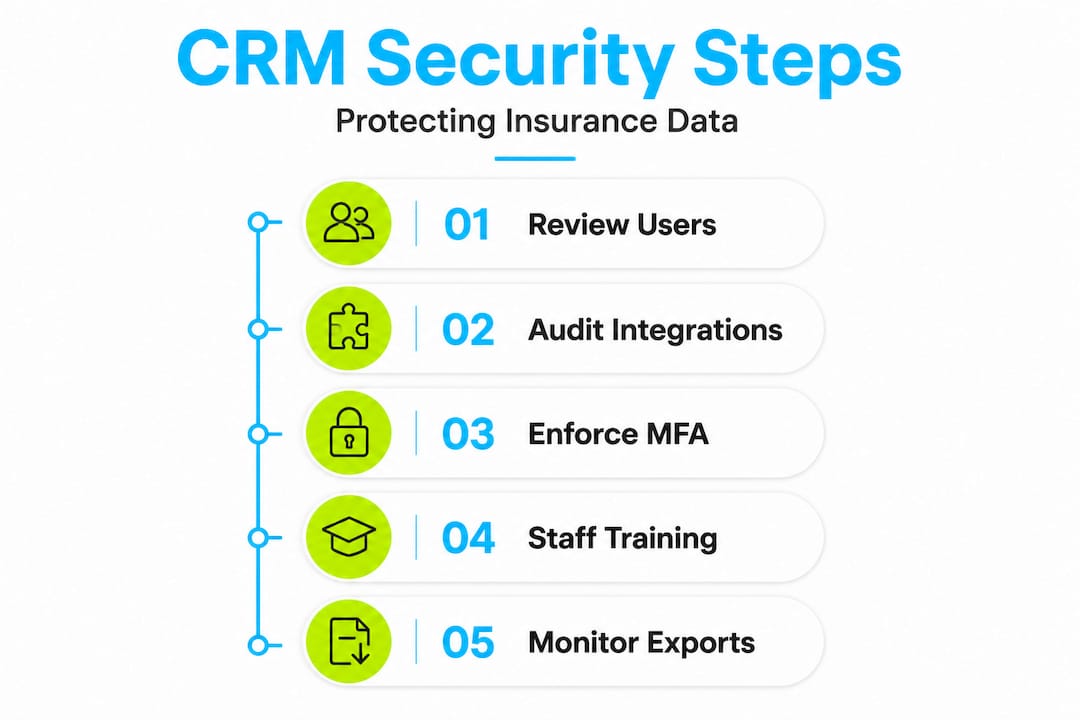
The Allianz Life breach reinforced a fundamental truth: technical defenses fail when human processes are weak. So your security program must address both simultaneously.
Authentication and access controls
- Enable multi-factor authentication (MFA) for every CRM account without exception. MFA blocks the majority of credential-based attacks even when a password is compromised.
- Require password resets every 60 to 90 days and prohibit reuse of previous passwords.
- Assign individual logins to every staff member so that access logs are meaningful and accountable.
- Apply role-based access control (RBAC) so that an admin assistant cannot see the same data as a senior agent or compliance officer.
- Revoke access immediately upon departure. Build this into your offboarding checklist as a mandatory step.
Data protection and monitoring
- Encrypt all sensitive data at rest and in transit using current standards (AES-256 for storage, TLS 1.3 for transmission).
- Back up your CRM data daily to a secure, geographically separate location.
- Enable login monitoring and configure alerts for logins from unusual locations, devices, or times.
- Run a full permissions audit quarterly, covering both user accounts and integration connections.
- Test your backups periodically. An untested backup is an assumption, not a guarantee.
Staff training
Integrating data security for insurance marketing workflows means your team needs to understand why they follow the rules, not just what the rules are. A staff member who understands how a phishing email works is far less likely to click a malicious link.
Leveraging AI for compliance automation can also reduce the manual burden of running security checks. Automated alerts for unusual login activity, integration access anomalies, and data export events mean you are notified before a small incident becomes a full breach.
Review your security policy best practices at least annually and update them in response to newly reported attack vectors.
Pro Tip: Automate your compliance checks. Set up alerts for large data exports, off-hours logins, and new integration connections so that your team receives instant notifications rather than discovering issues in a quarterly review.
Compliance requirements and industry standards
Defending your CRM is only part of the equation. You also need to be prepared for auditors and regulators. Insurance agencies in the United States operate under multiple overlapping compliance frameworks, and the penalties for violations have grown significantly.
Key regulatory frameworks
- Gramm-Leach-Bliley Act (GLBA): Requires financial institutions, including insurance agencies, to safeguard customer financial information, provide privacy notices, and implement written information security programs.
- HIPAA: Applies when your agency handles health insurance or any protected health information. Requires strict access controls, audit logs, and breach notification within 60 days.
- State insurance data security laws: Most states have now adopted versions of the NAIC Insurance Data Security Model Law, which sets detailed requirements for risk assessment, access management, and incident response reporting.
- State privacy laws: California (CCPA/CPRA), Colorado, Virginia, and others impose additional consent and data rights requirements on consumer data held in your CRM.
What auditors look for
The ShinyHunters campaign highlighted that the agencies hardest hit lacked adequate audit logging and incident response plans, which compounded both the breach damage and the regulatory exposure. Auditors will specifically examine:
- Access logs showing who viewed or exported records and when.
- Evidence of periodic permissions reviews.
- Written incident response procedures.
- Documentation of staff training on data security.
- Vendor agreements confirming that third-party integrations meet minimum security standards.
Regulatory cost callout: The average regulatory fine for a data breach affecting consumer financial data has more than doubled since 2022, with multi-state enforcement actions now routinely exceeding $1 million for mid-sized agencies. For independent agents, even a small breach can trigger state-level fines in the $50,000 to $250,000 range.
Staying current with compliance essentials for insurance is not just about avoiding penalties. Demonstrating strong data governance is increasingly a competitive advantage with customers who are aware of the risks.
Set structured review reminders in your CRM to revisit your compliance documentation every six months. When regulations change at the state level, your documentation needs to reflect that update before the next audit cycle.
Why technology alone isn’t enough: The human factor in insurance CRM security
Here is the part most security vendors will not tell you directly: buying a more secure CRM platform does not make your agency more secure. People do.
Every major insurance CRM breach that has made headlines in recent years, including those from the ShinyHunters campaign, started with a human action. Not a zero-day exploit. Not a sophisticated piece of malware. A person clicked a link, provided a password, or approved an access request they should have questioned.
This matters because agencies often invest in encryption, MFA, and compliance tools, then feel comfortable. The tech is checked off the list. What remains unaddressed is the environment in which that tech operates: a team of busy agents who are primarily focused on selling insurance and serving clients, not on running mental security audits every time an email arrives.
The lessons from CRM adoption in insurance reinforce this consistently. Agencies that see the greatest long-term value from their CRM are the ones that build operational habits around it, not just technical configurations. Security works exactly the same way.
Building a security culture in your agency means making security a performance expectation, not just an IT policy. Include security adherence in onboarding checklists. Reference it in quarterly performance conversations. Celebrate team members who report suspicious emails or flag unusual account activity. Make it a shared professional value, not a burden imposed from above.
The uncomfortable truth is that a single careless click from a new hire, an overworked account manager, or even a senior agent can bypass millions of dollars in technology investment in seconds. No CRM, however secure its architecture, can fully compensate for a team that does not understand why these practices exist.
Process, training, and culture are your most underrated security tools. Prioritize them with the same seriousness you give to your encryption settings.
How CallBack CRM helps protect your agency’s data
If your agency needs an easier way to achieve all these security practices, the right CRM can make it simple and automatic.
CallBack CRM is built specifically for insurance agents, agencies, and IMOs. That means security and compliance features are designed around the realities of your workflow, not retrofitted from a generic business platform.
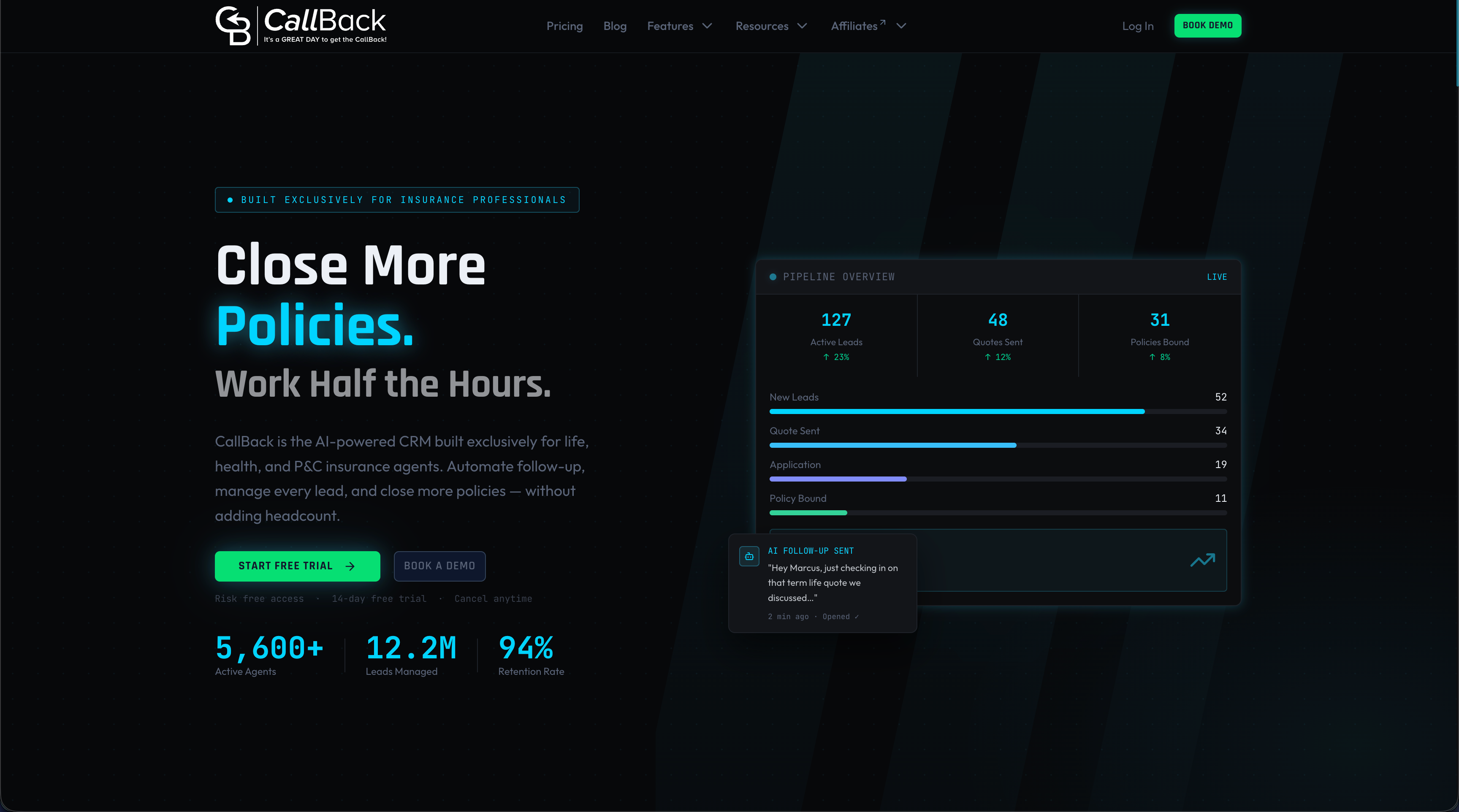
CallBack CRM includes multi-factor authentication, detailed audit logs, role-based access controls, and integration management tools that make it straightforward to see exactly what each connected app can access and when. Compliance automation features send alerts for unusual account activity and help your team stay audit-ready without manual tracking. All data is handled via Google Cloud infrastructure, giving your agency enterprise-grade protection without enterprise complexity. Explore the full CRM security features to see how CallBack CRM can give your team the security foundation your clients deserve, backed by 24/7 support when you need it.
Frequently asked questions
What insurance data is most at risk when a CRM is breached?
Personally identifiable information, Social Security numbers, and policy details are most vulnerable in an insurance CRM breach, as demonstrated by the ShinyHunters campaign targeting Allianz Life and other major insurers.
Are most insurance CRM breaches due to software flaws or human mistakes?
The majority of breaches occur from social engineering and compromised employee accounts rather than software bugs, which is why staff training is as critical as technical safeguards.
How can insurance agencies quickly assess their CRM’s third-party risks?
Review all connected apps, audit data sharing permissions for each integration, and regularly test whether each tool still needs the level of access it was originally granted.
Which compliance laws apply to insurance CRM data in the US?
The GLBA, HIPAA, and various state privacy laws all require data security safeguards, access logs, and privacy protections for insurance CRM systems, with most states also adopting versions of the NAIC Insurance Data Security Model Law.