

TL;DR:
- Most insurance agents rely on manual follow-up and outdated tools, leading to lost leads to faster competitors. Implementing AI automates lead capture, qualification, nurturing, and follow-up processes, significantly increasing response speed and conversion rates. Success depends on building a solid foundation by cleaning data, defining clear pipeline stages, and ensuring compliance before full AI integration.
If you’re losing leads to faster competitors, this ai-powered sales process guide is your fix. Leads contacted within 5 minutes are 21 times more likely to qualify, and first responders win 78% of leads. Yet most insurance agents still rely on manual follow-up, delayed callbacks, and spreadsheets that can’t compete with agents running automated systems. This guide walks you through every step of building a modern AI sales strategy, from cleaning your data and defining your pipeline to deploying AI tools that respond to prospects instantly, around the clock, without hiring a single extra staff member.
Table of Contents
- Preparing for an AI-powered sales process
- Executing AI-powered lead capture and qualification
- Implementing AI for lead nurturing, quoting, and follow-ups
- Verifying AI impact and refining your sales process
- Why most insurance agents underutilize AI and how to change that
- Leverage CallBack CRM to modernize your sales with AI
- Frequently asked questions
Key Takeaways
| Point | Details |
|---|---|
| Speed wins leads | Responding to insurance leads within 5 minutes increases qualification chances by 21 times and wins 78% of deals. |
| Clean data is critical | High-quality CRM data and clear sales stages are essential for AI to work effectively and deliver real ROI. |
| AI boosts efficiency | AI sales automation saves agents up to 18 hours per week on admin, follow-ups, and lead qualification tasks. |
| Compliance matters | Strict TCPA rules require explicit consent and DNC list maintenance when using AI calls in insurance sales. |
| Start small, refine | Begin with AI lead response and follow-up automation, then expand as you monitor impact and improve processes. |
Preparing for an AI-powered sales process
Before any AI tool delivers results, your foundation has to be solid. Think of it this way: AI is a multiplier, not a miracle. If your current process is slow and disorganized, automation will just make you faster at doing the wrong things.
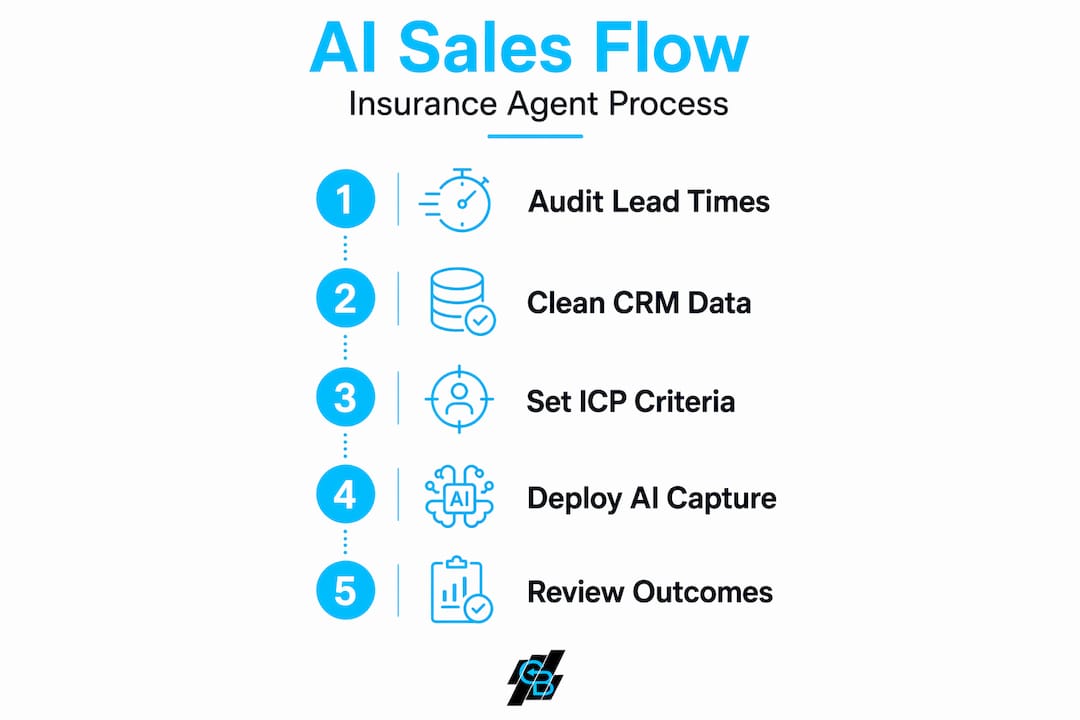
Start by auditing your current lead response times. Pull your CRM data and find out how long it takes your team to follow up after a lead comes in. If the answer is “hours” or “we check in the morning,” you’re already losing business. Document every stage of your sales pipeline and identify where leads drop off most often. This audit gives you the map AI will eventually follow.
Messy CRM data is one of the most common reasons AI implementations fail in insurance agencies. Duplicate contacts, inconsistent field entries, and missing policy details all reduce AI accuracy. Before you connect any AI tool, deduplicate records, fill in missing fields, and standardize how your team logs activity.
Key preparation steps:
- Audit current average lead response time (target: under 5 minutes)
- Remove duplicate contacts and standardize CRM field naming conventions
- Map your pipeline stages explicitly: New Lead, Contacted, Qualified, Quoted, Closed, Lost
- Define your ideal customer profile (ICP), including geography, policy type, age bracket, and income range
- Review how leads currently enter your system (web forms, referrals, paid ads) and unify sources in one place
Defining a clear ICP is especially important for AI lead scoring. When you use CRM for agents correctly, you can feed AI models a rich picture of what your best clients look like, and the system will prioritize new leads that match those patterns. Without that profile, the AI is guessing.
| Preparation task | Why it matters | Estimated time |
|---|---|---|
| Audit lead response times | Identifies biggest revenue leak | 1-2 hours |
| CRM data cleaning | Prevents garbage-in, garbage-out | 4-8 hours |
| Map pipeline stages | Enables accurate AI workflow setup | 1-2 hours |
| Build or refine ICP | Powers accurate lead scoring | 2-3 hours |
Pro Tip: Before you invest in AI tools, score your CRM data quality on a 1-10 scale. If you’d rate it below a 7, spend a week cleaning before you spend a dollar on automation. Bad data produces bad predictions, and you’ll blame the tool when the problem was the input.
Executing AI-powered lead capture and qualification
With your sales process ready, let’s look at how AI handles rapid lead capture and qualification while keeping you compliant.

The core mechanics here are straightforward. When a prospect fills out a form, clicks an ad, or requests a quote online, an AI agent responds within seconds, not hours. That speed matters enormously. AI responding within seconds wins 78% of insurance leads because it mirrors the urgency a prospect feels at the exact moment they’re ready to buy.
Here’s how to set it up step by step:
- Connect your lead sources to an AI intake workflow. Route web form submissions, Facebook Lead Ads, and inbound calls into a single AI-enabled inbox.
- Deploy an AI chatbot or voice agent for initial qualification. The AI asks pre-qualifying questions: coverage type needed, household size, current provider, and budget range.
- Score leads automatically. Based on answers, the AI assigns a priority score and routes high-value leads to a human agent immediately.
- Automate meeting booking. Calendar integration lets qualified leads book directly with an agent without back-and-forth emails.
- Log everything to your CRM. Every interaction, answer, and score gets recorded automatically. You automate lead generation without adding manual data entry.
Compliance is not optional. The FCC and TCPA regulations have specific requirements for AI-assisted outbound communication in insurance. Prior express written consent is mandatory for every AI outbound call, Do Not Call lists must be scrubbed every 31 days, and violations can carry penalties up to $51,744 per incident. Several states also require you to disclose that a prospect is interacting with an AI rather than a human agent.
Compliance checklist for AI outbound:
- Collect written consent at lead capture (web form checkbox with clear language)
- Scrub against federal and state DNC registries every 31 days
- Disclose AI use during initial contact where state law requires it
- Store consent records and call logs for a minimum of 5 years
- Review FCC rules quarterly as TCPA compliance for AI calls evolves frequently
| AI tool type | Best use case | Compliance watch point |
|---|---|---|
| AI chatbot | Web lead intake and FAQ handling | Data storage and consent disclosure |
| AI voice agent | Outbound call follow-up | TCPA written consent required |
| Automated SMS | Appointment reminders and nurture | DNC scrubbing and opt-out handling |
| Calendar automation | Meeting booking post-qualification | Minimal, but confirm timezone accuracy |
Pro Tip: Build your consent language directly into every lead capture form before launching AI outbound. One missing checkbox can expose you to penalties that far outweigh any revenue the automation generates. Your compliance review should happen before go-live, not after.
Explore AI customer engagement strategies that combine chatbot, SMS, and voice tools to keep prospects engaged across every channel they prefer.
Implementing AI for lead nurturing, quoting, and follow-ups
After capturing leads, AI can nurture and guide them through quoting and follow-up to close deals faster.
Insurance sales cycles average 30 to 60 days, and the biggest killer of pipeline is silence. Prospects go cold because agents forget to follow up, get too busy, or assume a lead that didn’t respond immediately isn’t interested. AI eliminates that assumption entirely by running multi-touch sequences automatically.
Setting up an AI nurture sequence:
- Day 1: Immediate AI response confirming receipt and asking qualifying questions.
- Day 2: Personalized email summarizing coverage options relevant to the prospect’s profile.
- Day 5: SMS follow-up with a direct link to book a call.
- Day 10: Educational content email (e.g., “What affects your home insurance rate”) to stay valuable without being pushy.
- Day 20: Re-engagement message triggered if no booking has occurred, with a different offer angle.
- Day 30+: Monthly touchpoint for leads that remain open, flagging any that open emails or click links for immediate human outreach.
On the quoting side, AI can cut turnaround time from an industry average of 45 minutes to under 10. When a lead completes qualification, their data flows directly into quoting templates that pre-populate policy options based on their answers. Agents review and send, rather than build from scratch.
Where AI adds the most value in nurturing:
- Identifying cross-sell opportunities based on existing policy data (home, auto, life bundling)
- Flagging renewal windows 60 to 90 days in advance so agents reach clients before competitors do
- Tracking email opens, link clicks, and reply patterns as buying signals for prioritization
- Personalizing message content based on lead source, policy interest, and past interactions
Combine this with content from AI lead generation for insurance pros to keep your pipeline filled while your nurture sequences close existing leads.
Pro Tip: Don’t automate your nurture sequences and then ignore them for six months. Review reply rates and drop-off points monthly. If prospects disengage at step three, rewrite that message. The sequence is a hypothesis, and your data tells you when it’s wrong.
Verifying AI impact and refining your sales process
Once AI is running, ongoing measurement ensures it keeps improving rather than drifting.
The KPIs that matter most for an insurance AI sales strategy are lead response time (aim for under 2 minutes), lead-to-appointment rate, appointment-to-quote rate, and overall close rate. Track these weekly, not monthly. Organizations treating AI as a strategic capability see measurably higher pipeline generation, win rates, and revenue per rep compared to those that treat it as a one-time tool deployment.
What to measure and how:
- Lead response time: AI should log a timestamp on every first touchpoint. Pull this weekly and flag anything over 5 minutes.
- Conversion by lead source: Compare close rates from Facebook leads vs. referrals vs. web organic to see where AI has the most impact.
- CRM update accuracy: Spot-check 10 records per week to confirm AI is logging correctly.
- Pipeline velocity: Measure how many days the average lead spends in each stage. A stage that keeps growing signals a bottleneck AI isn’t solving.
| Metric | Manual process baseline | AI-assisted target |
|---|---|---|
| Lead response time | 2-4 hours | Under 2 minutes |
| Follow-up attempts per lead | 1-2 | 6-8 automated touches |
| Time to produce a quote | 45 minutes | Under 10 minutes |
| Agent admin hours per week | 15-20 hours | 3-6 hours |
Review your AI’s performance against these AI benefits for insurance agents benchmarks every quarter and adjust your workflows accordingly.
Data degradation is real. Leads change contact details, policies lapse, and market segments shift. Re-audit your CRM data every 90 days and update the ICP and lead scoring models when you notice conversion rates declining without an obvious cause. Check top lead generation tips with AI to stay current on what’s working across the industry.
Pro Tip: Run a monthly manual vs. AI comparison on a small lead sample. Take 20 leads handled entirely by AI and 20 handled manually, and compare close rates. This one exercise will either confirm your AI setup is working or reveal exactly where human follow-up still adds value that automation can’t replicate.
Why most insurance agents underutilize AI and how to change that
Here’s what most AI adoption guides won’t tell you: the technology rarely fails. The process around it does.
Only 12% of companies fully integrate AI into their sales workflows. The other 88% buy a tool, run it in isolation from their actual pipeline, and then conclude that AI doesn’t work for their market. In insurance specifically, we see this pattern constantly. An agent gets excited about an AI voice tool, connects it to their leads, and abandons it after two weeks because the conversations felt off or the data wasn’t flowing into their CRM.
The uncomfortable truth is that most agents want AI to fix a broken process. It won’t. AI accelerates whatever is already there. If your pipeline stages are vague, your ICP is undefined, and your CRM looks like it was updated once a quarter, AI will just generate more unqualified activity at higher speed.
The agents who see real results start small and deliberately. They pick one high-friction step, usually lead response or follow-up, and automate only that. They measure the before and after. They fix the data problems the automation surfaces. Then they expand. That sequenced approach builds both confidence in the tool and institutional knowledge about where AI actually earns its place in your workflow.
Mastering AI in insurance marketing is not about buying the most sophisticated platform. It’s about knowing exactly which problem you’re solving before you turn anything on.
The agents succeeding with AI right now treat it the way a good underwriter treats risk. They define criteria carefully, monitor results obsessively, and adjust when the data tells them something changed. That discipline is what separates the 12% who fully integrate AI from the majority who dabble and disengage.
Leverage CallBack CRM to modernize your sales with AI
If this guide has shown you where the gaps are in your current sales process, the next question is which tool actually closes them.
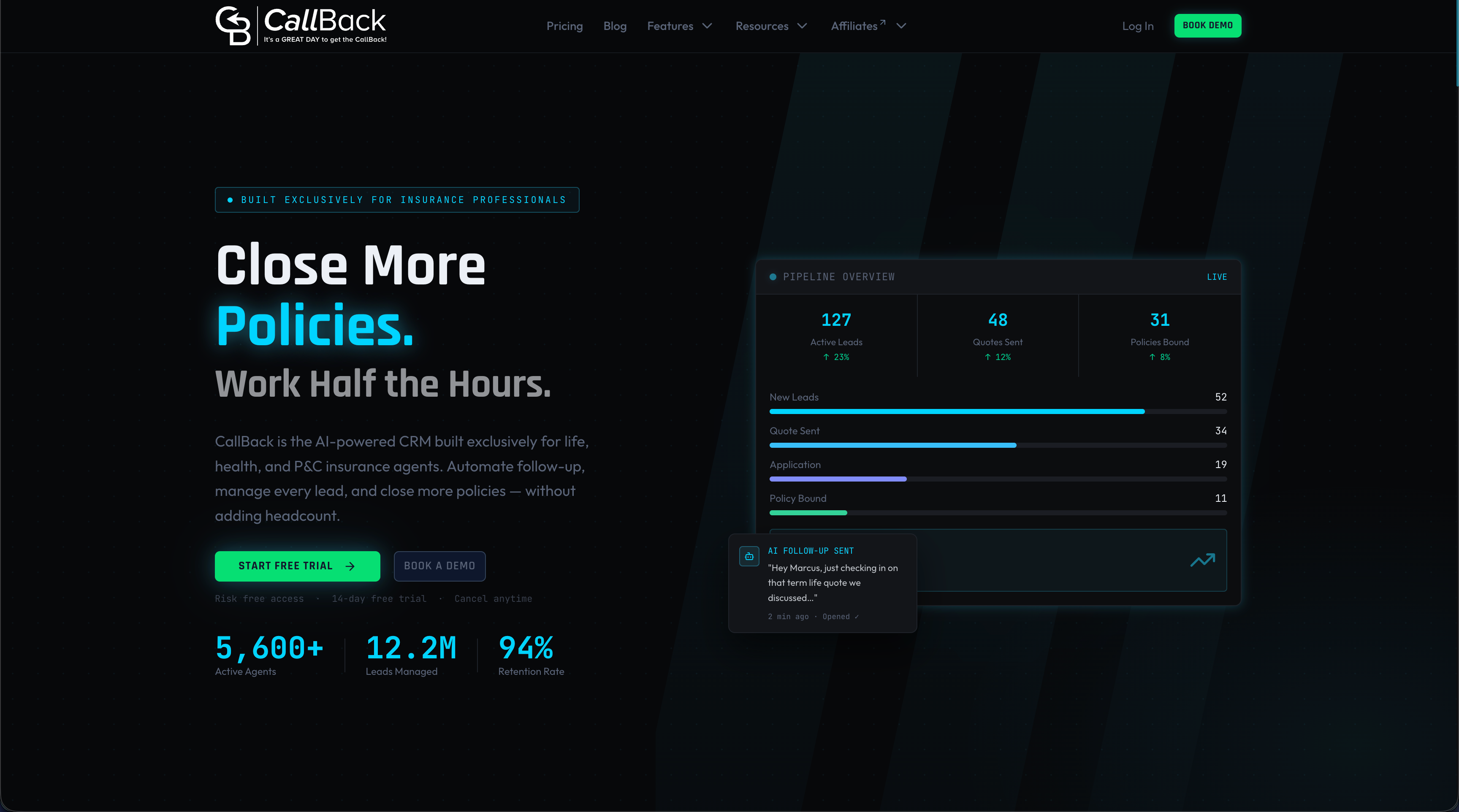
CallBack CRM was built specifically for insurance agents, agencies, and IMOs who want to replace manual, reactive sales work with automated, AI-driven systems. From the moment a lead submits a form to the day a policy renews, CallBack handles qualification, follow-up, quoting workflows, and CRM updates automatically. You get purpose-built AI sales features including lead scoring, AI voice and chat agents, multi-channel nurture sequences, and automated pipeline management, all in one place without stitching together five separate tools. The platform’s automation features eliminate the admin hours that eat into selling time, while SMS marketing features keep you in front of prospects on the channel with the highest open rates. For insurance sales teams ready to compete on speed and consistency, CallBack CRM is the infrastructure that makes it possible.
Frequently asked questions
How quickly should I respond to insurance leads for best results?
Responding within 5 minutes dramatically improves your odds of qualifying a lead. Leads contacted within 5 minutes are 21 times more likely to qualify than those reached after 30 minutes, which makes AI-powered instant response one of the highest-ROI changes you can make.
What compliance rules must I follow when using AI for outbound calls?
You need prior express written consent before any AI outbound call, DNC scrubbing every 31 days, and records kept for 5 years. Penalties reach $51,744 per TCPA violation, so compliance setup should happen before you launch any automated outbound campaign.
How long does it take to implement an AI sales agent in an insurance brokerage?
Setup typically takes 2 to 4 weeks including CRM integration, data cleaning, and workflow configuration, with most brokerages seeing measurable time savings within their first 90 days of operation.
Can AI handle complex insurance quoting and closing?
AI handles qualification, follow-up, and scheduling exceptionally well, but licensed humans must handle quoting, binding, and advice on complex commercial lines due to both compliance requirements and the expertise those situations demand.
What are the top benefits of integrating AI into insurance sales processes?
AI increases qualified leads by 42%, saves agents 12 to 18 hours of admin work weekly, and improves book growth by 3 to 8% annually through better cross-sell and renewal identification. Speed and consistency are where the gains show up fastest.