
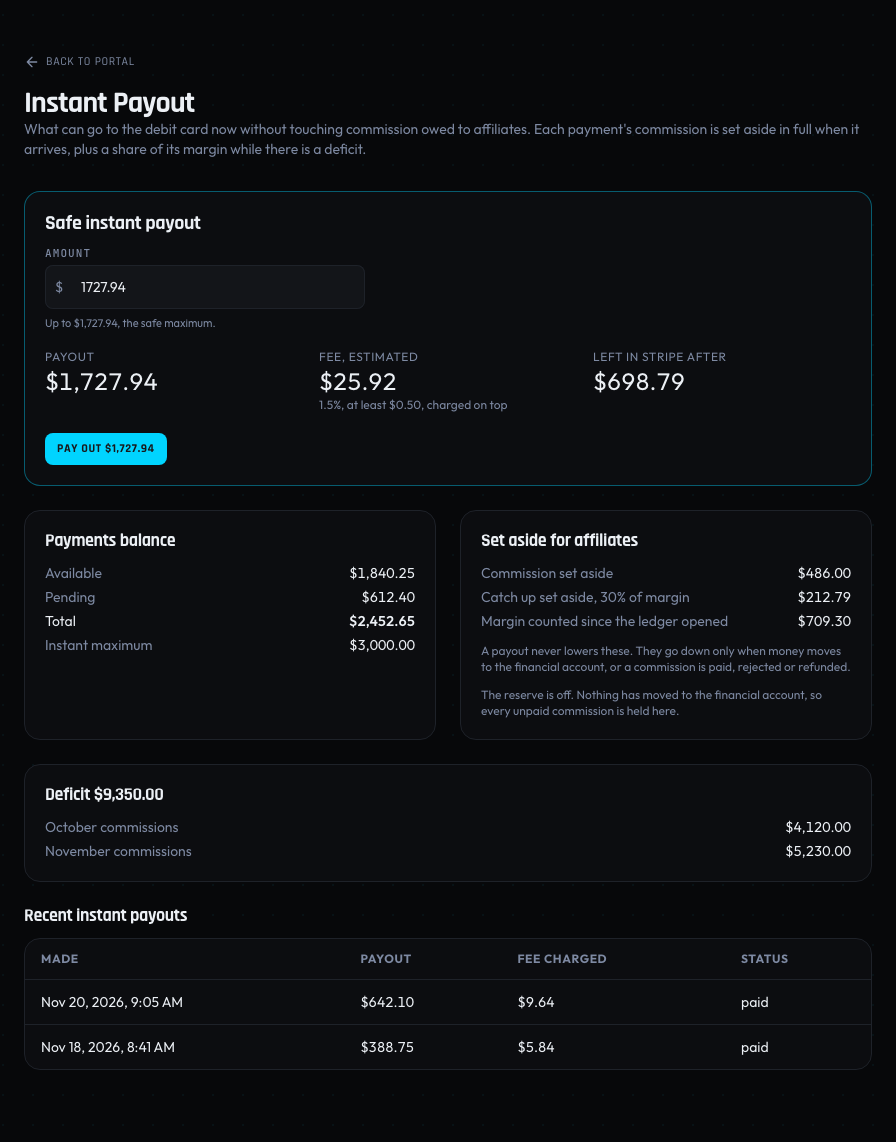
The Instant Payout page shows how much of the Stripe balance can go to your debit card now, without touching money owed to affiliates. You choose the amount, up to the safe maximum, and Stripe sends it within minutes.
Only the account owner can open this page. Anyone else sees a page not found message.
Before you start
- Sign in to the CallBack portal with the owner login.
- Have a debit card set up for instant payouts in Stripe.
Steps
- Go to Portal, then Instant Payout.
- The Amount field starts at the safe maximum. Leave it, or type a lower amount.
- Check the Fee, estimated and Left in Stripe after figures. They change as you type.
- Click Pay out.
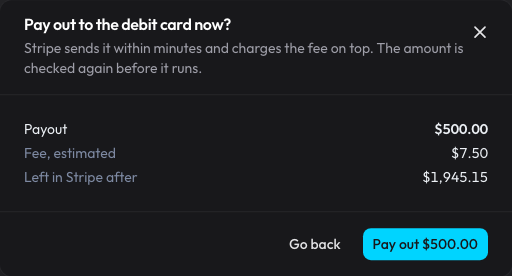
- A box asks you to confirm. Check the figures and click Pay out again.
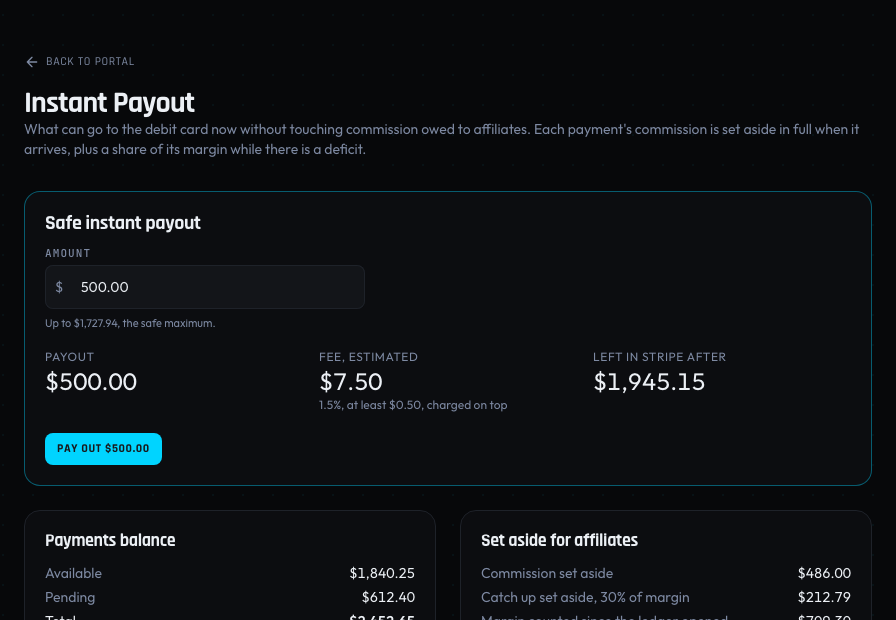
Pay out less than the maximum
Type any amount from $0.50 up to the safe maximum. The fee and the balance left after the payout change to match.
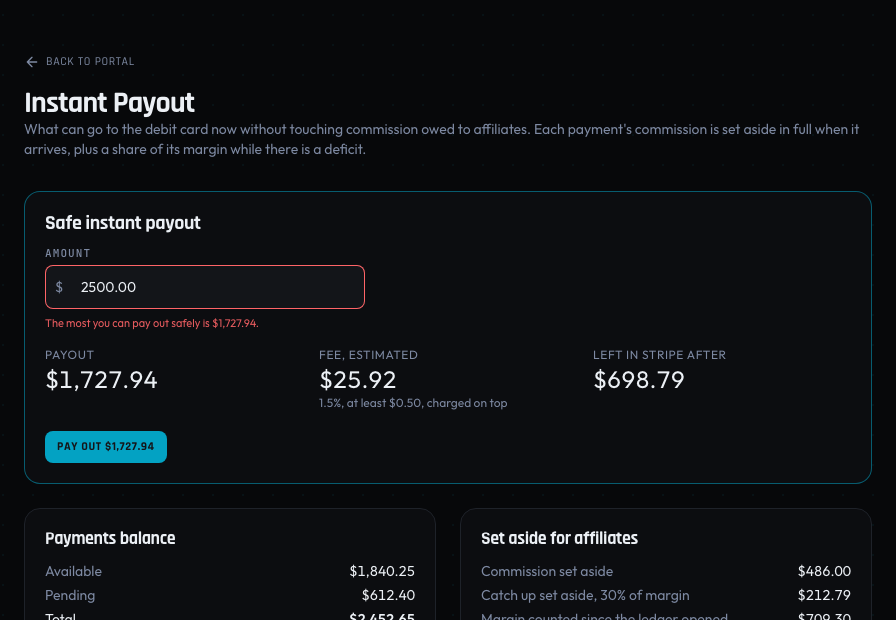
The page will not take more than the safe maximum. The field turns red, says the most you can pay out, and the button stays off until the amount is back in range. The server checks the amount again when you confirm, so a payout never goes above what is safe at that moment.
When you confirm, the box shows the payout, the estimated fee and what stays in Stripe.
If the balance changed and your amount is now above the safe maximum, nothing is paid. The box shows the new maximum, and you confirm again.
What is set aside for affiliates
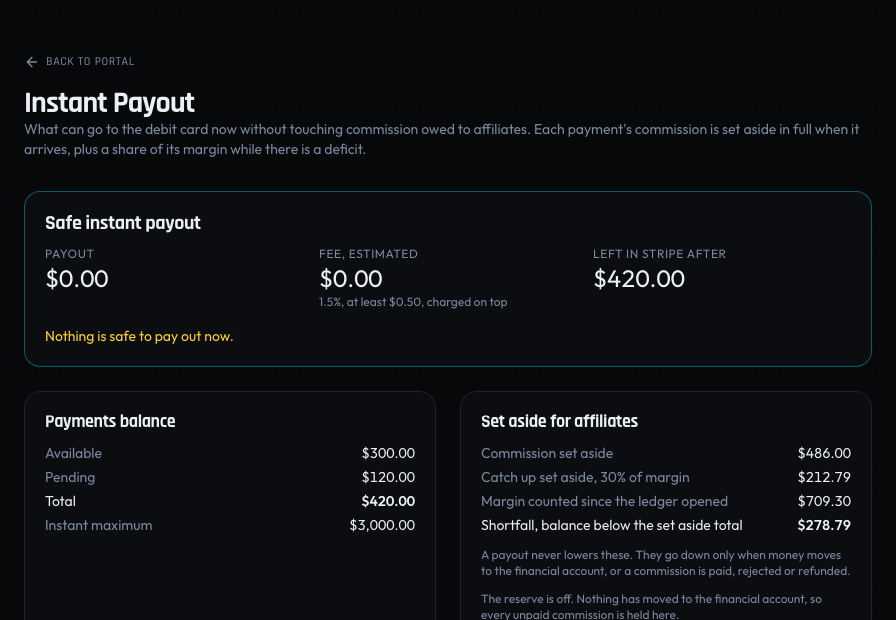
The Set aside for affiliates card shows what the safe figure leaves in Stripe.
| Line | What it means |
|---|---|
| Commission set aside | The full commission on every payment that earns one. It is set aside the moment the payment arrives and is never offered as safe. A new payment whose commission is not booked yet is held in full until it is. That is usually a few seconds, and at most three days when Partner.io is slow to answer. |
| Catch up set aside | While there is a deficit, a share of the margin on each payment, 20 percent by default. On a plan that earns commission, the margin is the payment less its commission. On a wallet recharge it is only the part CallBack keeps, about 17 percent. The rest of a recharge pays the platform's usage bill, so it is not held. Other products count the margin share set for them, and nothing until one is set. |
| Margin counted since the ledger opened | The margin on every payment since the set aside total began. The catch up share is worked from this figure. |
| Shortfall | Shows only when the Stripe balance is below the total set aside. Nothing is safe until new payments cover it. |
A payout never lowers these figures, so taking two payouts in a row never takes more than one would. They go down only when the money moves to the financial account, or a commission is paid, rejected or refunded.
The deficit card
The deficit is commission still owed from payments whose money had already left Stripe before the set aside total began. Each line shows where it came from. The catch up share pays it down over time.
If something looks wrong
| What you see | What it means |
|---|---|
| "Nothing is safe to pay out now." | Everything in the balance is set aside, or what is left is under $0.50 after the fee. |
| "The set aside ledger is not open yet, so what is owed is unknown." | The set aside total has not been started yet. Contact CallBack support. |
| "The financial account could not be read, so nothing in it is counted" | The page still works. It holds every unpaid commission in full, so the safe amount may be lower than usual. It returns to normal when the financial account can be read again. |
| "The balance changed before the payout. Refresh and confirm again." | Another payout or a refund changed the balance. Refresh the page and confirm again. |
| "Another payout is running. Refresh in a minute to see it." | A payout from another tab or a second click is still running. Only one runs at a time. |
| "The payout took too long to check, so nothing was paid. Refresh and try again." | Stripe or the database was slow, and the check ran past its time limit. Nothing left Stripe. |
| "A move to the financial account has no answer from Stripe yet, or it failed." | The commission reserve moved money, and Stripe has not confirmed it or sent it back. The daily run settles it, then the page works again. |
The recent payouts list at the bottom of the page shows each instant payout and the fee Stripe charged.