
Sign up on the affiliate page, accept the agreement, and CallBack sends you an invite to the partner portal. Your referral link, your referrals and your payouts all live in that portal.
Before you start
- You need to be 18 or older.
- Have an email address you check. The portal invite goes there.
Steps
- Go to callbackcrm.com/signup/affiliate and scroll to Join the affiliate program.
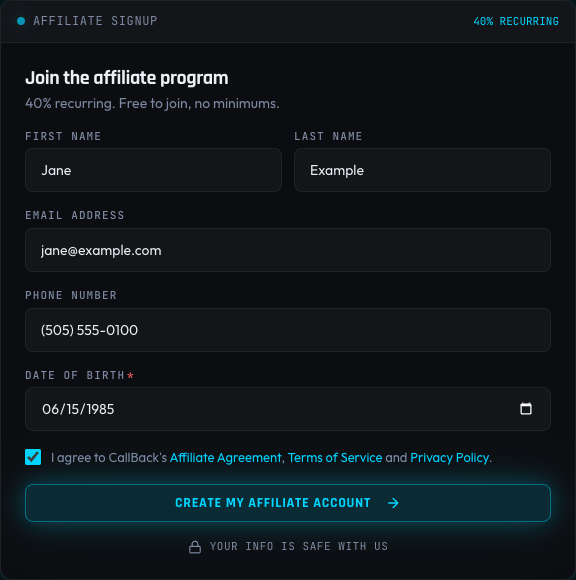
- Fill in your first name, last name, email, phone number and date of birth.
- Tick the box to accept the Affiliate Agreement, Terms of Service and Privacy Policy. You can open each one from the box before you agree.
- Click Create My Affiliate Account.
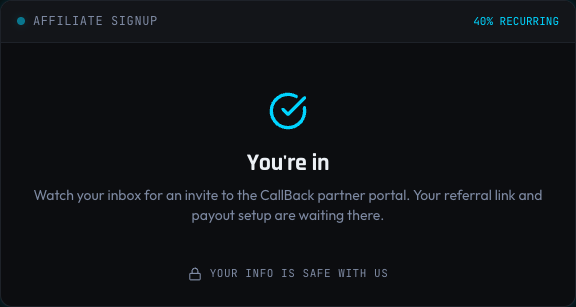
When it goes through you see You're in, and a note to watch your inbox.
After you sign up
- Open the invite email from the CallBack partner portal and set your password.
- Copy your referral link from the portal. It looks like
https://www.callbackcrm.com?plid=followed by your own code. - In the portal, connect a payout account and fill in your tax form, so commissions can be paid.
Anyone who opens your link and then starts a CallBack subscription is counted as your referral.
Links from before the portal
If you were an affiliate before the partner portal, your old link ends in ?am_id= and still works.
A referral from it is still counted for you. Use the new link from the portal for anything you share
from now on.
If something goes wrong
| What you see | What to do |
|---|---|
| No invite after a few minutes | Check your spam folder. If it is not there, contact CallBack support with the email you signed up with, and the invite will be sent to you. |
| A message that a field is not valid | Fix the field it points to and click Create My Affiliate Account again. |
| "You must accept the agreements to join the program" | Tick the agreement box, then submit again. |